
RecursosBibliotecas de símbolos DWG
Temas:Power system condition monitoring symbolsSímbolos de diagrama unifilarSímbolos de instalações prediais
AutoCAD power system condition monitoring symbols (DWG): early warning for transformers, switchgear, cables and stations
Power system condition monitoring symbols: 113 blocos do AutoCAD prontos para usar (DWG). Um pacote inicial de 12 símbolos é grátis; a edição Padrão custa $79.
Pacote inicial grátis: 12 símbolos
Os símbolos mais usados desta biblioteca, como blocos do AutoCAD em um único DWG. Grátis para todos, para qualquer projeto.
 Residual current detector
 Arc fibre sensor
 Arc flash relay
 Oil gas monitor, multi-gas
 Partial discharge, UHF
 Top oil temperature
 Partial discharge, TEV
 SF6 density monitor
 Distributed temp sensing unit
 Camera, thermal imaging
 Inspection robot, rail-hung
 Edge gateway
Padrão: 113 símbolos
Os 113 símbolos da edição Padrão em um único download, prontos para inserir no AutoCAD. Pague uma vez e fique com os arquivos.
Pacote inicial grátis
$0Para todos, para qualquer projeto
- 12 símbolos
- Sem login
- Um único DWG
Licença da biblioteca
$79
Para uma pessoa
Education: free
- Pagamento único
Student or teacher?
Free for one year with your school e-mail address. Renew it with the same address.
Sign in with your school e-mail address, we check it, and the licence is added to your account.
Em breveGrátis com um e-mail de escola ou universidade, para estudo e ensino.
O que cada versão contém
Os símbolos por grupo, e quantos de cada grupo cada versão traz.
| Conteúdo | Grátis | Padrão |
|---|---|---|
| Todos os símbolos | 12 | 113 |
| Acrescentado por esta versão | — | +101 |
| Electrical fire monitoring | 1 | 14 |
| Arc flash protection | 2 | 12 |
| Transformer monitoring | 3 | 19 |
| Switchgear and GIS monitoring | 2 | 14 |
| Cable monitoring | 1 | 10 |
| Environment and safety monitoring | 1 | 12 |
| Inspection robots and thermography | 1 | 11 |
| Station system | 1 | 11 |
Mostrar mais 1 gruposMostrar menos grupos
| Lines and marks | — | 10 |
|---|
O pacote grátis é uma seleção escolhida a dedo. O Padrão é uma compra única e entrega todos os símbolos em arquivos DWG.
113 symbols as ready-to-use AutoCAD blocks for the equipment that watches power facilities and warns before a fire or a failure: electrical fire monitoring (residual current, temperature and arc fault detectors, monitoring units, remote displays); arc flash protection (point and fibre sensors, relays, current check, trip outputs, compartment zones); transformer monitoring (dissolved gas, moisture, partial discharge, bushings, winding and oil temperature, tap changer, cooler, oil level, gas relay, vibration); switchgear and GIS monitoring (partial discharge, contact and busbar temperature, SF6 density, leakage and decomposition products, breaker mechanics); cable monitoring (distributed temperature fibre and zones, partial discharge, sheath and circulating currents, joints); environment and safety (temperature, humidity, water, oxygen, SF6 and hydrogen, door contacts, cameras); inspection robots and thermal imaging (tracked, wheeled and rail-hung robots, drones, charging bases, thermal gateways and cameras, inspection points); station systems (data concentrators, gateways, servers, switches, wireless nodes, time source, alarm column); and lines and marks for fibre, RS-485, Ethernet, wireless, alarm and trip.
Versão 1.0 · atualizada em 25 de novembro de 2026 · Veja o que mudou
Desenhos de exemplo feitos com esta biblioteca
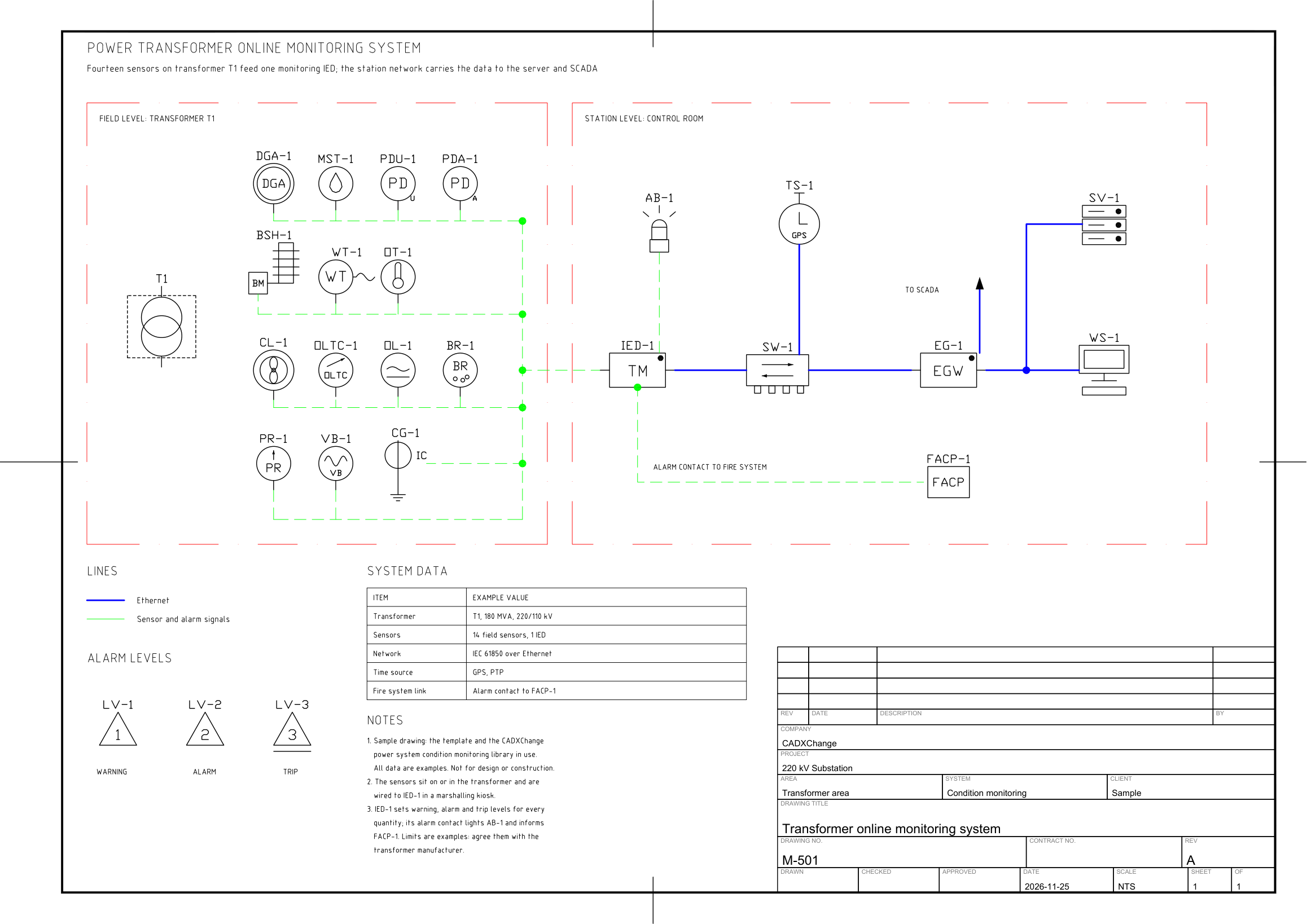
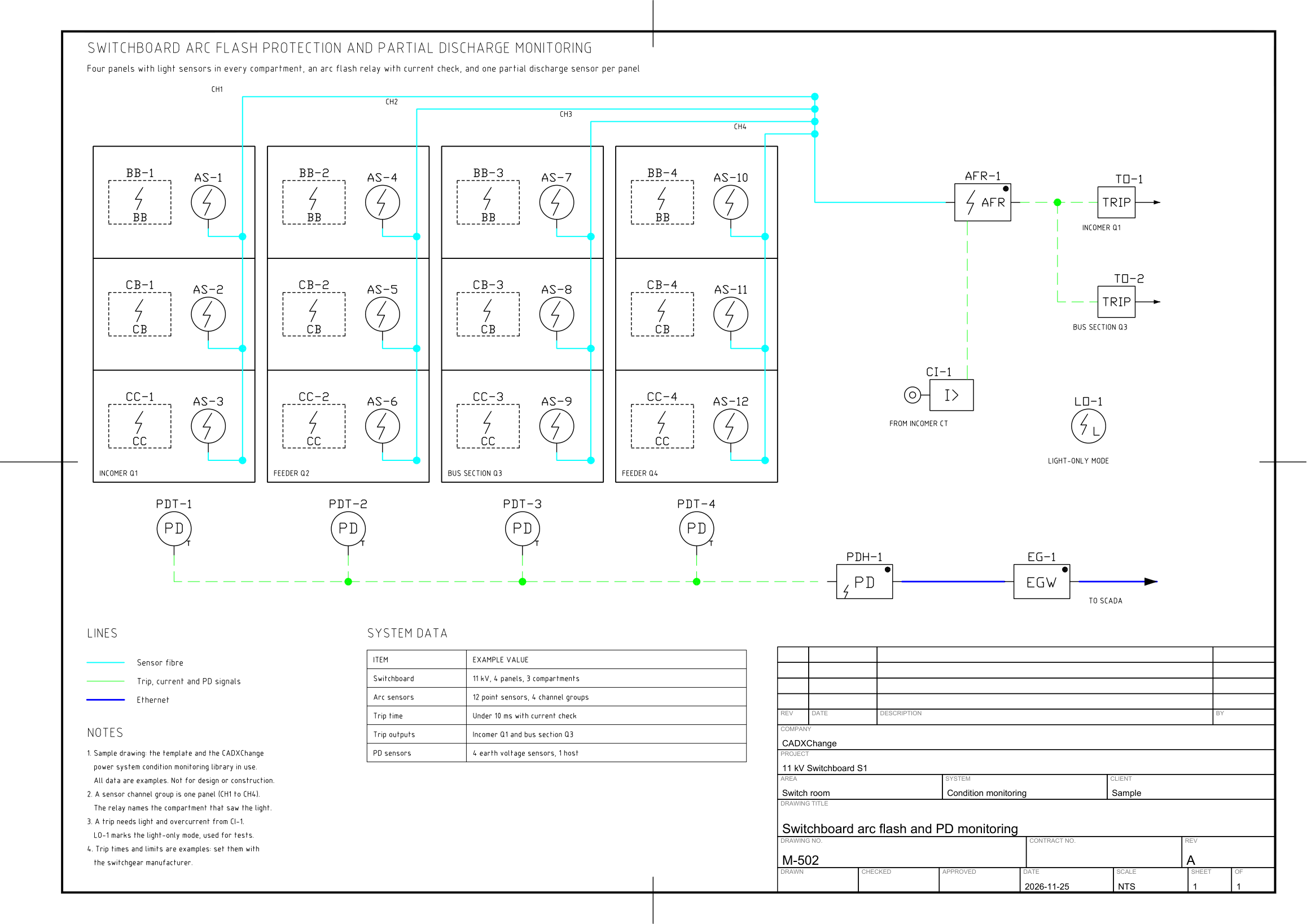
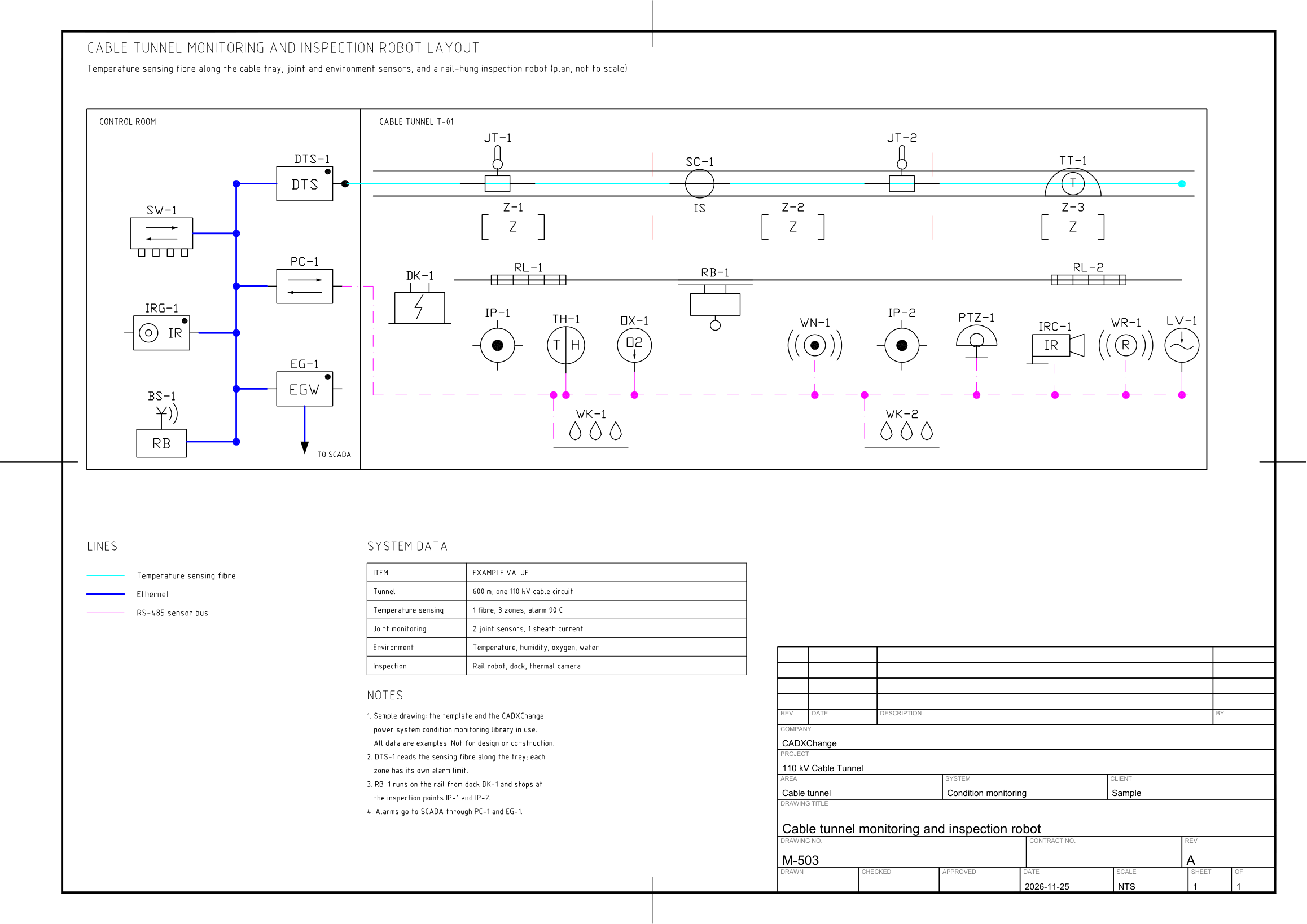
Todos os 113 símbolos
113 de 113 símbolos
Residual current detector
PMN_RC_DETECTORAtributos
TAGRANGE_MAALARM_MACHANNELSOUTPUTCIRCUITLOCATIONADDRESSMANUFACTURERMODELREMARKSDESC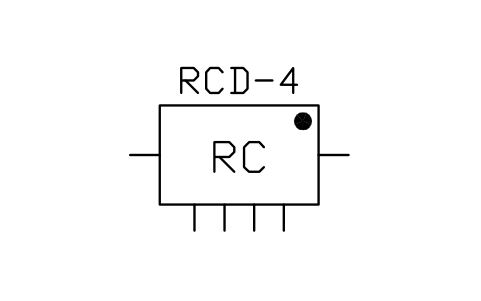
Residual current, 4 channel
PMN_RC_DETECTOR_4CHAtributos
TAGRANGE_MAALARM_MACHANNELSOUTPUTCIRCUITLOCATIONADDRESSMANUFACTURERMODELREMARKSDESC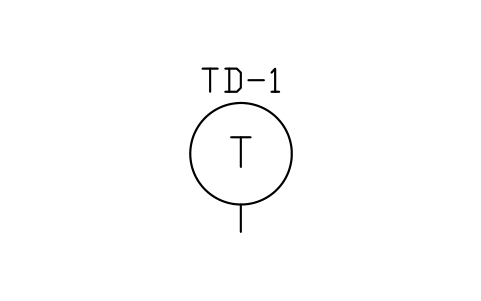
Temperature monitor detector
PMN_TEMP_DETECTORAtributos
TAGRANGE_CALARM_CSENSOR_TYPEOUTPUTMONITORED_ITEMLOCATIONADDRESSMANUFACTURERMODELREMARKSDESC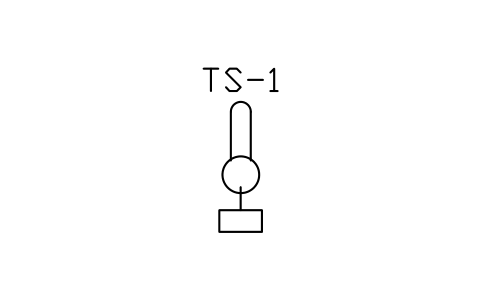
Temperature sensor, contact
PMN_TEMP_SENSORAtributos
TAGRANGE_CALARM_CSENSOR_TYPEOUTPUTMONITORED_ITEMLOCATIONADDRESSMANUFACTURERMODELREMARKSDESC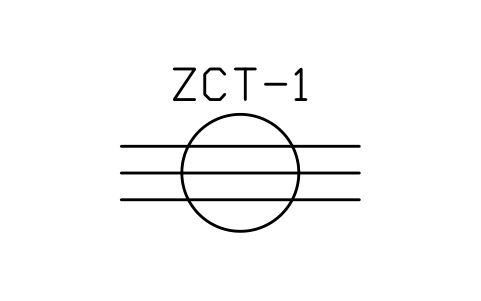
Residual current transformer
PMN_CT_RESIDUALAtributos
TAGRATIOACCURACYINNER_DIAMETER_MMCIRCUITTYPELOCATIONMANUFACTURERMODELREMARKSDESC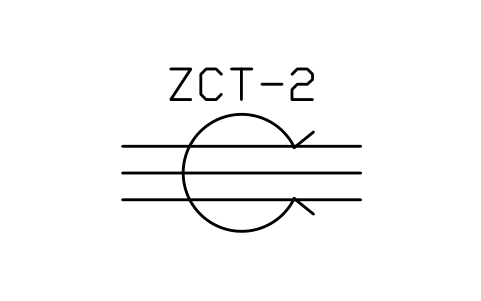
Residual CT, split core
PMN_CT_SPLITAtributos
TAGRATIOACCURACYINNER_DIAMETER_MMCIRCUITTYPELOCATIONMANUFACTURERMODELREMARKSDESC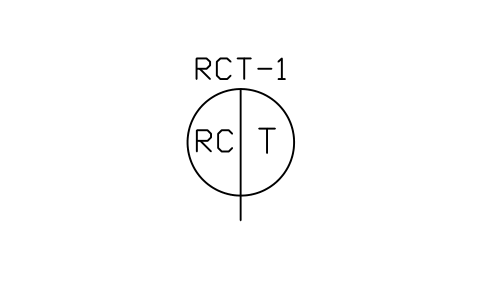
Residual current and temp
PMN_RC_TEMP_COMBIAtributos
TAGRANGE_MAALARM_MACHANNELSOUTPUTCIRCUITLOCATIONADDRESSMANUFACTURERMODELREMARKSDESC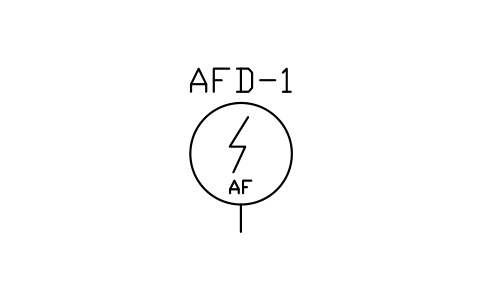
Arc fault detector, circuit
PMN_ARC_FAULT_DETAtributos
TAGRANGE_MAALARM_MACHANNELSOUTPUTCIRCUITLOCATIONADDRESSMANUFACTURERMODELREMARKSDESC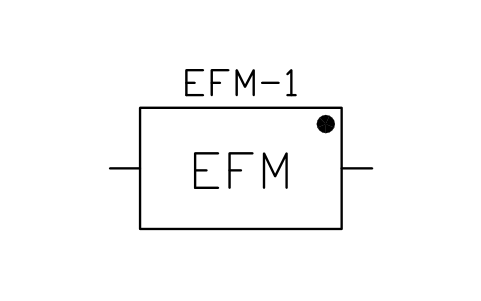
Electrical fire monitor
PMN_EFM_UNITAtributos
TAGCHANNELSSUPPLY_VCOMMUNICATIONOUTPUTSMOUNTINGLOCATIONADDRESSMANUFACTURERMODELREMARKSDESC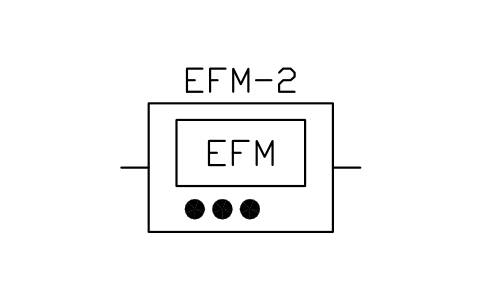
Electrical fire monitor, wall
PMN_EFM_UNIT_WALLAtributos
TAGCHANNELSSUPPLY_VCOMMUNICATIONOUTPUTSMOUNTINGLOCATIONADDRESSMANUFACTURERMODELREMARKSDESC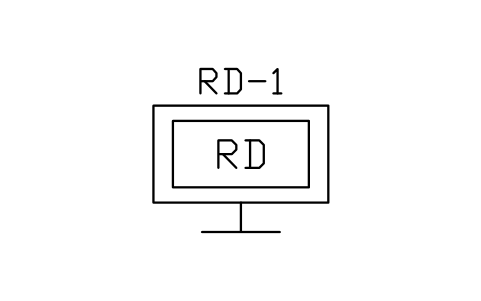
Remote display
PMN_EFM_DISPLAYAtributos
TAGCHANNELSSUPPLY_VCOMMUNICATIONOUTPUTSMOUNTINGLOCATIONADDRESSMANUFACTURERMODELREMARKSDESC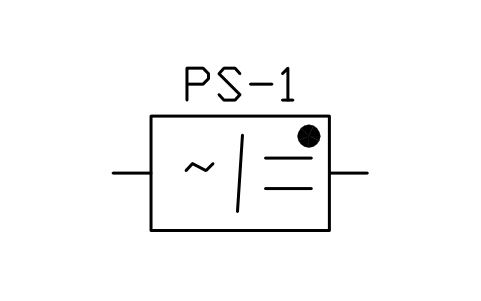
Monitor power supply
PMN_EFM_PSUAtributos
TAGCHANNELSSUPPLY_VCOMMUNICATIONOUTPUTSMOUNTINGLOCATIONADDRESSMANUFACTURERMODELREMARKSDESC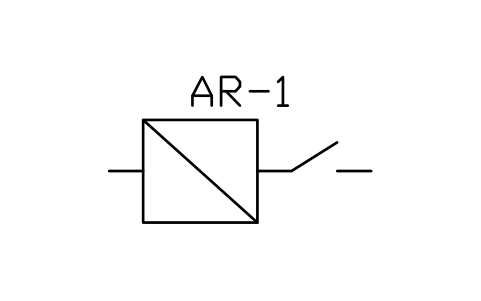
Alarm relay output
PMN_ALARM_RELAYAtributos
TAGCHANNELSSUPPLY_VCOMMUNICATIONOUTPUTSMOUNTINGLOCATIONADDRESSMANUFACTURERMODELREMARKSDESC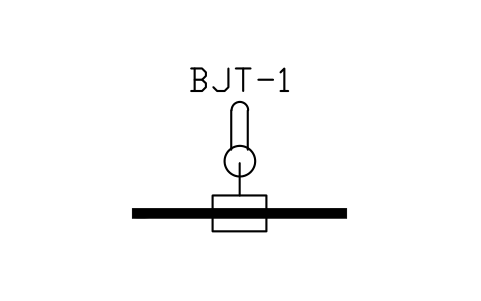
Busbar joint temp point
PMN_BUSBAR_JOINTAtributos
TAGRANGE_CALARM_CSENSOR_TYPEOUTPUTMONITORED_ITEMLOCATIONADDRESSMANUFACTURERMODELREMARKSDESC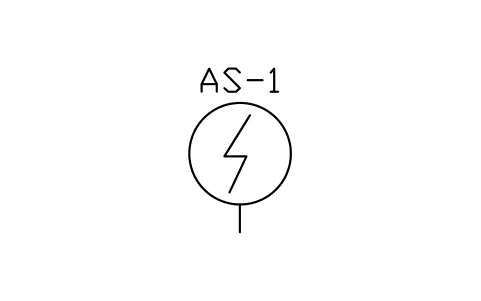
Arc point sensor
PMN_ARC_POINTAtributos
TAGSENSITIVITY_LUXTRIP_TIME_MSCOMPARTMENTOUTPUTCURRENT_CHECKLOCATIONADDRESSMANUFACTURERMODELREMARKSDESCArc fibre sensor
PMN_ARC_FIBREAtributos
TAGSENSITIVITY_LUXTRIP_TIME_MSCOMPARTMENTOUTPUTCURRENT_CHECKLOCATIONADDRESSMANUFACTURERMODELREMARKSDESC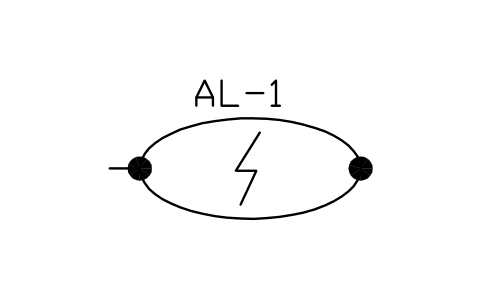
Arc fibre loop
PMN_ARC_FIBRE_LOOPAtributos
TAGSENSITIVITY_LUXTRIP_TIME_MSCOMPARTMENTOUTPUTCURRENT_CHECKLOCATIONADDRESSMANUFACTURERMODELREMARKSDESCArc flash relay
PMN_ARC_RELAYAtributos
TAGSENSITIVITY_LUXTRIP_TIME_MSCOMPARTMENTOUTPUTCURRENT_CHECKLOCATIONADDRESSMANUFACTURERMODELREMARKSDESC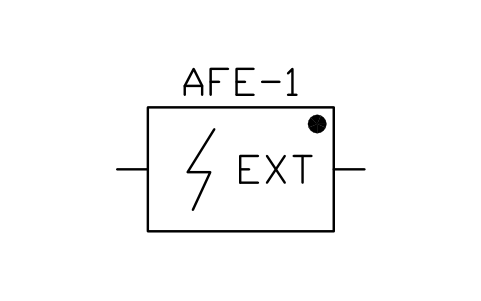
Arc relay, extension unit
PMN_ARC_RELAY_EXTAtributos
TAGSENSITIVITY_LUXTRIP_TIME_MSCOMPARTMENTOUTPUTCURRENT_CHECKLOCATIONADDRESSMANUFACTURERMODELREMARKSDESC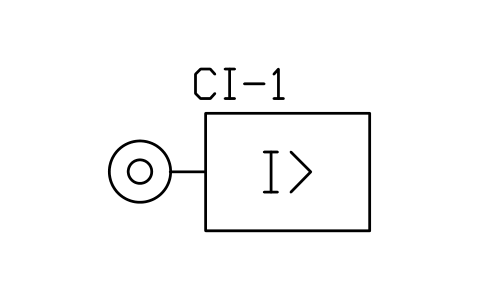
Current check input
PMN_ARC_CT_INPUTAtributos
TAGSENSITIVITY_LUXTRIP_TIME_MSCOMPARTMENTOUTPUTCURRENT_CHECKLOCATIONADDRESSMANUFACTURERMODELREMARKSDESC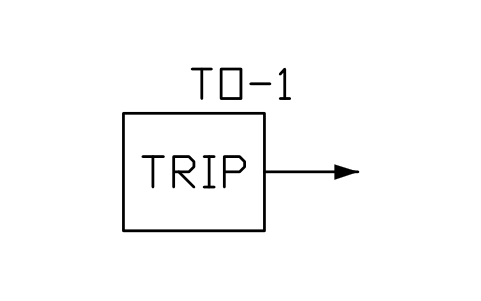
Trip output
PMN_ARC_TRIP_OUTAtributos
TAGSENSITIVITY_LUXTRIP_TIME_MSCOMPARTMENTOUTPUTCURRENT_CHECKLOCATIONADDRESSMANUFACTURERMODELREMARKSDESC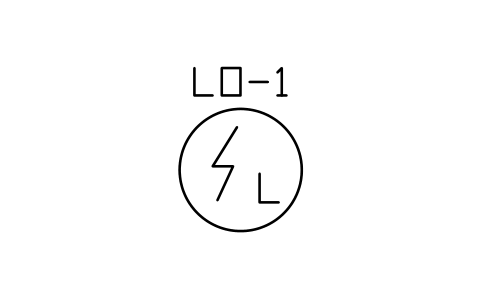
Light-only mode mark
PMN_ARC_LIGHT_ONLYAtributos
TAGSENSITIVITY_LUXTRIP_TIME_MSCOMPARTMENTOUTPUTCURRENT_CHECKLOCATIONADDRESSMANUFACTURERMODELREMARKSDESC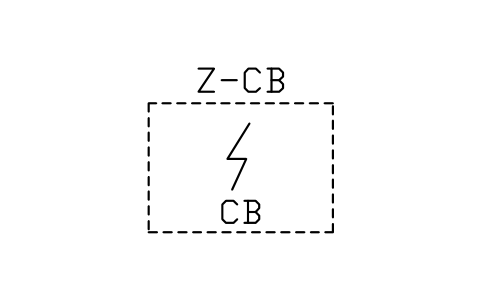
Breaker compartment zone
PMN_ARC_ZONE_CBAtributos
TAGZONELENGTH_MALARM_CCHANNELLOCATIONMANUFACTURERMODELREMARKSDESC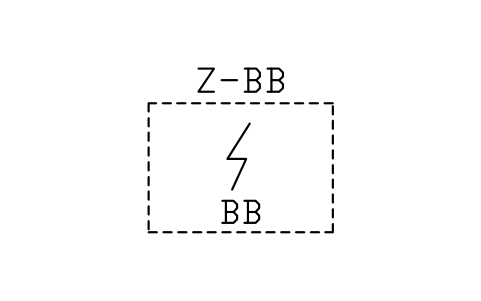
Busbar compartment zone
PMN_ARC_ZONE_BUSAtributos
TAGZONELENGTH_MALARM_CCHANNELLOCATIONMANUFACTURERMODELREMARKSDESC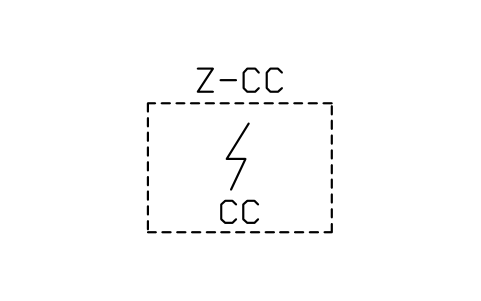
Cable compartment zone
PMN_ARC_ZONE_CABLEAtributos
TAGZONELENGTH_MALARM_CCHANNELLOCATIONMANUFACTURERMODELREMARKSDESC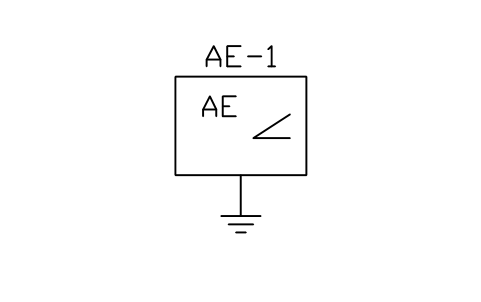
Arc eliminator
PMN_ARC_ELIMINATORAtributos
TAGSENSITIVITY_LUXTRIP_TIME_MSCOMPARTMENTOUTPUTCURRENT_CHECKLOCATIONADDRESSMANUFACTURERMODELREMARKSDESC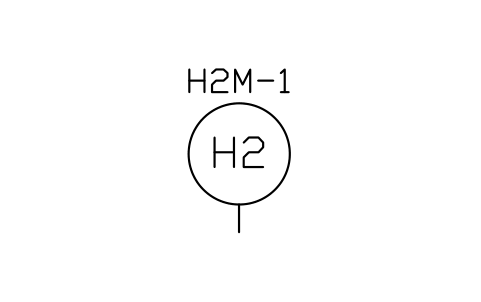
Oil hydrogen monitor
PMN_TR_H2Atributos
TAGGASRANGEALARM_1ALARM_2OUTPUTLOCATIONADDRESSMANUFACTURERMODELREMARKSDESCOil gas monitor, multi-gas
PMN_TR_DGA_MULTIAtributos
TAGGASRANGEALARM_1ALARM_2OUTPUTLOCATIONADDRESSMANUFACTURERMODELREMARKSDESC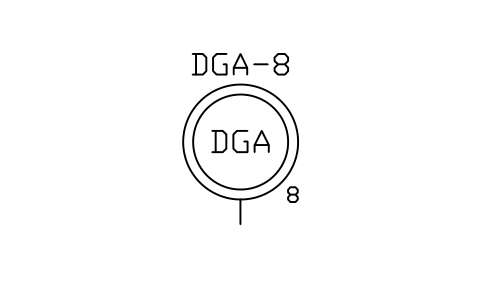
Oil gas monitor, 8 gases
PMN_TR_DGA_8Atributos
TAGGASRANGEALARM_1ALARM_2OUTPUTLOCATIONADDRESSMANUFACTURERMODELREMARKSDESC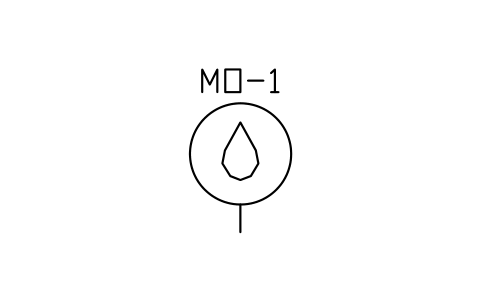
Oil moisture sensor
PMN_TR_MOISTUREAtributos
TAGMEASURANDRANGEALARM_1ALARM_2OUTPUTLOCATIONADDRESSMANUFACTURERMODELREMARKSDESCPartial discharge, UHF
PMN_TR_PD_UHFAtributos
TAGMETHODFREQUENCY_BANDSENSITIVITY_PCCHANNELSOUTPUTLOCATIONADDRESSMANUFACTURERMODELREMARKSDESC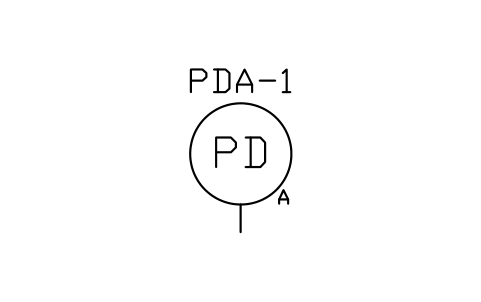
Partial discharge, acoustic
PMN_TR_PD_AEAtributos
TAGMETHODFREQUENCY_BANDSENSITIVITY_PCCHANNELSOUTPUTLOCATIONADDRESSMANUFACTURERMODELREMARKSDESC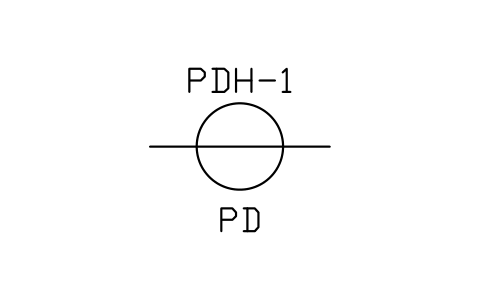
Partial discharge, HFCT
PMN_TR_PD_HFCTAtributos
TAGMETHODFREQUENCY_BANDSENSITIVITY_PCCHANNELSOUTPUTLOCATIONADDRESSMANUFACTURERMODELREMARKSDESC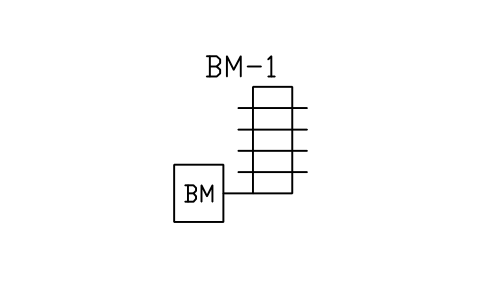
Bushing monitor
PMN_TR_BUSHINGAtributos
TAGMEASURANDRANGEALARM_1ALARM_2OUTPUTLOCATIONADDRESSMANUFACTURERMODELREMARKSDESC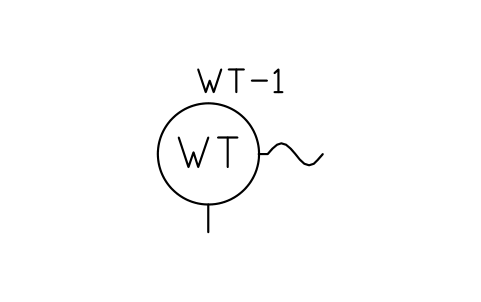
Winding temp, fibre optic
PMN_TR_WINDING_FOAtributos
TAGRANGE_CALARM_CSENSOR_TYPEOUTPUTMONITORED_ITEMLOCATIONADDRESSMANUFACTURERMODELREMARKSDESCTop oil temperature
PMN_TR_TOP_OIL_TEMPAtributos
TAGRANGE_CALARM_CSENSOR_TYPEOUTPUTMONITORED_ITEMLOCATIONADDRESSMANUFACTURERMODELREMARKSDESC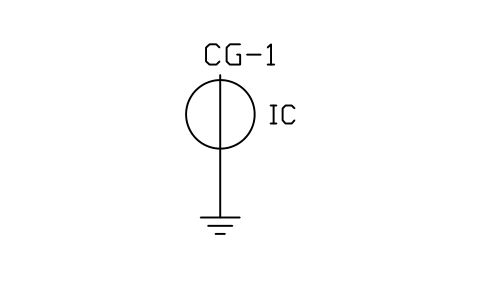
Core ground current
PMN_TR_CORE_GNDAtributos
TAGRATIOACCURACYINNER_DIAMETER_MMCIRCUITTYPELOCATIONMANUFACTURERMODELREMARKSDESC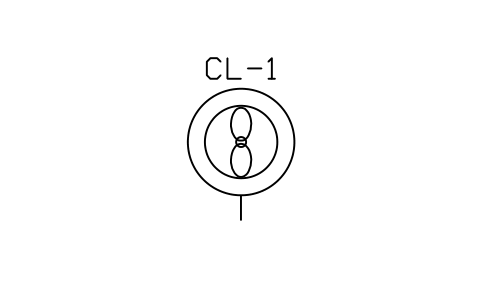
Cooler status monitor
PMN_TR_COOLINGAtributos
TAGMEASURANDRANGEALARM_1ALARM_2OUTPUTLOCATIONADDRESSMANUFACTURERMODELREMARKSDESC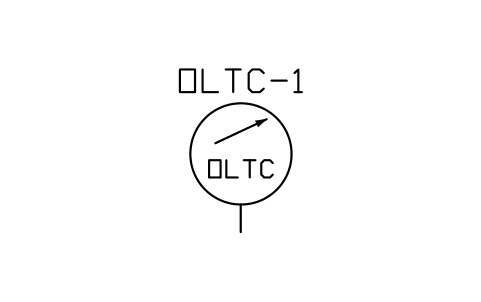
Tap changer monitor
PMN_TR_OLTCAtributos
TAGMEASURANDRANGEALARM_1ALARM_2OUTPUTLOCATIONADDRESSMANUFACTURERMODELREMARKSDESC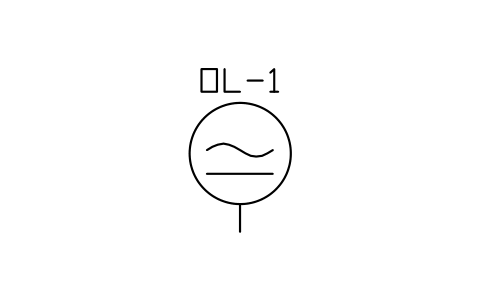
Oil level monitor
PMN_TR_OIL_LEVELAtributos
TAGMEASURANDRANGEALARM_1ALARM_2OUTPUTLOCATIONADDRESSMANUFACTURERMODELREMARKSDESC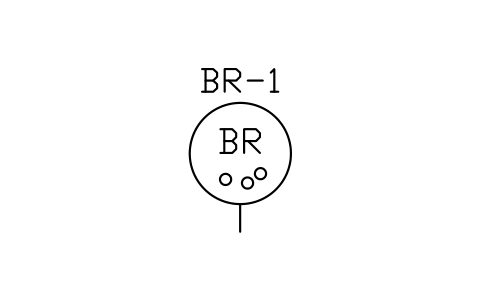
Gas relay monitor
PMN_TR_BUCHHOLZAtributos
TAGMEASURANDRANGEALARM_1ALARM_2OUTPUTLOCATIONADDRESSMANUFACTURERMODELREMARKSDESC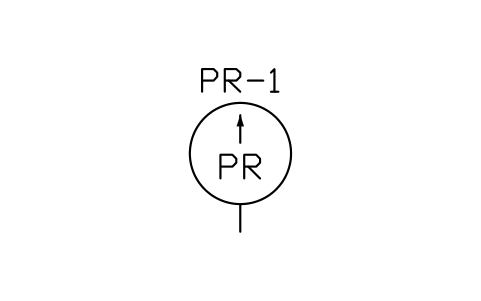
Pressure relief monitor
PMN_TR_PRV_MONAtributos
TAGMEASURANDRANGEALARM_1ALARM_2OUTPUTLOCATIONADDRESSMANUFACTURERMODELREMARKSDESC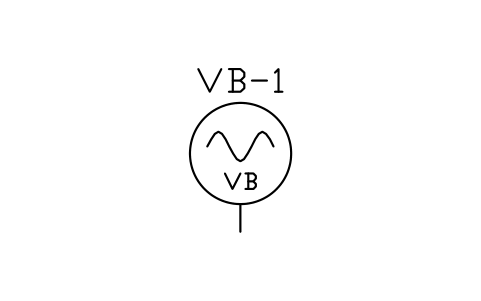
Vibration sensor
PMN_TR_VIBRATIONAtributos
TAGMEASURANDRANGEALARM_1ALARM_2OUTPUTLOCATIONADDRESSMANUFACTURERMODELREMARKSDESC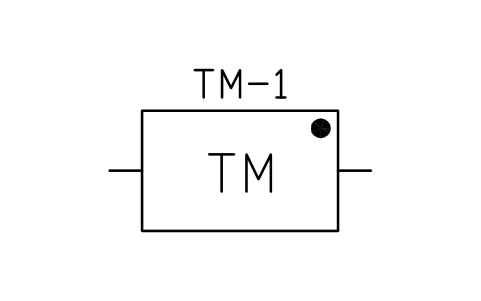
Transformer monitoring IED
PMN_TR_IEDAtributos
TAGCHANNELSSUPPLY_VCOMMUNICATIONOUTPUTSMOUNTINGLOCATIONADDRESSMANUFACTURERMODELREMARKSDESC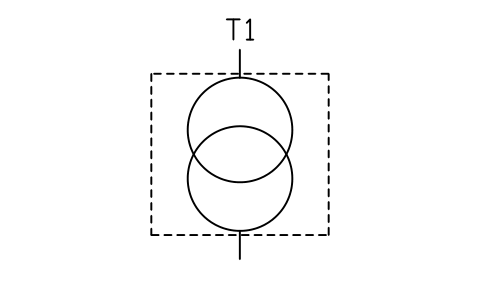
Transformer, monitored
PMN_TR_MONITOREDAtributos
TAGTYPERATINGLOCATIONADDRESSMANUFACTURERMODELREMARKSDESCPartial discharge, TEV
PMN_SG_PD_TEVAtributos
TAGMETHODFREQUENCY_BANDSENSITIVITY_PCCHANNELSOUTPUTLOCATIONADDRESSMANUFACTURERMODELREMARKSDESC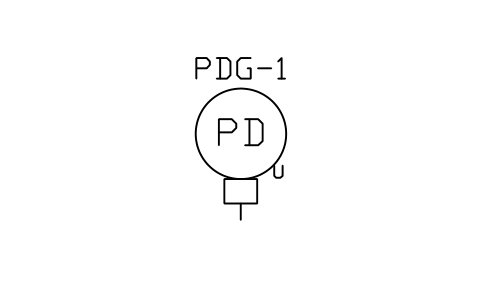
GIS partial discharge, UHF
PMN_GIS_PD_UHFAtributos
TAGMETHODFREQUENCY_BANDSENSITIVITY_PCCHANNELSOUTPUTLOCATIONADDRESSMANUFACTURERMODELREMARKSDESC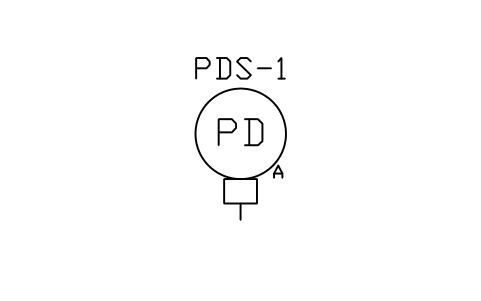
GIS partial discharge, acoustic
PMN_GIS_PD_AEAtributos
TAGMETHODFREQUENCY_BANDSENSITIVITY_PCCHANNELSOUTPUTLOCATIONADDRESSMANUFACTURERMODELREMARKSDESC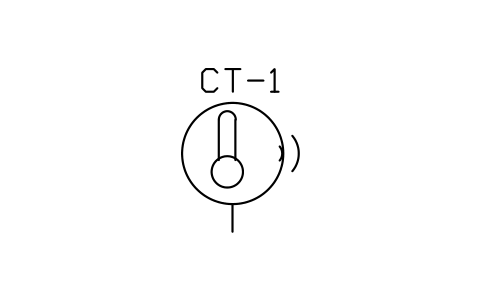
Contact temperature, wireless
PMN_SG_CONTACT_TEMPAtributos
TAGRANGE_CALARM_CSENSOR_TYPEOUTPUTMONITORED_ITEMLOCATIONADDRESSMANUFACTURERMODELREMARKSDESC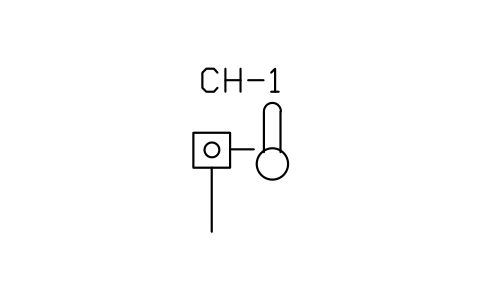
Cable termination temp
PMN_SG_CABLE_HEAD_TEMPAtributos
TAGRANGE_CALARM_CSENSOR_TYPEOUTPUTMONITORED_ITEMLOCATIONADDRESSMANUFACTURERMODELREMARKSDESC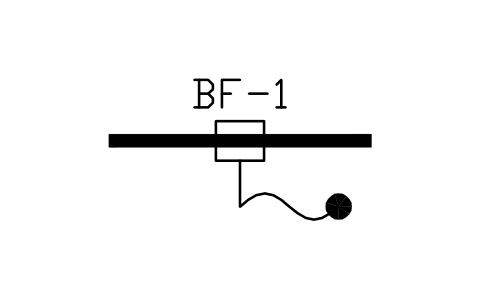
Busbar temp, fibre optic
PMN_SG_BUSBAR_FOAtributos
TAGRANGE_CALARM_CSENSOR_TYPEOUTPUTMONITORED_ITEMLOCATIONADDRESSMANUFACTURERMODELREMARKSDESCSF6 density monitor
PMN_SG_SF6_DENSITYAtributos
TAGGASRANGEALARM_1ALARM_2OUTPUTLOCATIONADDRESSMANUFACTURERMODELREMARKSDESC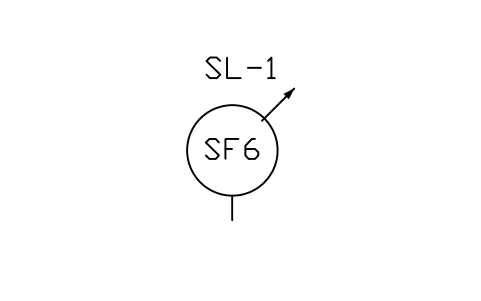
SF6 leak sensor
PMN_SG_SF6_LEAKAtributos
TAGGASRANGEALARM_1ALARM_2OUTPUTLOCATIONADDRESSMANUFACTURERMODELREMARKSDESC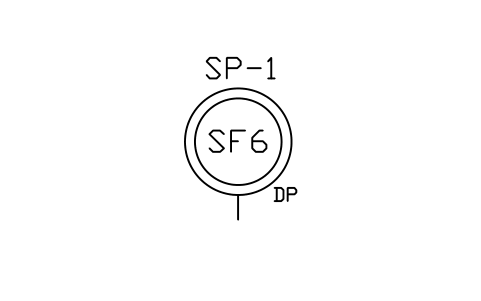
SF6 decomposition sensor
PMN_SG_SF6_DECOMPAtributos
TAGGASRANGEALARM_1ALARM_2OUTPUTLOCATIONADDRESSMANUFACTURERMODELREMARKSDESC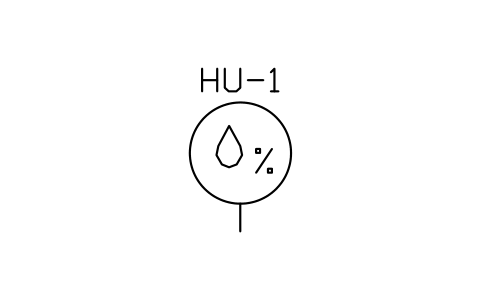
Cabinet humidity sensor
PMN_SG_HUMIDITYAtributos
TAGMEASURANDRANGEALARM_1ALARM_2OUTPUTLOCATIONADDRESSMANUFACTURERMODELREMARKSDESC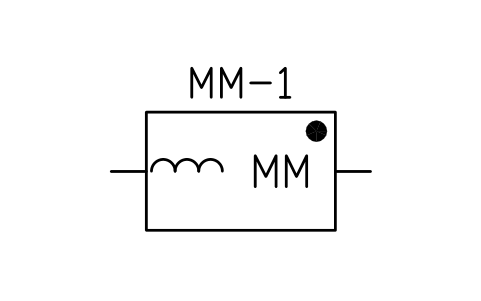
Breaker mechanical monitor
PMN_SG_CB_MECHAtributos
TAGCHANNELSSUPPLY_VCOMMUNICATIONOUTPUTSMOUNTINGLOCATIONADDRESSMANUFACTURERMODELREMARKSDESC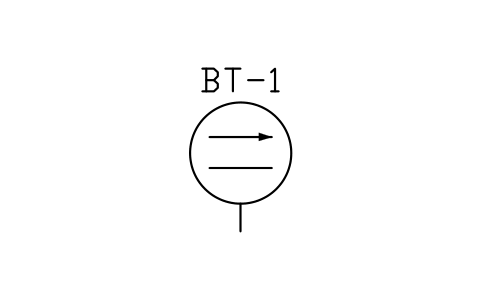
Breaker travel sensor
PMN_SG_CB_TRAVELAtributos
TAGMEASURANDRANGEALARM_1ALARM_2OUTPUTLOCATIONADDRESSMANUFACTURERMODELREMARKSDESC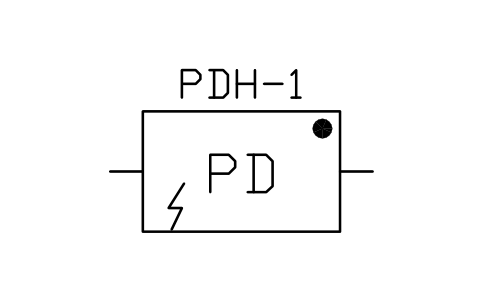
Partial discharge host
PMN_SG_PD_HOSTAtributos
TAGCHANNELSSUPPLY_VCOMMUNICATIONOUTPUTSMOUNTINGLOCATIONADDRESSMANUFACTURERMODELREMARKSDESC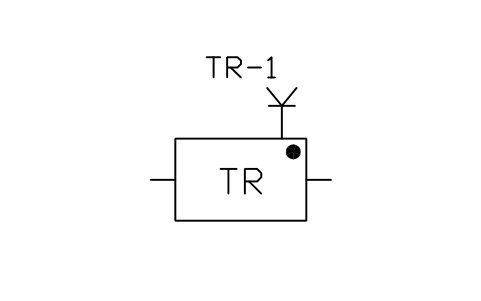
Temperature receiver
PMN_SG_TEMP_RECEIVERAtributos
TAGCHANNELSSUPPLY_VCOMMUNICATIONOUTPUTSMOUNTINGLOCATIONADDRESSMANUFACTURERMODELREMARKSDESCDistributed temp sensing unit
PMN_CB_DTS_UNITAtributos
TAGCHANNELSSUPPLY_VCOMMUNICATIONOUTPUTSMOUNTINGLOCATIONADDRESSMANUFACTURERMODELREMARKSDESC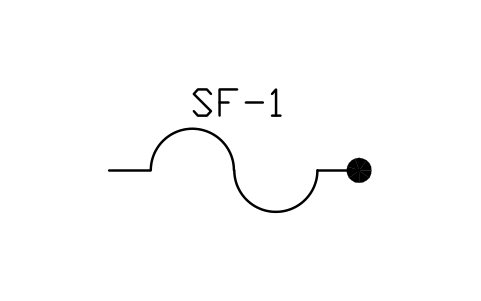
Temperature sensing fibre
PMN_CB_DTS_FIBREAtributos
TAGZONELENGTH_MALARM_CCHANNELLOCATIONMANUFACTURERMODELREMARKSDESC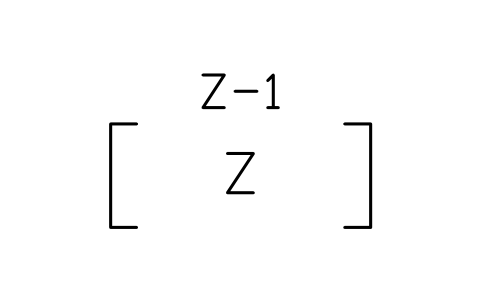
Temperature zone marker
PMN_CB_DTS_ZONEAtributos
TAGZONELENGTH_MALARM_CCHANNELLOCATIONMANUFACTURERMODELREMARKSDESC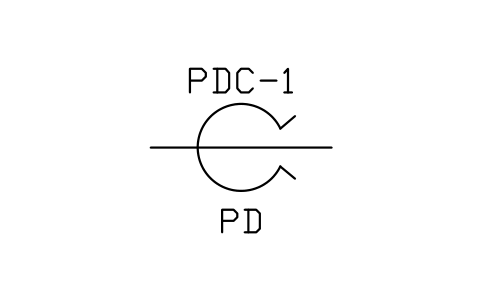
Cable PD sensor, HFCT
PMN_CB_PD_HFCTAtributos
TAGMETHODFREQUENCY_BANDSENSITIVITY_PCCHANNELSOUTPUTLOCATIONADDRESSMANUFACTURERMODELREMARKSDESC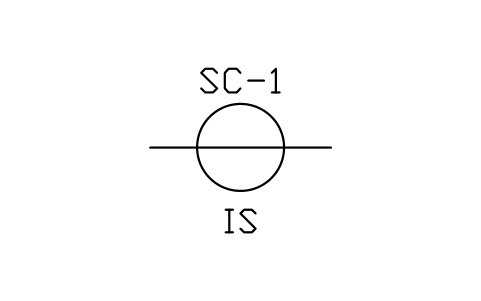
Sheath current monitor
PMN_CB_SHEATH_CURRENTAtributos
TAGRATIOACCURACYINNER_DIAMETER_MMCIRCUITTYPELOCATIONMANUFACTURERMODELREMARKSDESC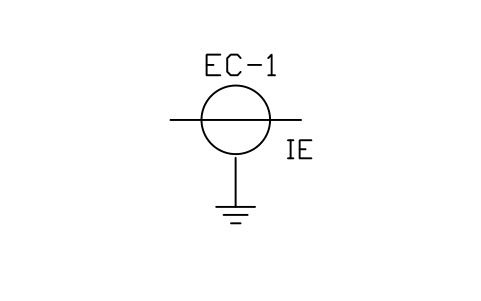
Earth circulating current
PMN_CB_EARTH_CIRCAtributos
TAGRATIOACCURACYINNER_DIAMETER_MMCIRCUITTYPELOCATIONMANUFACTURERMODELREMARKSDESC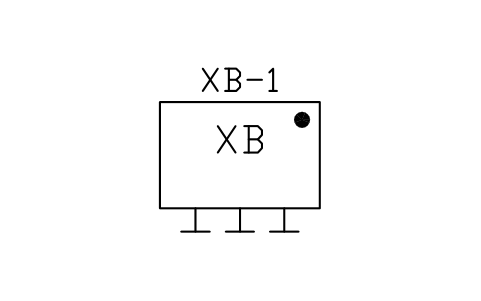
Cross-bonding box monitor
PMN_CB_CROSSBOND_BOXAtributos
TAGCHANNELSSUPPLY_VCOMMUNICATIONOUTPUTSMOUNTINGLOCATIONADDRESSMANUFACTURERMODELREMARKSDESC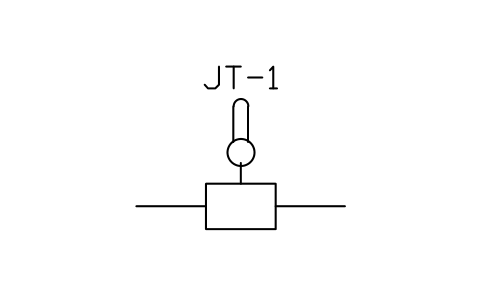
Cable joint temperature
PMN_CB_JOINT_TEMPAtributos
TAGRANGE_CALARM_CSENSOR_TYPEOUTPUTMONITORED_ITEMLOCATIONADDRESSMANUFACTURERMODELREMARKSDESC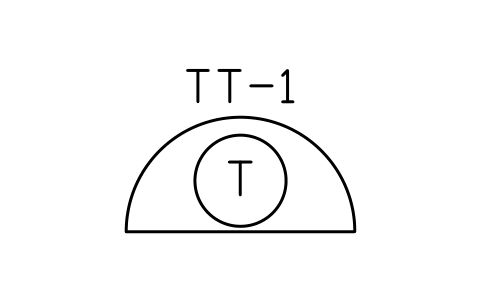
Tunnel point temperature
PMN_CB_TUNNEL_TEMPAtributos
TAGRANGE_CALARM_CSENSOR_TYPEOUTPUTMONITORED_ITEMLOCATIONADDRESSMANUFACTURERMODELREMARKSDESC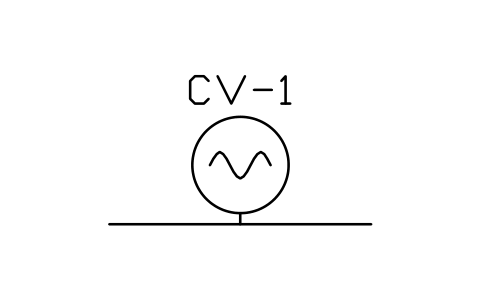
Cable vibration sensor
PMN_CB_VIBRATIONAtributos
TAGMEASURANDRANGEALARM_1ALARM_2OUTPUTLOCATIONADDRESSMANUFACTURERMODELREMARKSDESC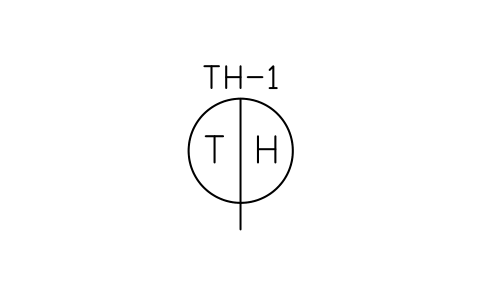
Temperature and humidity
PMN_ENV_TEMP_HUMAtributos
TAGMEASURANDRANGEALARM_1ALARM_2OUTPUTLOCATIONADDRESSMANUFACTURERMODELREMARKSDESC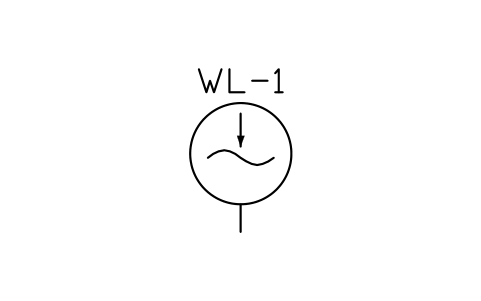
Water level sensor
PMN_ENV_WATER_LEVELAtributos
TAGMEASURANDRANGEALARM_1ALARM_2OUTPUTLOCATIONADDRESSMANUFACTURERMODELREMARKSDESC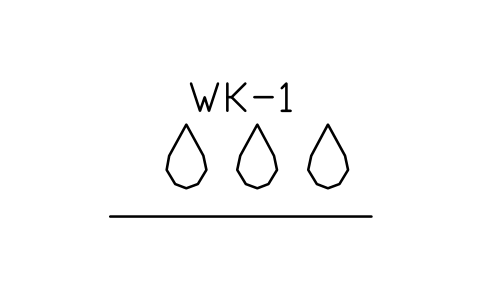
Water leak cable
PMN_ENV_WATER_LEAKAtributos
TAGMEDIUMLENGTH_MPROTOCOLFROM_TOLABELMANUFACTURERMODELREMARKSDESC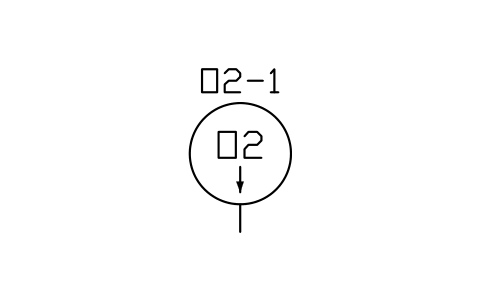
Oxygen deficiency sensor
PMN_ENV_O2_DEFICIENCYAtributos
TAGGASRANGEALARM_1ALARM_2OUTPUTLOCATIONADDRESSMANUFACTURERMODELREMARKSDESC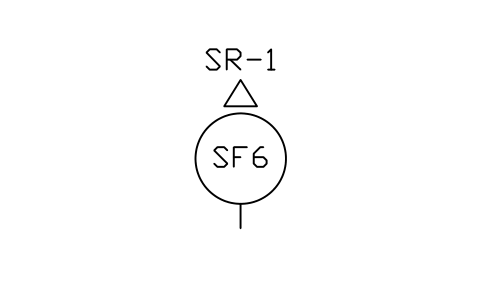
SF6 room monitor
PMN_ENV_SF6_ROOMAtributos
TAGGASRANGEALARM_1ALARM_2OUTPUTLOCATIONADDRESSMANUFACTURERMODELREMARKSDESC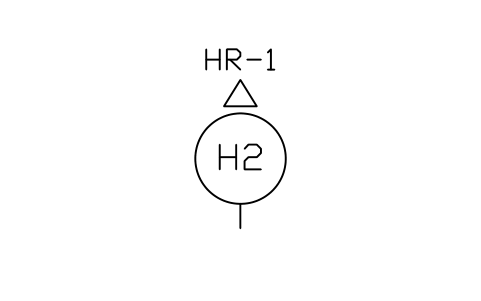
Hydrogen room sensor
PMN_ENV_H2_ROOMAtributos
TAGGASRANGEALARM_1ALARM_2OUTPUTLOCATIONADDRESSMANUFACTURERMODELREMARKSDESC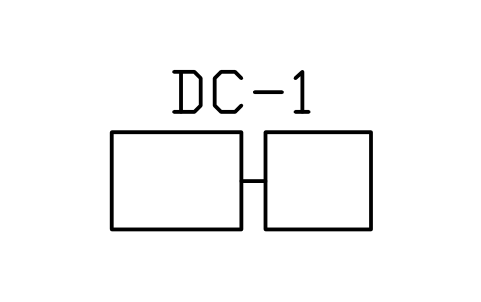
Door contact
PMN_ENV_DOORAtributos
TAGMEASURANDRANGEALARM_1ALARM_2OUTPUTLOCATIONADDRESSMANUFACTURERMODELREMARKSDESC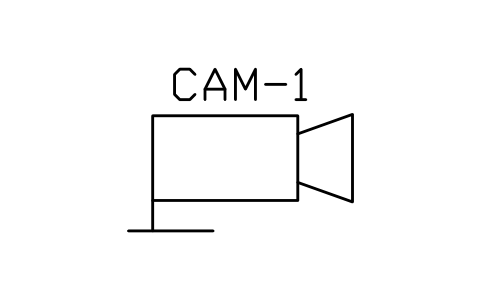
Camera, fixed
PMN_ENV_CAM_FIXEDAtributos
TAGRESOLUTIONLENSPROTECTIONSTREAMPOWERLOCATIONADDRESSMANUFACTURERMODELREMARKSDESC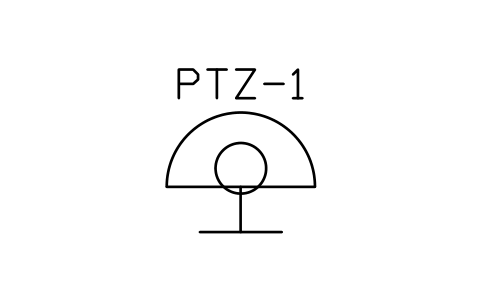
Camera, pan-tilt-zoom
PMN_ENV_CAM_PTZAtributos
TAGRESOLUTIONLENSPROTECTIONSTREAMPOWERLOCATIONADDRESSMANUFACTURERMODELREMARKSDESCCamera, thermal imaging
PMN_ENV_CAM_THERMALAtributos
TAGTEMP_RANGE_CACCURACY_CRESOLUTIONLENSOUTPUTLOCATIONADDRESSMANUFACTURERMODELREMARKSDESC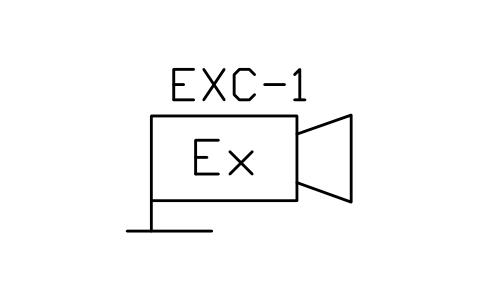
Camera, explosion-proof
PMN_ENV_CAM_EXAtributos
TAGRESOLUTIONLENSPROTECTIONSTREAMPOWERLOCATIONADDRESSMANUFACTURERMODELREMARKSDESC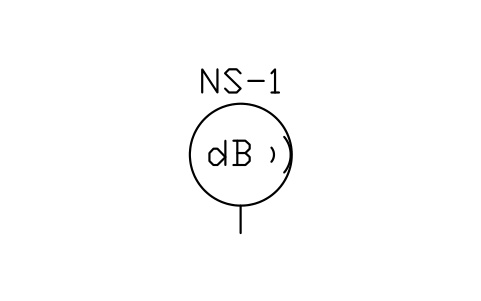
Noise sensor
PMN_ENV_NOISEAtributos
TAGMEASURANDRANGEALARM_1ALARM_2OUTPUTLOCATIONADDRESSMANUFACTURERMODELREMARKSDESC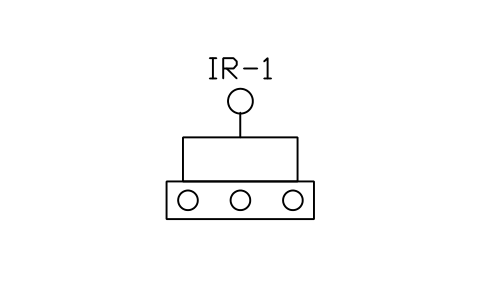
Inspection robot, tracked
PMN_INS_ROBOT_TRACKAtributos
TAGDRIVERUN_TIME_HPAYLOADPROTECTIONNAVIGATIONLOCATIONADDRESSMANUFACTURERMODELREMARKSDESC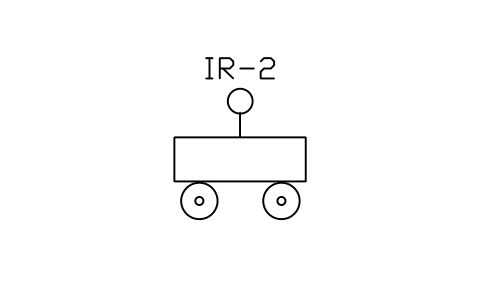
Inspection robot, wheeled
PMN_INS_ROBOT_WHEELAtributos
TAGDRIVERUN_TIME_HPAYLOADPROTECTIONNAVIGATIONLOCATIONADDRESSMANUFACTURERMODELREMARKSDESCInspection robot, rail-hung
PMN_INS_ROBOT_RAILAtributos
TAGDRIVERUN_TIME_HPAYLOADPROTECTIONNAVIGATIONLOCATIONADDRESSMANUFACTURERMODELREMARKSDESC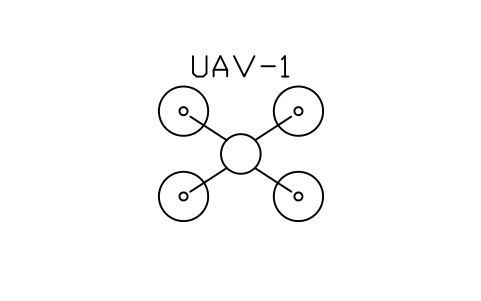
Inspection drone
PMN_INS_DRONEAtributos
TAGDRIVERUN_TIME_HPAYLOADPROTECTIONNAVIGATIONLOCATIONADDRESSMANUFACTURERMODELREMARKSDESC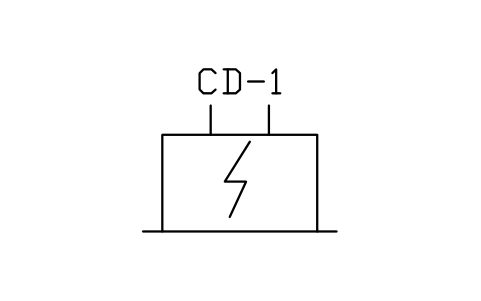
Charging dock
PMN_INS_DOCKAtributos
TAGDRIVERUN_TIME_HPAYLOADPROTECTIONNAVIGATIONLOCATIONADDRESSMANUFACTURERMODELREMARKSDESC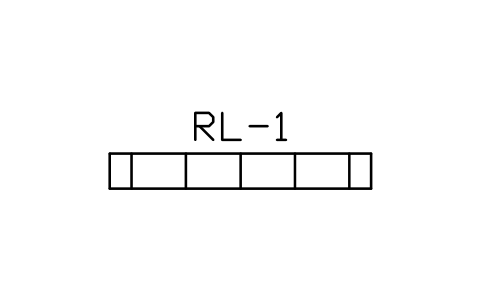
Inspection rail segment
PMN_INS_RAILAtributos
TAGMEDIUMLENGTH_MPROTOCOLFROM_TOLABELMANUFACTURERMODELREMARKSDESC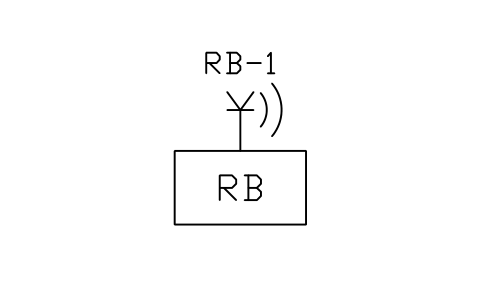
Robot base station
PMN_INS_BASE_STATIONAtributos
TAGFUNCTIONPORTSSUPPLY_VPROTOCOLMOUNTINGLOCATIONADDRESSMANUFACTURERMODELREMARKSDESC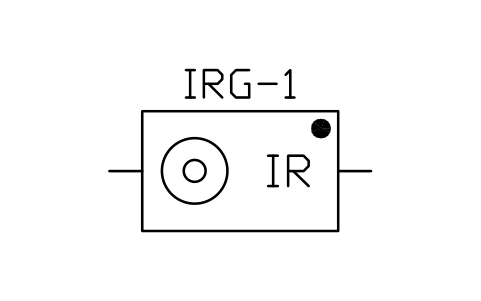
Infrared imaging gateway
PMN_INS_IR_GATEWAYAtributos
TAGFUNCTIONPORTSSUPPLY_VPROTOCOLMOUNTINGLOCATIONADDRESSMANUFACTURERMODELREMARKSDESC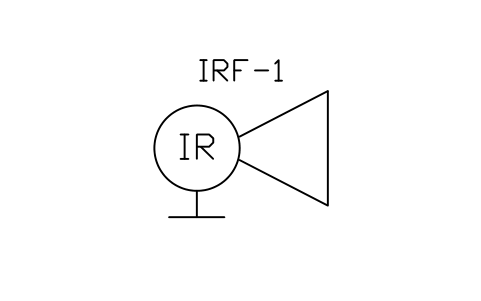
Thermal imager, fixed
PMN_INS_IR_FIXEDAtributos
TAGTEMP_RANGE_CACCURACY_CRESOLUTIONLENSOUTPUTLOCATIONADDRESSMANUFACTURERMODELREMARKSDESC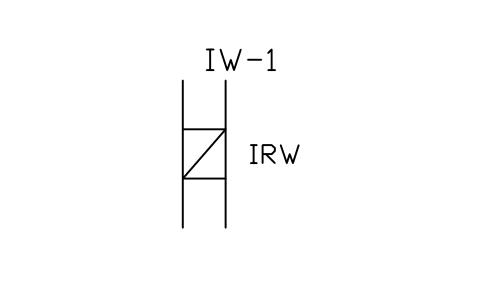
Infrared inspection window
PMN_INS_IR_WINDOWAtributos
TAGMEASURANDRANGEALARM_1ALARM_2OUTPUTLOCATIONADDRESSMANUFACTURERMODELREMARKSDESC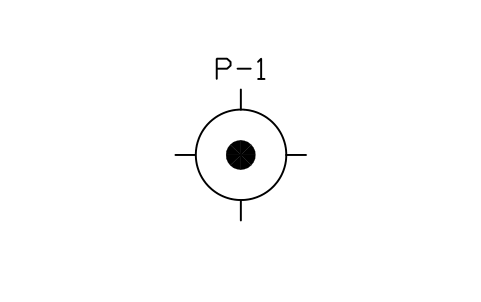
Inspection point marker
PMN_INS_POINTAtributos
TAGTYPERATINGLOCATIONADDRESSMANUFACTURERMODELREMARKSDESC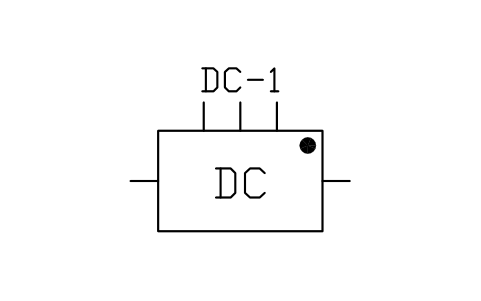
Data concentrator
PMN_SYS_DATA_CONCAtributos
TAGFUNCTIONPORTSSUPPLY_VPROTOCOLMOUNTINGLOCATIONADDRESSMANUFACTURERMODELREMARKSDESCEdge gateway
PMN_SYS_EDGE_GWAtributos
TAGFUNCTIONPORTSSUPPLY_VPROTOCOLMOUNTINGLOCATIONADDRESSMANUFACTURERMODELREMARKSDESC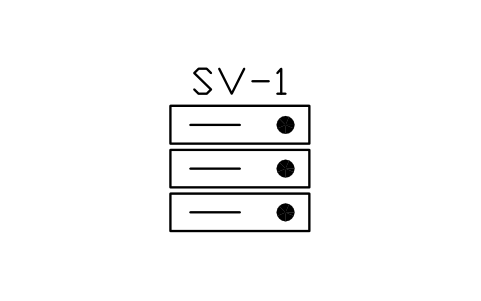
Server
PMN_SYS_SERVERAtributos
TAGFUNCTIONPORTSSUPPLY_VPROTOCOLMOUNTINGLOCATIONADDRESSMANUFACTURERMODELREMARKSDESC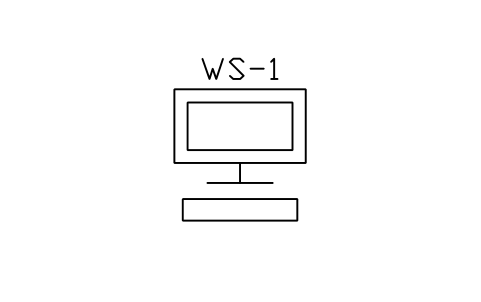
Monitoring workstation
PMN_SYS_WORKSTATIONAtributos
TAGFUNCTIONPORTSSUPPLY_VPROTOCOLMOUNTINGLOCATIONADDRESSMANUFACTURERMODELREMARKSDESC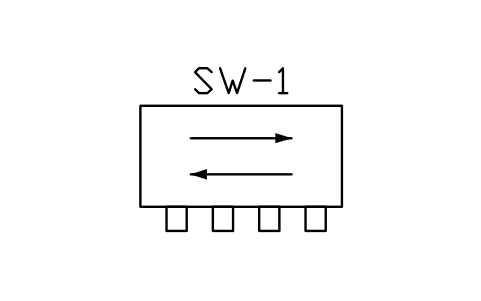
Network switch
PMN_SYS_SWITCHAtributos
TAGFUNCTIONPORTSSUPPLY_VPROTOCOLMOUNTINGLOCATIONADDRESSMANUFACTURERMODELREMARKSDESC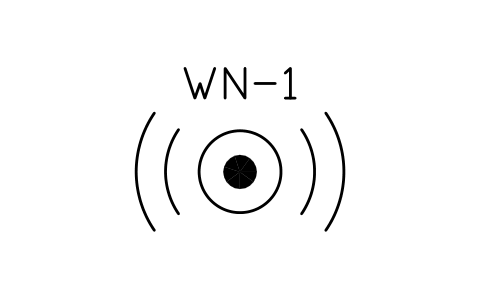
Wireless node
PMN_SYS_WIRELESS_NODEAtributos
TAGFUNCTIONPORTSSUPPLY_VPROTOCOLMOUNTINGLOCATIONADDRESSMANUFACTURERMODELREMARKSDESC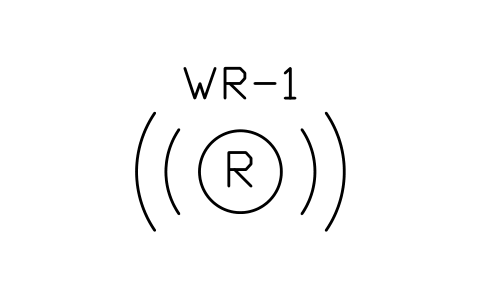
Wireless repeater
PMN_SYS_WIRELESS_REPEATERAtributos
TAGFUNCTIONPORTSSUPPLY_VPROTOCOLMOUNTINGLOCATIONADDRESSMANUFACTURERMODELREMARKSDESC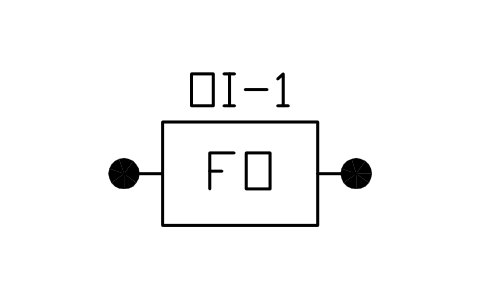
Optical interface
PMN_SYS_OPTICAL_IFAtributos
TAGFUNCTIONPORTSSUPPLY_VPROTOCOLMOUNTINGLOCATIONADDRESSMANUFACTURERMODELREMARKSDESC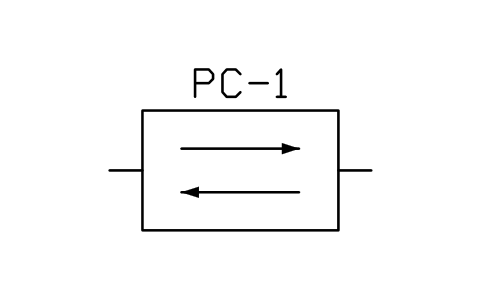
Protocol converter
PMN_SYS_PROTOCOL_CONVAtributos
TAGFUNCTIONPORTSSUPPLY_VPROTOCOLMOUNTINGLOCATIONADDRESSMANUFACTURERMODELREMARKSDESC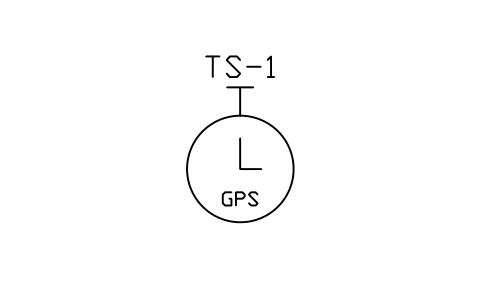
Time synchronisation
PMN_SYS_TIME_SYNCAtributos
TAGFUNCTIONPORTSSUPPLY_VPROTOCOLMOUNTINGLOCATIONADDRESSMANUFACTURERMODELREMARKSDESC
Alarm beacon column
PMN_SYS_BEACONAtributos
TAGFUNCTIONPORTSSUPPLY_VPROTOCOLMOUNTINGLOCATIONADDRESSMANUFACTURERMODELREMARKSDESC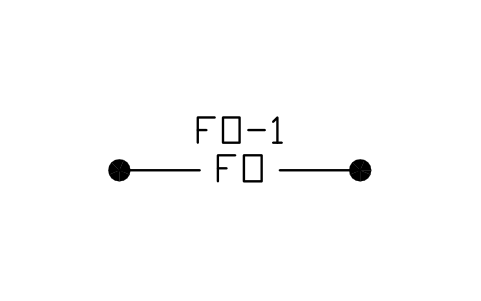
Fibre optic link
PMN_LINE_FIBREAtributos
TAGMEDIUMLENGTH_MPROTOCOLFROM_TOLABELMANUFACTURERMODELREMARKSDESC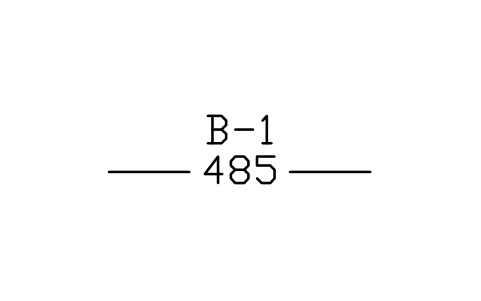
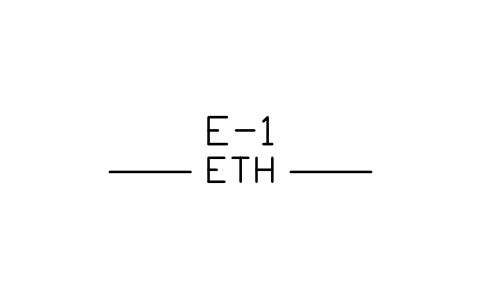
Ethernet link
PMN_LINE_ETHERNETAtributos
TAGMEDIUMLENGTH_MPROTOCOLFROM_TOLABELMANUFACTURERMODELREMARKSDESC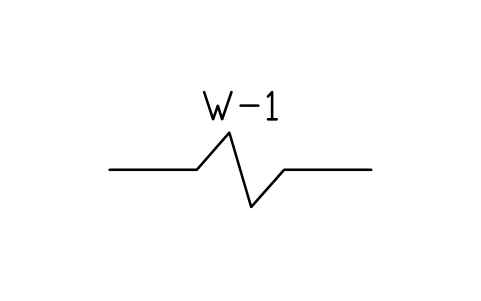
Wireless link
PMN_LINE_WIRELESSAtributos
TAGMEDIUMLENGTH_MPROTOCOLFROM_TOLABELMANUFACTURERMODELREMARKSDESC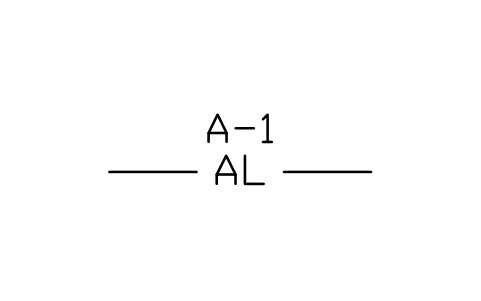
Alarm output line
PMN_LINE_ALARMAtributos
TAGMEDIUMLENGTH_MPROTOCOLFROM_TOLABELMANUFACTURERMODELREMARKSDESC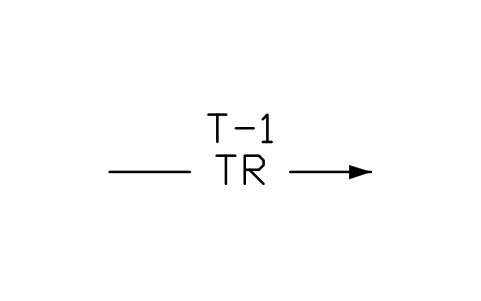
Trip signal line
PMN_LINE_TRIPAtributos
TAGMEDIUMLENGTH_MPROTOCOLFROM_TOLABELMANUFACTURERMODELREMARKSDESC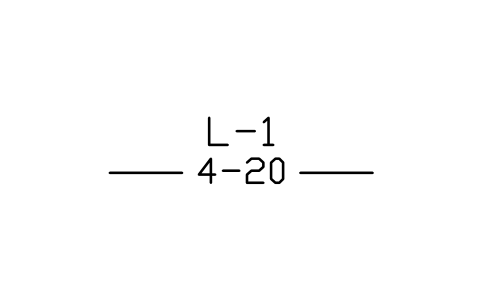
4-20 mA loop
PMN_LINE_4_20MAAtributos
TAGMEDIUMLENGTH_MPROTOCOLFROM_TOLABELMANUFACTURERMODELREMARKSDESC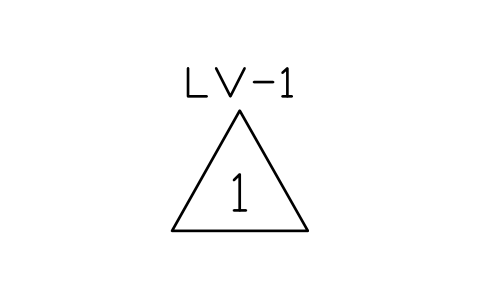
Level mark, warning
PMN_LEVEL_WARNINGAtributos
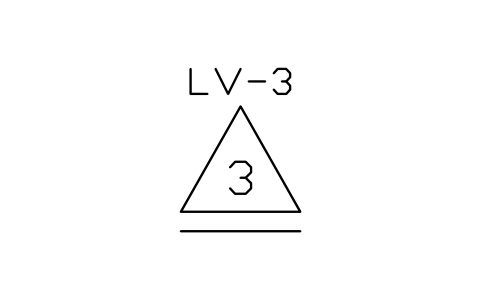
TAGTYPERATINGLOCATIONADDRESSMANUFACTURERMODELREMARKSDESC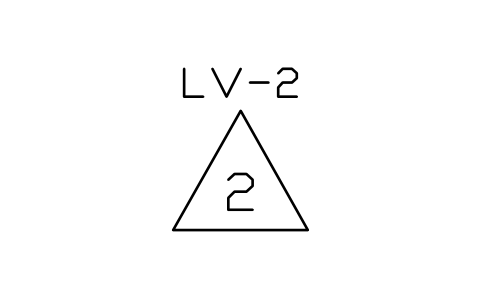
Copyright CADXChange. Use e modifique os símbolos livremente nos seus desenhos e projetos, inclusive comerciais; crédito e link só são necessários se você os publicar. Não redistribua nem revenda a biblioteca. Cada ZIP contém um arquivo DWG simples no formato do AutoCAD 2018 e um README; não é preciso nenhum plug-in. Fornecido no estado em que se encontra, sem garantia. Termos da biblioteca (CXL-1.0)
Bibliotecas de símbolos relacionadas
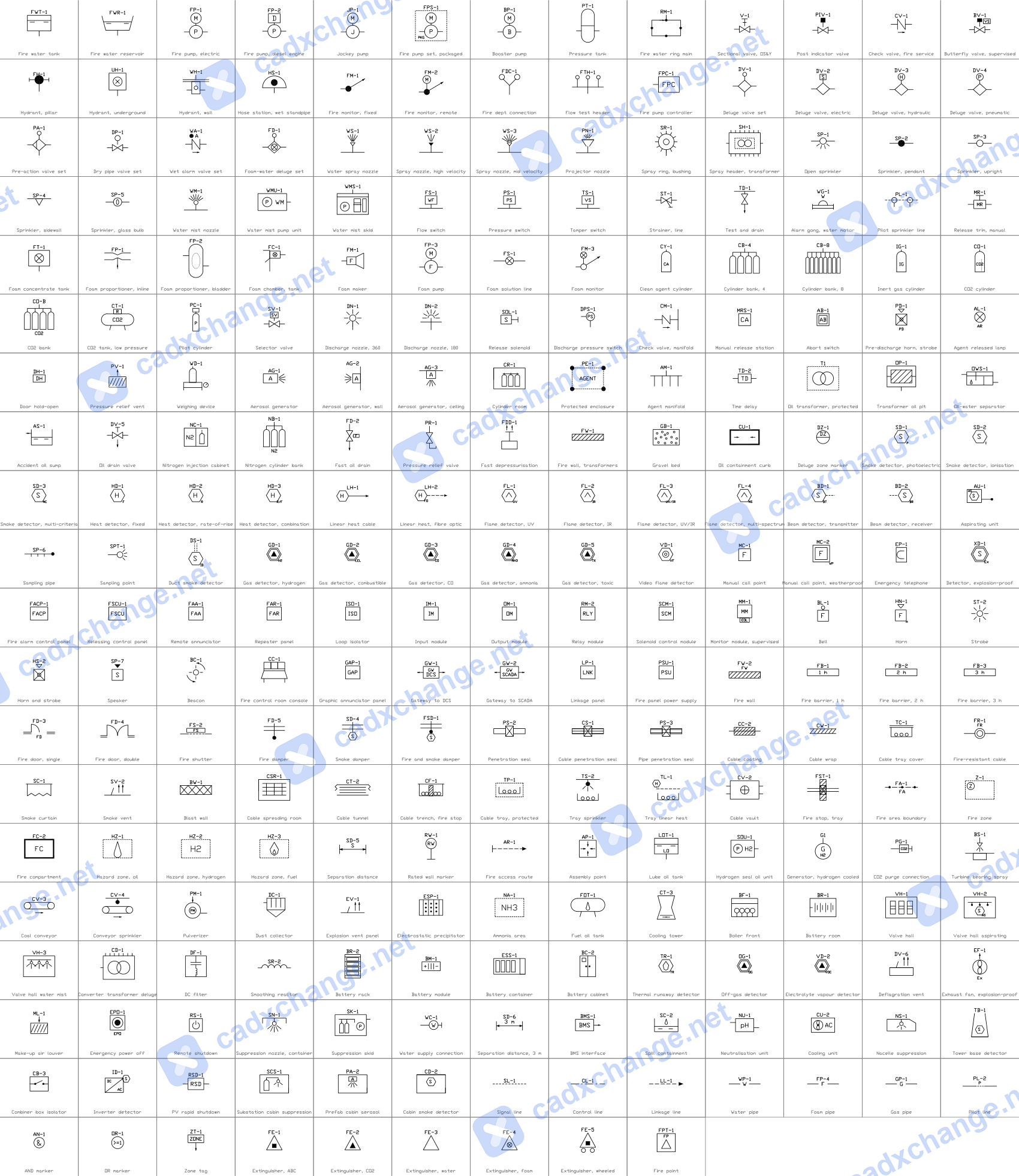
Faltou um símbolo? Diga qual.
Atributos para listas de materiais
Every block has a visible tag next to the symbol (for example DGA-1 for a gas monitor, PD-1 for a partial discharge sensor, CAM-1 for a camera). The data of your schedules are invisible attributes: LOCATION and ADDRESS for most devices; RANGE, ALARM_1 and ALARM_2 for sensors; CHANNELS and PROTOCOL for units and gateways; LENGTH_M for fibre and cable items; LENS and RESOLUTION for cameras; plus MANUFACTURER, MODEL and REMARKS. Export them to Excel with BlockSync and the point list is ready.
Como usar a biblioteca
- Unzip the file and open the DWG. Copy the symbols you need into your drawing, or drag the blocks in from DesignCenter (ADCENTER).
- The symbols are drawn at the plotted size in millimetres and have the size and style of the power system single-line library, so they can share a drawing with it. Insert them at scale 1 and scale the block if your drawing needs a different size.
- Field sensors are circles with a short code and a lead at the bottom; units, hosts and gateways are boxes with a status dot and connections left and right. Sensors that clamp a conductor are rings on a horizontal line. Zones and compartments are dashed outlines: scale the inserted block to your drawing.
- Letters at the lower right of a circle name the method (U for ultra high frequency, A for acoustic, T for transient earth voltage). Change the letters in the block if your legend differs.
About the symbols
There is no graphic standard for monitoring equipment, so the symbols follow the usual practice of the trade: sensors as circles with a code, analysers as double circles, units as boxes with a status dot. Smoke, heat, flame, linear heat and aspirating fire detection are in the power system fire protection library, and the single-line symbols of the equipment itself are in the power system libraries.
The blocks are our own drawings, not copies of a standard, and the library is not certified. Check them against the legend of your project and your client, and change a block if yours differs.
O que mudou em cada versão
Versão 1.0 · 25 de novembro de 2026
Símbolos novos (113)
Residual current detector · Residual current, 4 channel · Temperature monitor detector · Temperature sensor, contact · Residual current transformer · Residual CT, split core · Residual current and temp · Arc fault detector, circuit · Electrical fire monitor · Electrical fire monitor, wall · Remote display · Monitor power supply · Alarm relay output · Busbar joint temp point · Arc point sensor · Arc fibre sensor · Arc fibre loop · Arc flash relay · Arc relay, extension unit · Current check input · Trip output · Light-only mode mark · Breaker compartment zone · Busbar compartment zone · Cable compartment zone · Arc eliminator · Oil hydrogen monitor · Oil gas monitor, multi-gas · Oil gas monitor, 8 gases · Oil moisture sensor · Partial discharge, UHF · Partial discharge, acoustic · Partial discharge, HFCT · Bushing monitor · Winding temp, fibre optic · Top oil temperature · Core ground current · Cooler status monitor · Tap changer monitor · Oil level monitor · mais 73
Perguntas frequentes
- Does the library follow a standard?
- No standard defines graphic symbols for condition monitoring, so the symbols are drawn after the usual practice of the trade and in the same style as the power system single-line library. Standards for electrical fire monitoring, arc flash testing and gas analysis describe the function, not the figure. The library does not replace the rules of your project.
- Does it include fire detectors?
- Smoke, heat, flame, linear heat and aspirating detectors are in the power system fire protection library, so the two libraries do not overlap. Use this one for what warns before a fire: electrical fire monitoring, arc flash protection and equipment condition monitoring.
- Can I use the symbols in commercial projects?
- Yes, once you hold the licence. You may use and modify them in your own projects, including commercial ones. They are provided as is, without warranty. Please do not redistribute or resell the library; see the library terms.
- What do I get free, and what is in the paid library?
- A starter pack of 12 symbols and every single symbol preview are free to look at. The paid library has all the symbols in one DWG, one block per symbol, with a ZIP for AutoCAD 2018 and later and one for AutoCAD 2010.
- Can I change a symbol or add attributes?
- Yes. Open the DWG, edit a block with BEDIT to change it or add attributes, and save. To update drawings that already contain the block, run ATTSYNC or replace the block. Make a backup first: attribute values can be lost if ATTSYNC is used carelessly.
- Onde encontro um conjunto pronto destes símbolos para o AutoCAD?
- O AutoCAD traz só uns poucos blocos de exemplo, então um conjunto completo de símbolos precisa vir de uma biblioteca. Baixe o ZIP desta página e abra o DWG: cada símbolo é um bloco. Insira um com o comando INSERT (paleta Blocos, guia Bibliotecas, depois escolha o DWG) ou arraste-o do DesignCenter (ADCENTER). Também é possível baixar um símbolo isolado.