
Guides/Symboles et blocs
Find Duplicate Tags in an AutoCAD Schematic — Check for Contacts Without a Coil and Coils Without Contacts
Mis à jour le November 13, 2026
Réalisé avec CADXChange Symbols for AutoCAD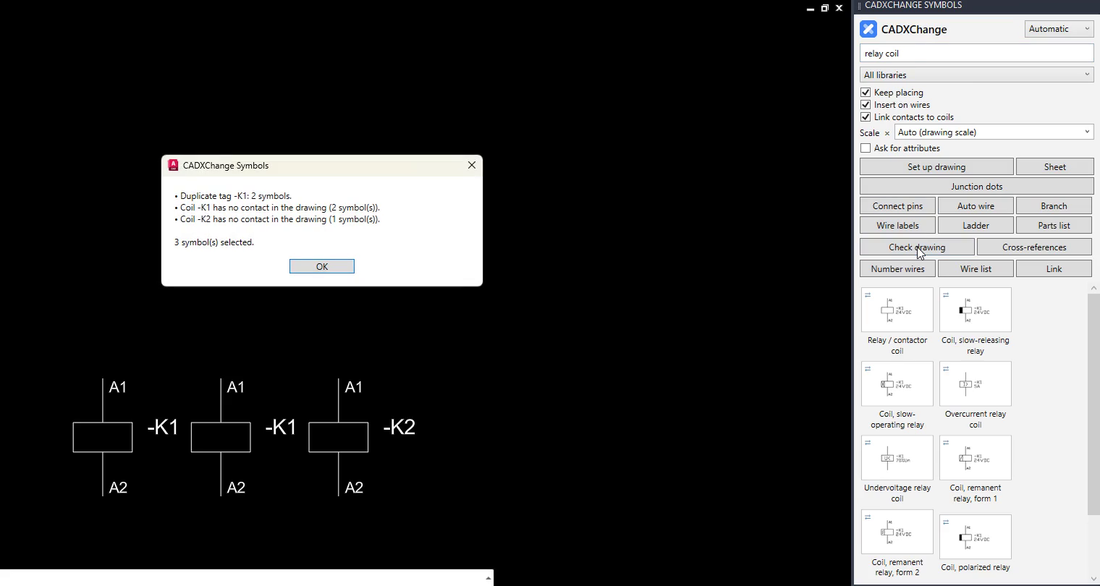
Copy a relay coil, forget to change the tag, and the drawing now has two -K1. Nothing in AutoCAD complains. The mistake turns up at the panel, when two different devices carry the same label, or when a coil has no contacts anywhere in the drawing because someone deleted a sheet.
This guide shows what is worth checking in a schematic, how far a manual check with Excel gets you, and how a one-click check lists each problem and selects the symbols involved.
1. Decide what is worth checking
Three things go wrong most often. The same tag is on two devices that are not the same device. A contact refers to a coil that is not in the drawing. A coil has no contact anywhere in the drawing. The last one is not always an error, because a coil can drive contacts on another sheet, but it is always worth a look.
2. The manual way, and where it stops
Extract the TAG attributes with DATAEXTRACTION into Excel and count the repeats, with COUNTIF or a pivot table. That finds repeated tags. What it cannot do is tell a mistake from a legitimate repeat: a contactor's coil and its contacts all carry K1 on purpose, so a plain count flags every contactor in the drawing.
3. Click Check drawing
The tool reads the tags of the symbols in the drawing and lists the problems, one line each. In the picture it reports three:
Duplicate tag -K1: 2 symbols. Coil -K1 has no contact in the drawing (2 symbols). Coil -K2 has no contact in the drawing (1 symbol).
The last line of the window says how many symbols were selected, here 3.
4. Fix what it selected
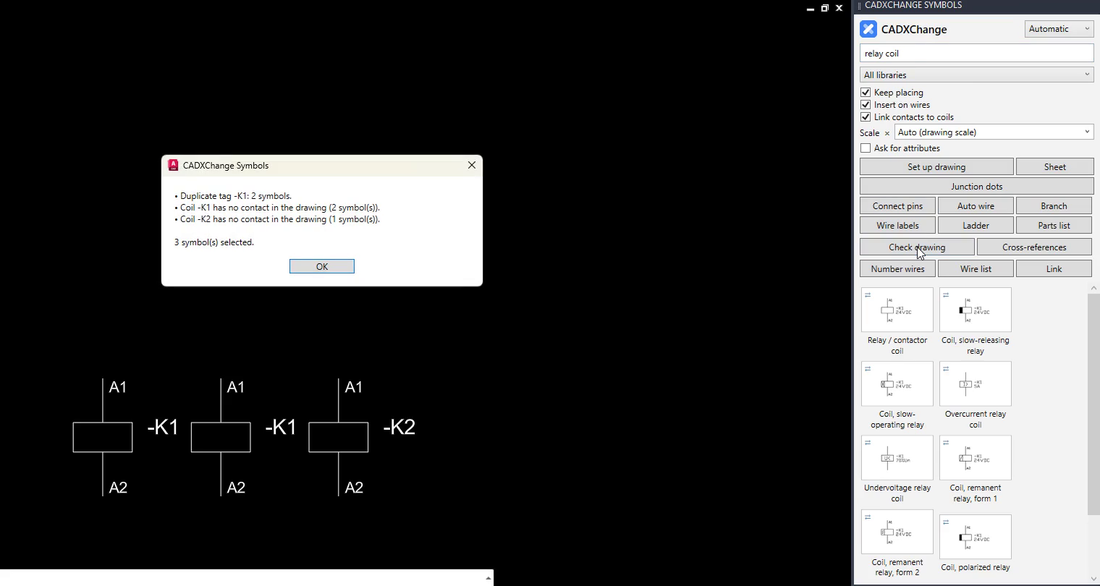
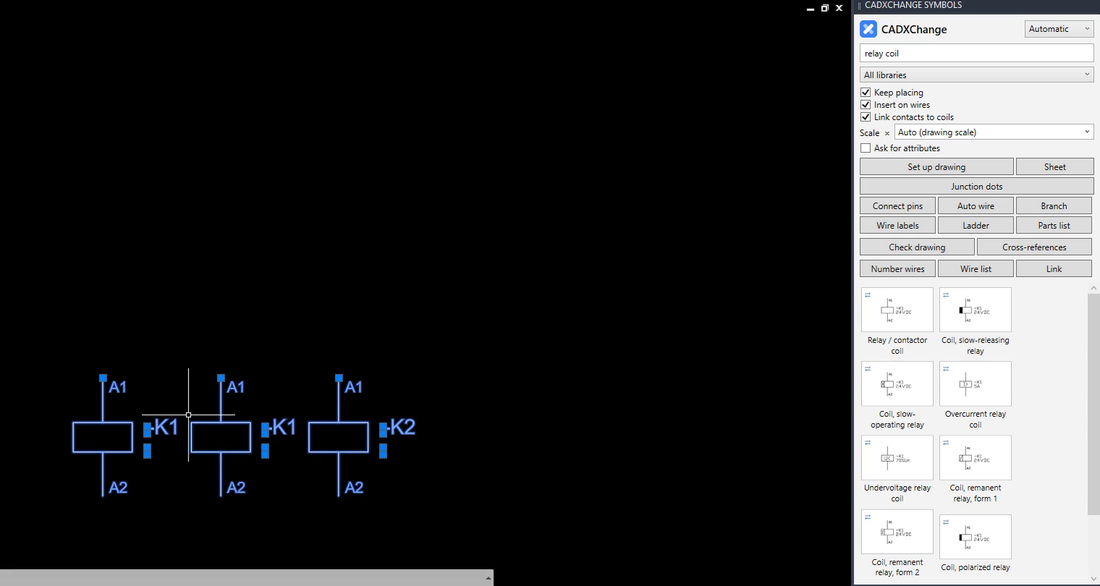
When you press OK, the symbols involved are selected in the drawing, so you can see where to look. Change the tag, or delete the copy, and run the check again until the list is empty.
5. What the check treats as normal, and what it does not do
A contact carries the tag of its coil on purpose, so contacts never count as duplicates: only the same kind of symbol twice under one tag is reported. The pins of one terminal strip share a tag (-X1) and differ in their number, so they are told apart by that number. Symbols without a tag are ignored.
The check works on tags. It does not judge whether the circuit is electrically right, whether the wires are connected, or whether a rating fits. For that you still read the drawing.
Run the check before every plot and before every hand-over. It takes a second, and a duplicate tag found at your desk costs a click while one found at the panel costs an afternoon.
Check drawing is in the standard edition of the palette. The palette installs free, and during the 14-day trial every tool is open; 12 symbols stay free afterwards. It works with the full AutoCAD 2021 to 2027 on Windows; AutoCAD LT is not supported.
Try it in your own drawing
The palette installs free and opens every symbol and tool for 14 days, Pro features included. After that the 12 free symbols stay open. Your drawings stay normal DWG files that open anywhere.
See the palette and download the free trial →