
RecursosBibliotecas de símbolos DWGISO 14084-2 power plant symbols
Valves
ISO 14084-2 power plant symbols: Valves: 57 ready-made AutoCAD blocks (DWG), free to download and use in your own projects, as a ZIP or one symbol at a time.
57 blocks for valves: on-off, non-return, control, safety and relief valves, special valves, the valve body symbols and the features that are added to them, such as normally open or closed, sealing fluid and suction connections and cavity relief.
Version 1.0 · updated 17 de outubro de 2026
Using AutoCAD 2017 or an earlier version? Download the 2010 format
Free to use and modify in your own projects, including commercial ones. The ZIP holds one plain DWG file in AutoCAD 2018 format and a README; no add-in needed. Provided as is, without warranty.
Related symbol libraries
Combina bem com estas ferramentas
 Precisa contar estes símbolos nos seus desenhos?Exporte para o Excel todos os símbolos e atributos de um conjunto de desenhos, edite as linhas e grave de volta.Ver o BlockSync
 Revisou um símbolo e precisa saber o que mudou?Compare duas revisões de um conjunto de desenhos bloco a bloco e receba um relatório do que foi adicionado, removido ou modificado.Ver o BlockCompare
 Quais desenhos usam este símbolo?Pesquise blocos e textos em centenas de desenhos de uma vez e vá direto ao resultado.Ver o DwgSearch
All 57 symbols
57 de 57 símbolos

2-way on-off valve, straight type
PPD_2101_VALVE_2WAYAtributos
TAGSERVICESIZEPRESSURE_RATINGDESIGN_TEMP_CMATERIALEND_CONNECTIONACTUATORMANUFACTURERMODELREMARKSSTD_CLAUSESTD_REFDESC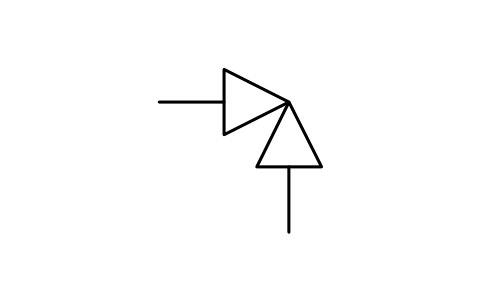
2-way valve, angle type
PPD_2102_VALVE_2WAY_ANGLEAtributos
TAGSERVICESIZEPRESSURE_RATINGDESIGN_TEMP_CMATERIALEND_CONNECTIONACTUATORMANUFACTURERMODELREMARKSSTD_CLAUSESTD_REFDESC
3-way valve
PPD_2103_VALVE_3WAYAtributos
TAGSERVICESIZEPRESSURE_RATINGDESIGN_TEMP_CMATERIALEND_CONNECTIONACTUATORMANUFACTURERMODELREMARKSSTD_CLAUSESTD_REFDESC
4-way valve
PPD_2104_VALVE_4WAYAtributos
TAGSERVICESIZEPRESSURE_RATINGDESIGN_TEMP_CMATERIALEND_CONNECTIONACTUATORMANUFACTURERMODELREMARKSSTD_CLAUSESTD_REFDESC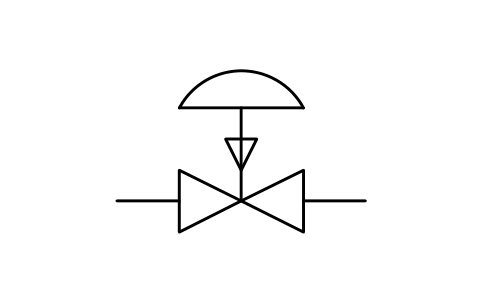
Valve, diaphragm, fail to close
PPD_X2101_VALVE_DIAPHRAGM_FCAtributos
TAGSERVICESIZEPRESSURE_RATINGDESIGN_TEMP_CMATERIALEND_CONNECTIONACTUATORMANUFACTURERMODELREMARKSSTD_CLAUSESTD_REFDESC
On-off valve, cylinder actuator
PPD_X6101_VALVE_CYLINDERAtributos
TAGSERVICESIZEPRESSURE_RATINGDESIGN_TEMP_CMATERIALEND_CONNECTIONACTUATORMANUFACTURERMODELREMARKSSTD_CLAUSESTD_REFDESC
On-off valve, quick-close cylinder
PPD_X6102_VALVE_CYLINDER_QUICKAtributos
TAGSERVICESIZEPRESSURE_RATINGDESIGN_TEMP_CMATERIALEND_CONNECTIONACTUATORMANUFACTURERMODELREMARKSSTD_CLAUSESTD_REFDESC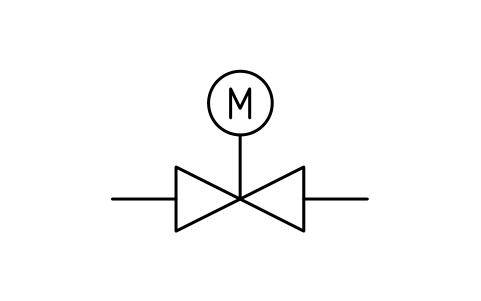
On-off valve, motor actuator
PPD_X2104_VALVE_MOTORAtributos
TAGSERVICESIZEPRESSURE_RATINGDESIGN_TEMP_CMATERIALEND_CONNECTIONACTUATORMANUFACTURERMODELREMARKSSTD_CLAUSESTD_REFDESC
On-off valve, motor, with bypass
PPD_X6103_VALVE_BYPASS_MOTORAtributos
TAGSERVICESIZEPRESSURE_RATINGDESIGN_TEMP_CMATERIALEND_CONNECTIONACTUATORMANUFACTURERMODELREMARKSSTD_CLAUSESTD_REFDESC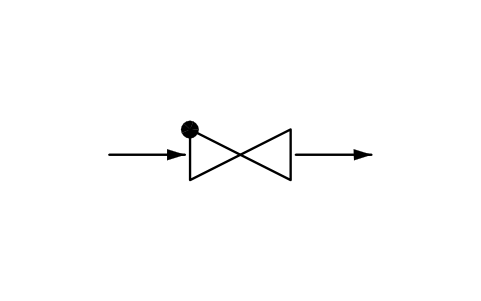
Non-return valve, form 1
PPD_X6105_CHECK_VALVE_F1Atributos
TAGSERVICESIZEPRESSURE_RATINGDESIGN_TEMP_CMATERIALEND_CONNECTIONACTUATORMANUFACTURERMODELREMARKSSTD_CLAUSESTD_REFDESC
Non-return valve, form 2
PPD_P090_CHECK_VALVE_F2Atributos
TAGSERVICESIZEPRESSURE_RATINGDESIGN_TEMP_CMATERIALEND_CONNECTIONACTUATORMANUFACTURERMODELREMARKSSTD_CLAUSESTD_REFDESC
Non-return and manual stop valve
PPD_X2112_CHECK_STOP_VALVEAtributos
TAGSERVICESIZEPRESSURE_RATINGDESIGN_TEMP_CMATERIALEND_CONNECTIONACTUATORMANUFACTURERMODELREMARKSSTD_CLAUSESTD_REFDESC
Non-return valve, quick cylinder
PPD_X6107_CHECK_VALVE_QUICKAtributos
TAGSERVICESIZEPRESSURE_RATINGDESIGN_TEMP_CMATERIALEND_CONNECTIONACTUATORMANUFACTURERMODELREMARKSSTD_CLAUSESTD_REFDESC
Non-return valve, assist cylinder
PPD_X6104_CHECK_VALVE_CYLINDERAtributos
TAGSERVICESIZEPRESSURE_RATINGDESIGN_TEMP_CMATERIALEND_CONNECTIONACTUATORMANUFACTURERMODELREMARKSSTD_CLAUSESTD_REFDESC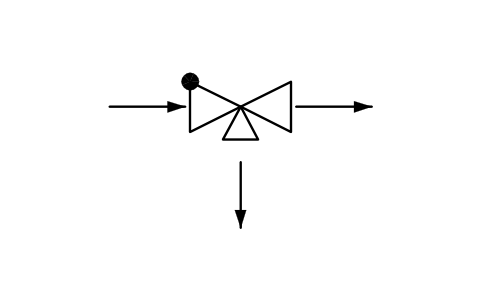
Pump check and recirculation valve
PPD_X6108_PUMP_CHECK_RECIRCAtributos
TAGSERVICESIZEPRESSURE_RATINGDESIGN_TEMP_CMATERIALEND_CONNECTIONACTUATORMANUFACTURERMODELREMARKSSTD_CLAUSESTD_REFDESC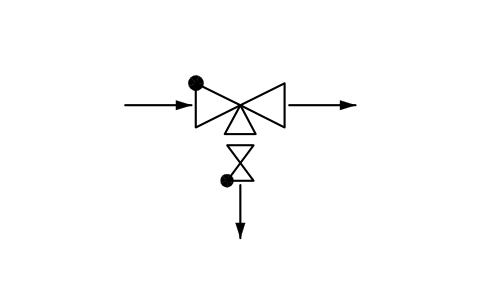
Pump check/recirc. valve, with NRV
PPD_X6126_PUMP_CHECK_RECIRC_NRVAtributos
TAGSERVICESIZEPRESSURE_RATINGDESIGN_TEMP_CMATERIALEND_CONNECTIONACTUATORMANUFACTURERMODELREMARKSSTD_CLAUSESTD_REFDESC
Breather valve
PPD_X6109_BREATHER_VALVEAtributos
TAGSERVICESIZEPRESSURE_RATINGDESIGN_TEMP_CMATERIALEND_CONNECTIONACTUATORMANUFACTURERMODELREMARKSSTD_CLAUSESTD_REFDESC
Control valve
PPD_X6110_CONTROL_VALVEAtributos
TAGSERVICESIZEPRESSURE_RATINGDESIGN_TEMP_CCVFAIL_POSITIONMATERIALACTUATORMANUFACTURERMODELREMARKSSTD_CLAUSESTD_REFDESC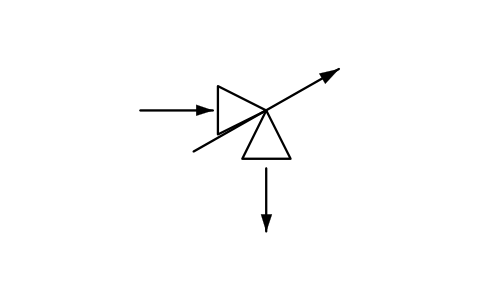
Control valve, angle type
PPD_X6111_CONTROL_VALVE_ANGLEAtributos
TAGSERVICESIZEPRESSURE_RATINGDESIGN_TEMP_CCVFAIL_POSITIONMATERIALACTUATORMANUFACTURERMODELREMARKSSTD_CLAUSESTD_REFDESC
Control valve, 3-way distributing
PPD_X6112_CONTROL_VALVE_3WAY_DISTAtributos
TAGSERVICESIZEPRESSURE_RATINGDESIGN_TEMP_CCVFAIL_POSITIONMATERIALACTUATORMANUFACTURERMODELREMARKSSTD_CLAUSESTD_REFDESC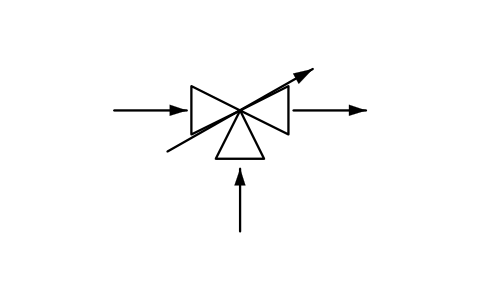
Control valve, 3-way mixing
PPD_X6113_CONTROL_VALVE_3WAY_MIXAtributos
TAGSERVICESIZEPRESSURE_RATINGDESIGN_TEMP_CCVFAIL_POSITIONMATERIALACTUATORMANUFACTURERMODELREMARKSSTD_CLAUSESTD_REFDESC
Control valve, double diaphragm
PPD_X6118_CONTROL_VALVE_DOUBLE_DIAPHAtributos
TAGSERVICESIZEPRESSURE_RATINGDESIGN_TEMP_CCVFAIL_POSITIONMATERIALACTUATORMANUFACTURERMODELREMARKSSTD_CLAUSESTD_REFDESC
Steam conditioning, integral water
PPD_X6114_STEAM_CONDITIONING_INTAtributos
TAGSERVICESIZEPRESSURE_RATINGDESIGN_TEMP_CCVFAIL_POSITIONMATERIALACTUATORMANUFACTURERMODELREMARKSSTD_CLAUSESTD_REFDESC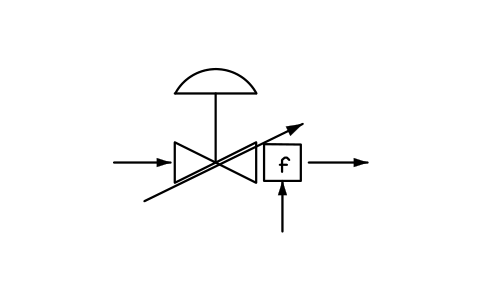
Steam conditioning, downstr. water
PPD_X6115_STEAM_CONDITIONING_DSAtributos
TAGSERVICESIZEPRESSURE_RATINGDESIGN_TEMP_CCVFAIL_POSITIONMATERIALACTUATORMANUFACTURERMODELREMARKSSTD_CLAUSESTD_REFDESC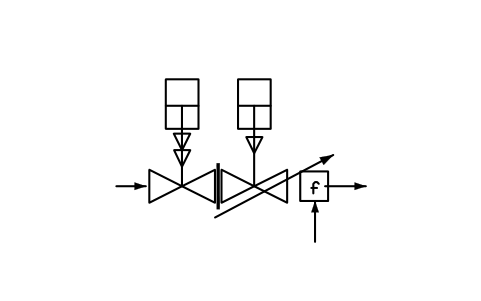
Steam conditioning + safety valve
PPD_X6116_STEAM_CONDITIONING_SAFETYAtributos
TAGSERVICESIZEPRESSURE_RATINGDESIGN_TEMP_CCVFAIL_POSITIONMATERIALACTUATORMANUFACTURERMODELREMARKSSTD_CLAUSESTD_REFDESC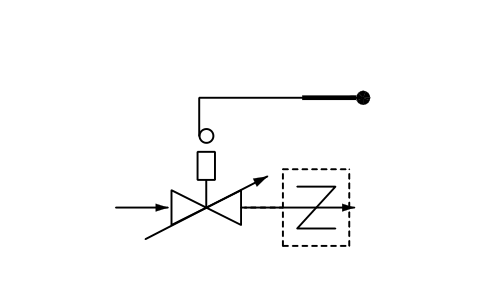
Temperature valve, self-acting
PPD_X6117_TEMP_CONTROL_SELF_ACTINGAtributos
TAGSERVICESIZEPRESSURE_RATINGDESIGN_TEMP_CCVFAIL_POSITIONMATERIALACTUATORMANUFACTURERMODELREMARKSSTD_CLAUSESTD_REFDESC
Back-pressure valve, self-acting
PPD_X2132_BACK_PRESSURE_VALVEAtributos
TAGSERVICESIZEPRESSURE_RATINGDESIGN_TEMP_CCVFAIL_POSITIONMATERIALACTUATORMANUFACTURERMODELREMARKSSTD_CLAUSESTD_REFDESC
Pressure reducer, self-acting
PPD_X2133_PRESSURE_REDUCING_VALVEAtributos
TAGSERVICESIZEPRESSURE_RATINGDESIGN_TEMP_CCVFAIL_POSITIONMATERIALACTUATORMANUFACTURERMODELREMARKSSTD_CLAUSESTD_REFDESC
Pre-set valve, balancing valve
PPD_X6119_CONTROL_VALVE_PRESETAtributos
TAGSERVICESIZEPRESSURE_RATINGDESIGN_TEMP_CCVFAIL_POSITIONMATERIALACTUATORMANUFACTURERMODELREMARKSSTD_CLAUSESTD_REFDESC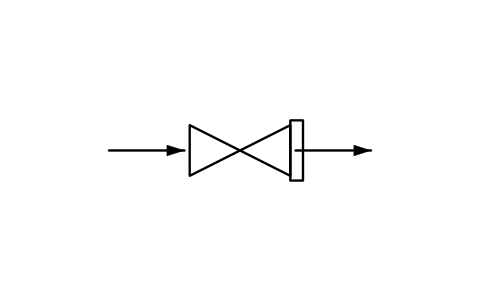
Safety valve
PPD_X6120_SAFETY_VALVEAtributos
TAGSERVICESET_PRESSURE_BARSIZEORIFICE_AREA_MM2CAPACITY_KGHPRESSURE_RATINGMATERIALMANUFACTURERMODELREMARKSSTD_CLAUSESTD_REFDESC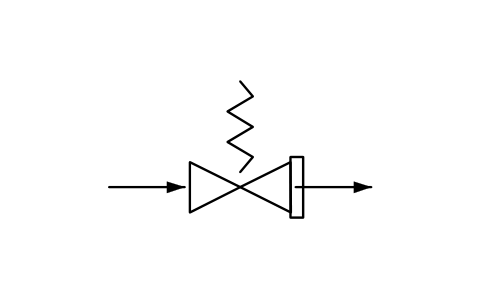
Safety valve, spring, straight
PPD_X6121_SAFETY_VALVE_SPRINGAtributos
TAGSERVICESET_PRESSURE_BARSIZEORIFICE_AREA_MM2CAPACITY_KGHPRESSURE_RATINGMATERIALMANUFACTURERMODELREMARKSSTD_CLAUSESTD_REFDESC
Safety valve, spring, angle
PPD_X6122_SAFETY_VALVE_ANGLEAtributos
TAGSERVICESET_PRESSURE_BARSIZEORIFICE_AREA_MM2CAPACITY_KGHPRESSURE_RATINGMATERIALMANUFACTURERMODELREMARKSSTD_CLAUSESTD_REFDESC
Steam bypass valve, fail open
PPD_X6123_STEAM_BYPASS_VALVEAtributos
TAGSERVICESET_PRESSURE_BARSIZEORIFICE_AREA_MM2CAPACITY_KGHPRESSURE_RATINGMATERIALMANUFACTURERMODELREMARKSSTD_CLAUSESTD_REFDESC
Breather valve, safety function
PPD_X6124_BREATHER_SAFETY_VALVEAtributos
TAGSERVICESET_PRESSURE_BARSIZEORIFICE_AREA_MM2CAPACITY_KGHPRESSURE_RATINGMATERIALMANUFACTURERMODELREMARKSSTD_CLAUSESTD_REFDESC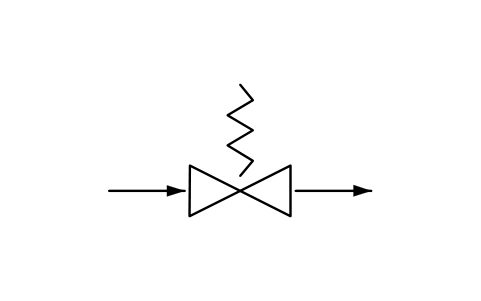
Relief valve, spring loaded
PPD_X6125_RELIEF_VALVE_SPRINGAtributos
TAGSERVICESET_PRESSURE_BARSIZEORIFICE_AREA_MM2CAPACITY_KGHPRESSURE_RATINGMATERIALMANUFACTURERMODELREMARKSSTD_CLAUSESTD_REFDESC
Steam trap
PPD_X6130_STEAM_TRAPAtributos
TAGSERVICESIZEPRESSURE_RATINGDESIGN_TEMP_CMATERIALEND_CONNECTIONACTUATORMANUFACTURERMODELREMARKSSTD_CLAUSESTD_REFDESC
Air release valve
PPD_X6131_AIR_RELEASE_VALVEAtributos
TAGSERVICESIZEPRESSURE_RATINGDESIGN_TEMP_CMATERIALEND_CONNECTIONACTUATORMANUFACTURERMODELREMARKSSTD_CLAUSESTD_REFDESC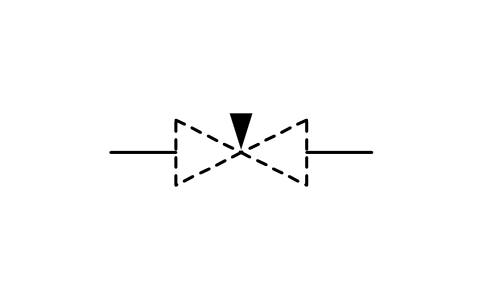
Valve, needle type
PPD_2125_VALVE_NEEDLEAtributos
TAGSERVICESIZEPRESSURE_RATINGDESIGN_TEMP_CMATERIALEND_CONNECTIONACTUATORMANUFACTURERMODELREMARKSSTD_CLAUSESTD_REFDESC
Valve, globe type
PPD_2121_VALVE_GLOBEAtributos
TAGSERVICESIZEPRESSURE_RATINGDESIGN_TEMP_CMATERIALEND_CONNECTIONACTUATORMANUFACTURERMODELREMARKSSTD_CLAUSESTD_REFDESC
Valve, piston or plunger type
PPD_2127_VALVE_PISTONAtributos
TAGSERVICESIZEPRESSURE_RATINGDESIGN_TEMP_CMATERIALEND_CONNECTIONACTUATORMANUFACTURERMODELREMARKSSTD_CLAUSESTD_REFDESC
Valve, gate type
PPD_2124_VALVE_GATEAtributos
TAGSERVICESIZEPRESSURE_RATINGDESIGN_TEMP_CMATERIALEND_CONNECTIONACTUATORMANUFACTURERMODELREMARKSSTD_CLAUSESTD_REFDESC
Valve, butterfly type, form 1
PPD_2126_VALVE_BUTTERFLY_F1Atributos
TAGSERVICESIZEPRESSURE_RATINGDESIGN_TEMP_CMATERIALEND_CONNECTIONACTUATORMANUFACTURERMODELREMARKSSTD_CLAUSESTD_REFDESC
Valve, butterfly type, form 2
PPD_P089_VALVE_BUTTERFLY_F2Atributos
TAGSERVICESIZEPRESSURE_RATINGDESIGN_TEMP_CMATERIALEND_CONNECTIONACTUATORMANUFACTURERMODELREMARKSSTD_CLAUSESTD_REFDESC
Valve, ball type
PPD_2122_VALVE_BALLAtributos
TAGSERVICESIZEPRESSURE_RATINGDESIGN_TEMP_CMATERIALEND_CONNECTIONACTUATORMANUFACTURERMODELREMARKSSTD_CLAUSESTD_REFDESC
Valve, plug type
PPD_2123_VALVE_PLUGAtributos
TAGSERVICESIZEPRESSURE_RATINGDESIGN_TEMP_CMATERIALEND_CONNECTIONACTUATORMANUFACTURERMODELREMARKSSTD_CLAUSESTD_REFDESC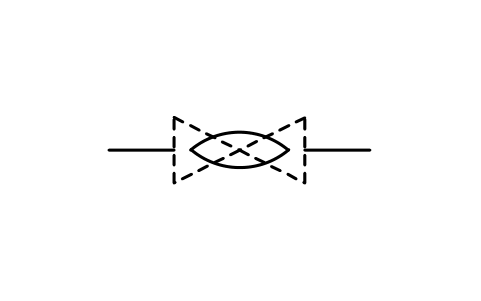
Valve, diaphragm type
PPD_2128_VALVE_DIAPHRAGMAtributos
TAGSERVICESIZEPRESSURE_RATINGDESIGN_TEMP_CMATERIALEND_CONNECTIONACTUATORMANUFACTURERMODELREMARKSSTD_CLAUSESTD_REFDESC
Valve, hose type
PPD_2129_VALVE_HOSEAtributos
TAGSERVICESIZEPRESSURE_RATINGDESIGN_TEMP_CMATERIALEND_CONNECTIONACTUATORMANUFACTURERMODELREMARKSSTD_CLAUSESTD_REFDESC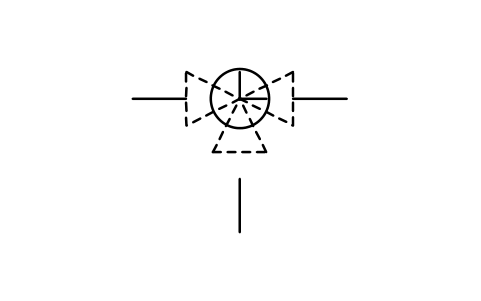
Valve, L-bore, 3-way or 4-way
PPD_2113_VALVE_L_BOREAtributos
TAGSERVICESIZEPRESSURE_RATINGDESIGN_TEMP_CMATERIALEND_CONNECTIONACTUATORMANUFACTURERMODELREMARKSSTD_CLAUSESTD_REFDESC
Valve, T-bore, 3-way or 4-way
PPD_2114_VALVE_T_BOREAtributos
TAGSERVICESIZEPRESSURE_RATINGDESIGN_TEMP_CMATERIALEND_CONNECTIONACTUATORMANUFACTURERMODELREMARKSSTD_CLAUSESTD_REFDESC
Valve, double L-bore, 4-way
PPD_2115_VALVE_DOUBLE_L_BOREAtributos
TAGSERVICESIZEPRESSURE_RATINGDESIGN_TEMP_CMATERIALEND_CONNECTIONACTUATORMANUFACTURERMODELREMARKSSTD_CLAUSESTD_REFDESC
Valve, sealing fluid connection
PPD_P058_VALVE_SEAL_FLUIDAtributos
TAGSERVICESIZEPRESSURE_RATINGDESIGN_TEMP_CMATERIALEND_CONNECTIONACTUATORMANUFACTURERMODELREMARKSSTD_CLAUSESTD_REFDESC
Valve, suction connection
PPD_P059_VALVE_SUCTIONAtributos
TAGSERVICESIZEPRESSURE_RATINGDESIGN_TEMP_CMATERIALEND_CONNECTIONACTUATORMANUFACTURERMODELREMARKSSTD_CLAUSESTD_REFDESC
Cavity relief valve, upstream
PPD_X6140_VALVE_CAVITY_RELIEF_UPAtributos
TAGSERVICESIZEPRESSURE_RATINGDESIGN_TEMP_CMATERIALEND_CONNECTIONACTUATORMANUFACTURERMODELREMARKSSTD_CLAUSESTD_REFDESC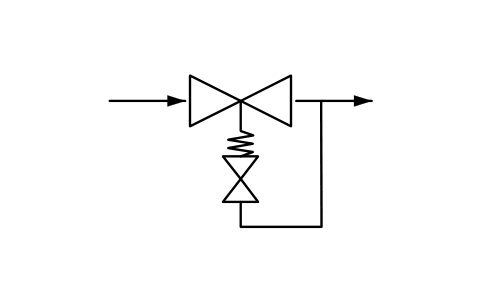
Cavity relief valve, downstream
PPD_X6141_VALVE_CAVITY_RELIEF_DOWNAtributos
TAGSERVICESIZEPRESSURE_RATINGDESIGN_TEMP_CMATERIALEND_CONNECTIONACTUATORMANUFACTURERMODELREMARKSSTD_CLAUSESTD_REFDESC
Valve, installed against flow
PPD_X6142_VALVE_OPPOSITE_FLOWAtributos
TAGSERVICESIZEPRESSURE_RATINGDESIGN_TEMP_CMATERIALEND_CONNECTIONACTUATORMANUFACTURERMODELREMARKSSTD_CLAUSESTD_REFDESC
Valve, normally closed (NC)
PPD_X6143_VALVE_NORMALLY_CLOSEDAtributos
TAGSERVICESIZEPRESSURE_RATINGDESIGN_TEMP_CMATERIALEND_CONNECTIONACTUATORMANUFACTURERMODELREMARKSSTD_CLAUSESTD_REFDESC
Valve, normally open (NO)
PPD_X6144_VALVE_NORMALLY_OPENAtributos
TAGSERVICESIZEPRESSURE_RATINGDESIGN_TEMP_CMATERIALEND_CONNECTIONACTUATORMANUFACTURERMODELREMARKSSTD_CLAUSESTD_REFDESC
Faltou um símbolo? Diga qual.
Attributes for parts lists
Every block has a visible tag next to the symbol (for example B-101 for a boiler, ST-101 for a steam turbine, M-101 for a motor, G-101 for a generator). The data of your equipment list are invisible attributes such as SERVICE, POWER_MW, SPEED_RPM, INLET_PRESSURE_BAR, FUEL and MANUFACTURER. STD_CLAUSE and STD_REF hold the entry number and the registration number of the symbol in ISO 14084-2 (for example X6904), so you can find it in the standard.
Export the blocks of a process diagram to Excel with BlockSync to build an equipment list, check it against the drawing and write the corrections back in one run, with preview and backup.
How to use the library
- Unzip the file and open the DWG. Copy the symbols you need into your plan, or drag the blocks in from DesignCenter (ADCENTER).
- The symbols are drawn in millimetres on the 2.5 mm module of the standard and are 5 to 30 mm in size. Insert them at scale 1 and scale the block to the size of your diagram. A few very large symbols, such as the chimney and gas turbines, are reduced so that they stay a usable size.
- The connections are short lines or arrows where the standard draws them. Where the standard shows a * on a boiler, the type of the combustion or heating system is meant: place the matching symbol from the section on boilers next to it.
- A symbol that appears in two sections of the standard, such as the shaft, has the same block name in both sections, so the two DWG files can be used in one drawing.