ResourcesConcrete wall and foundation section details
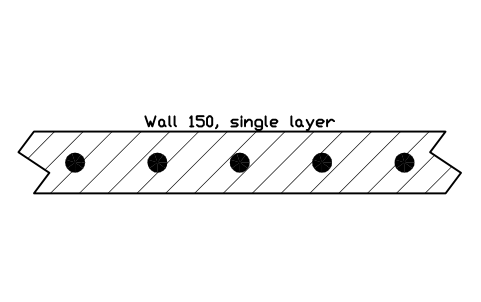
Wall 150, single layer symbol (DWG block)
Wall 150, single layer is a ready-to-use AutoCAD block named CWS_WALL_150_1L in the Concrete wall and foundation section details, group “Walls in plan section”. It carries 9 attributes, 1 of them visible, so it works in equipment lists and DATAEXTRACTION exports.
Block details
| Block name | CWS_WALL_150_1L |
|---|---|
| Library | Concrete wall and foundation section details |
| Group | Walls in plan section |
| Attributes | 9 attributes, 1 visible |
Attributes
Visible on the drawing: DESIGNATION.
Hidden, they carry the data for schedules: SIZE, CONCRETE_GRADE, REINFORCEMENT, COVER_MM, FINISH, DETAIL_NO, REMARKS, DESC.
How to use it
- Download the ZIP and unzip it. It holds one DWG with the block CWS_WALL_150_1L.
- Open the DWG and copy the block into your drawing, or insert it from the DWG with INSERT.
- Double-click a copy to fill in the tag and the other attributes.
The symbol is our own drawing after the common form of Concrete wall and foundation section details, not a certified copy. The library page explains how the symbols relate to the standard.
Names in other languages
The same symbol under its name in the other site languages.
- English
- Wall 150, single layer
- Simplified Chinese
- 墙 150,单层配筋
- Traditional Chinese
- 牆 150,單層配筋
- Japanese
- 壁 150(単配筋)
- Korean
- 벽 150, 단배근
- German
- Wand 150, einlagig
- French
- Mur 150, une nappe
- Italian
- Muro 150, un'armatura
- Spanish
- Muro 150, una capa
- Brazilian Portuguese
- Parede 150, uma camada
- Turkish
- Duvar 150, tek sıra donatı