
Guides
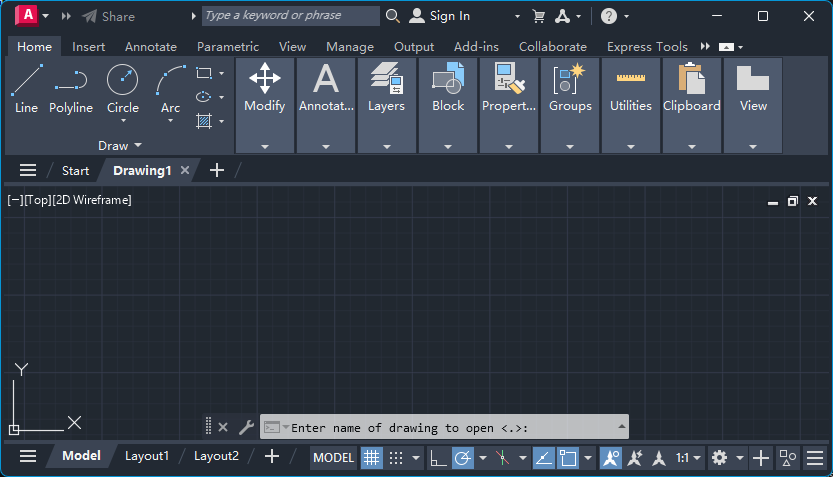
AutoCAD Open File Dialog Not Showing? Open Button Does Nothing — Fix FILEDIA = 0
The AutoCAD open file dialog is not showing: clicking Open or pressing Ctrl+O does nothing but print a prompt on the command line. The cause is the FILEDIA system variable set to 0. Here is how to check it, turn the dialog back on, use the ~ shortcut, and stop it happening again.
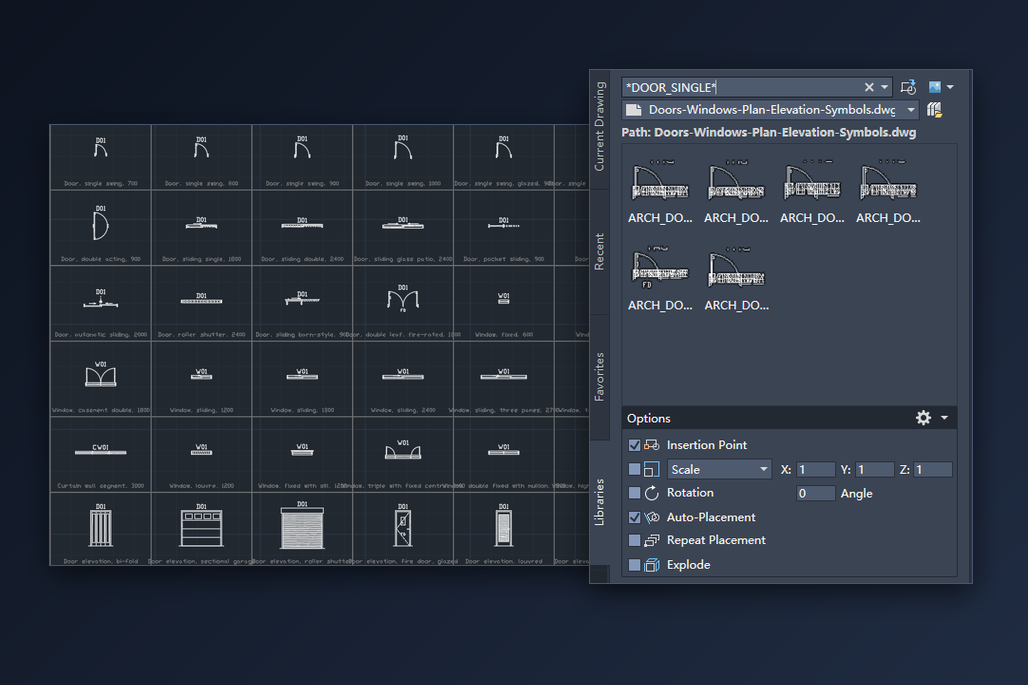
Insert Blocks from a DWG Symbol Library in AutoCAD — Doors, Windows and Any Other Block
How to use a downloaded DWG block library in AutoCAD: point the Blocks palette at the file, filter to the block you want, place it on the wall, and fill in its attributes. Includes DesignCenter and tool palettes.
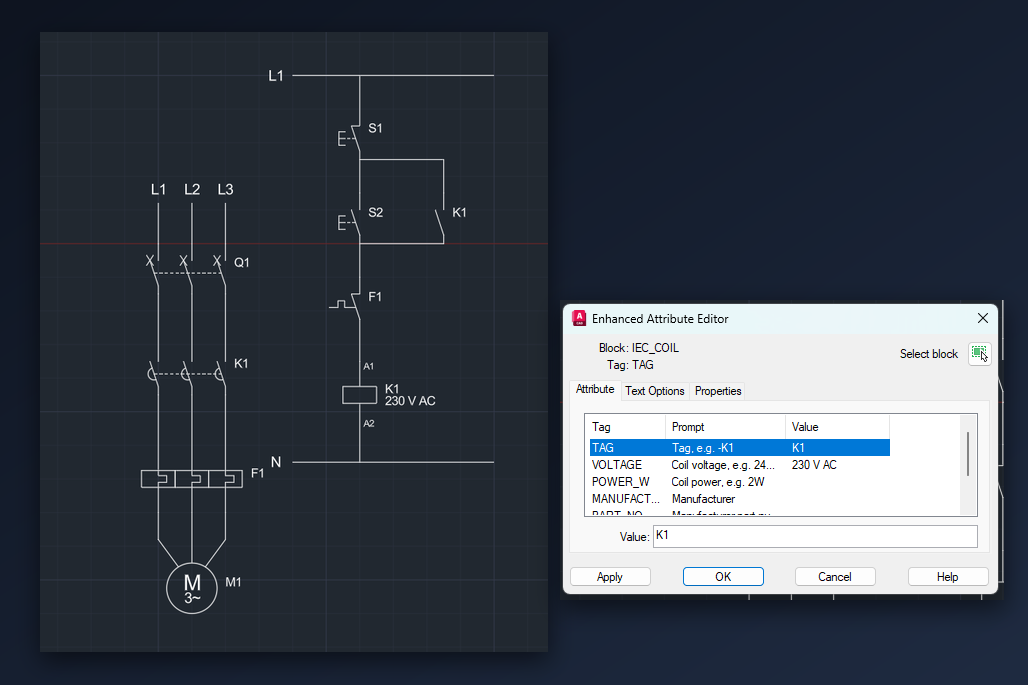
Draw a Motor Start-Stop Circuit in AutoCAD with IEC Symbols — Power and Control Circuit
Draw a direct-on-line motor starter in AutoCAD from a free IEC 60617 DWG symbol library: place the stop and start buttons, the contactor and the overload relay, wire them, tag them K1, F1 and M1, and get a parts list.
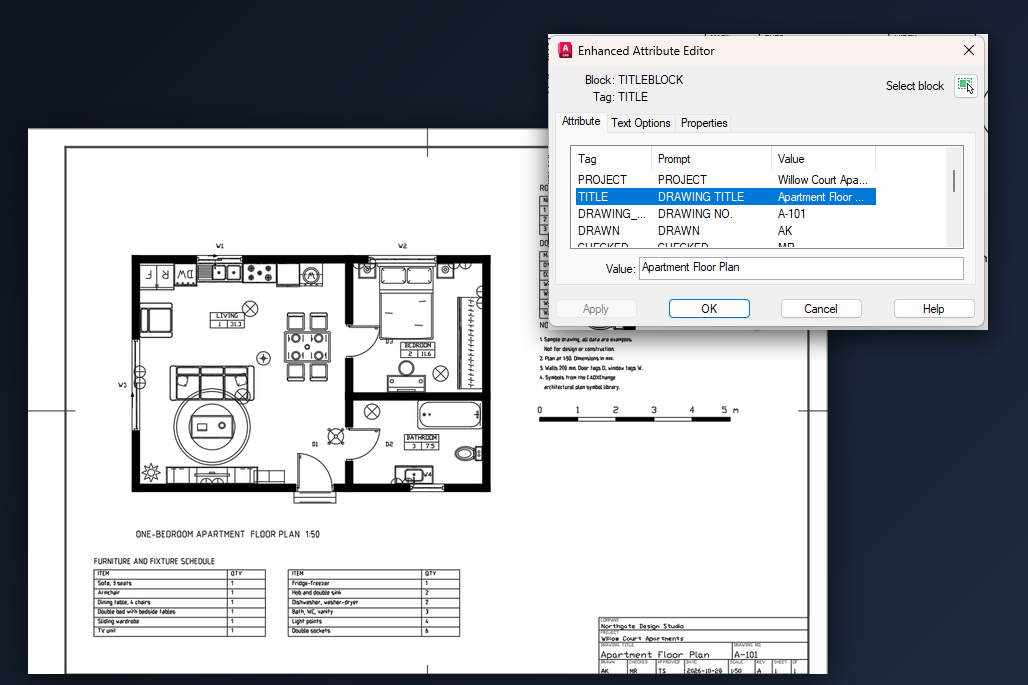
Add a Title Block in AutoCAD with a Free DWG Template — Insert the Layout, Set the Scale, Fill In the Details
Add a title block to an AutoCAD drawing with a free DWG template: insert the ready-made sheet layout with From Template, set the viewport scale, fill in the title block attributes and plot to PDF.
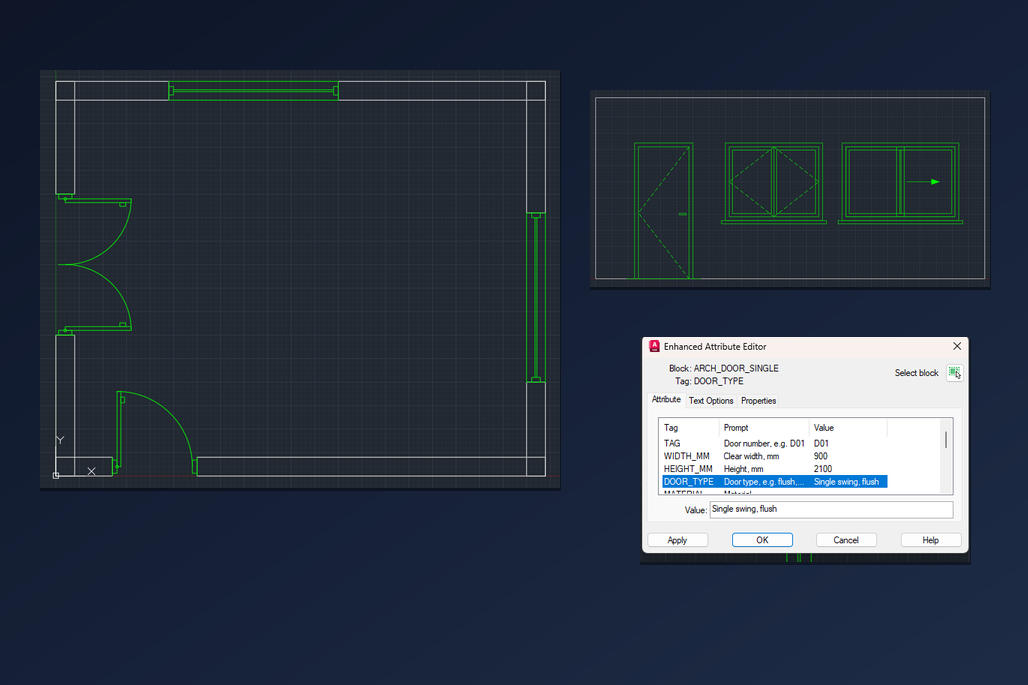
Free Door and Window Blocks for AutoCAD — Insert Plan and Elevation DWG Symbols, Flip the Swing, Fill In the Schedule Data
Free door and window blocks for AutoCAD in plan and elevation: how to insert them into a wall opening at the right size, flip the door swing, fill in the block attributes for a door schedule and place elevation views.
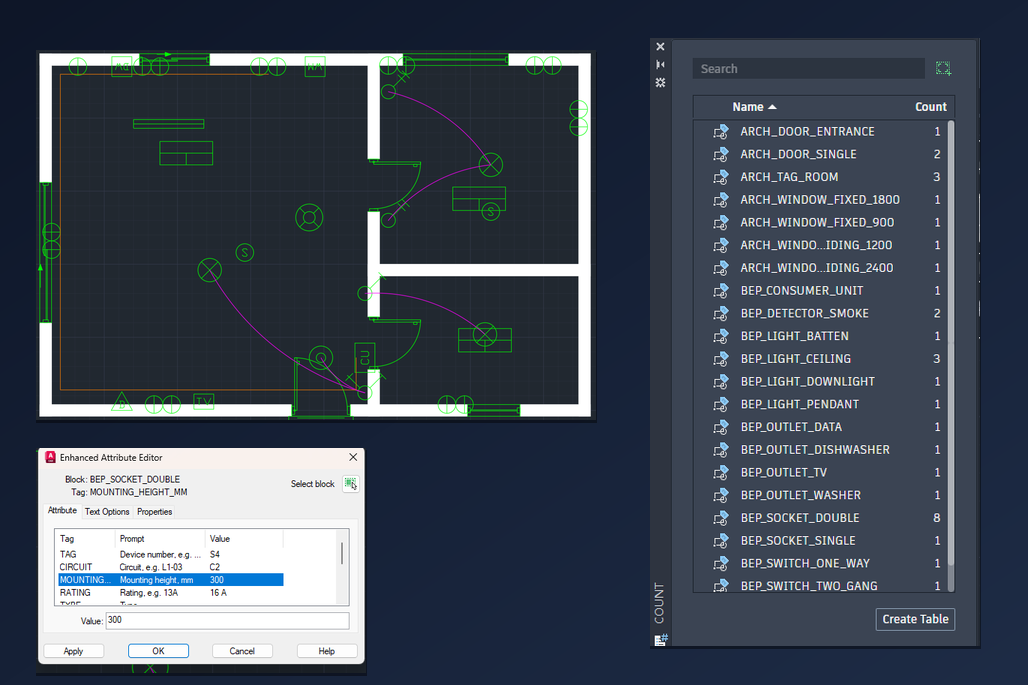
Electrical Plan Symbols for AutoCAD — Free DWG Blocks for Lights, Sockets and Switches on a Floor Plan
Lay out lighting, sockets and switches on an AutoCAD floor plan with free electrical plan symbol blocks: place and rotate them on the walls, size them for your sheet scale, draw the switch legs, fill in the circuit data and count the devices.
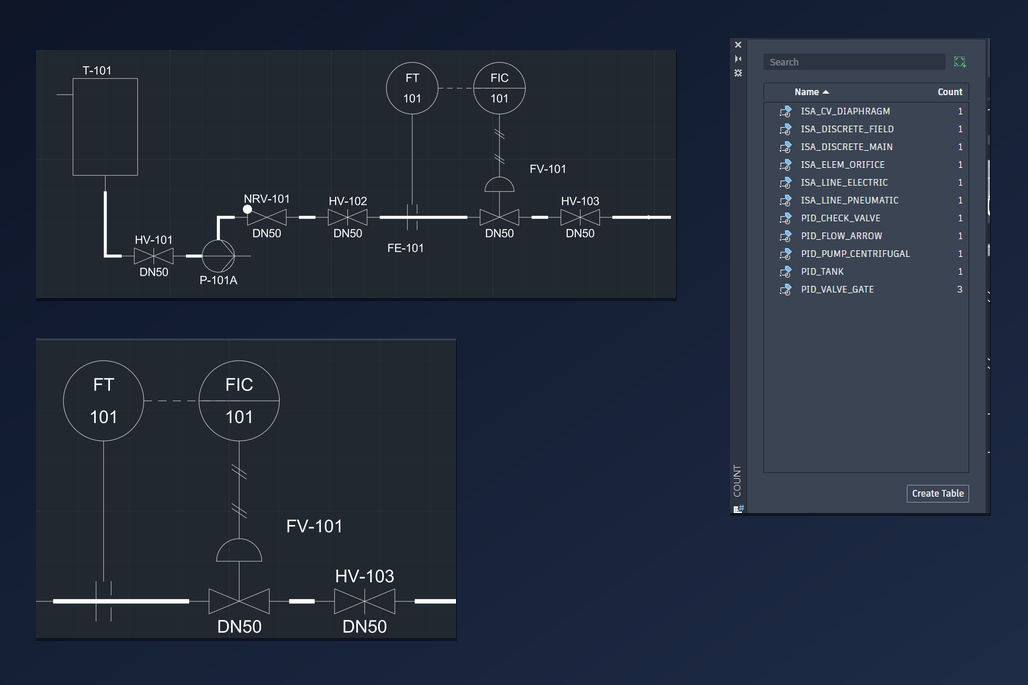
P&ID Symbols for AutoCAD — Free DWG Blocks for Tanks, Pumps, Valves and Instrument Loops
Draw a P&ID in AutoCAD with free DWG symbol blocks: place the tank, pump and valves, run the process lines, build a flow control loop with the instrument bubbles, tag everything through attributes and count the valves.
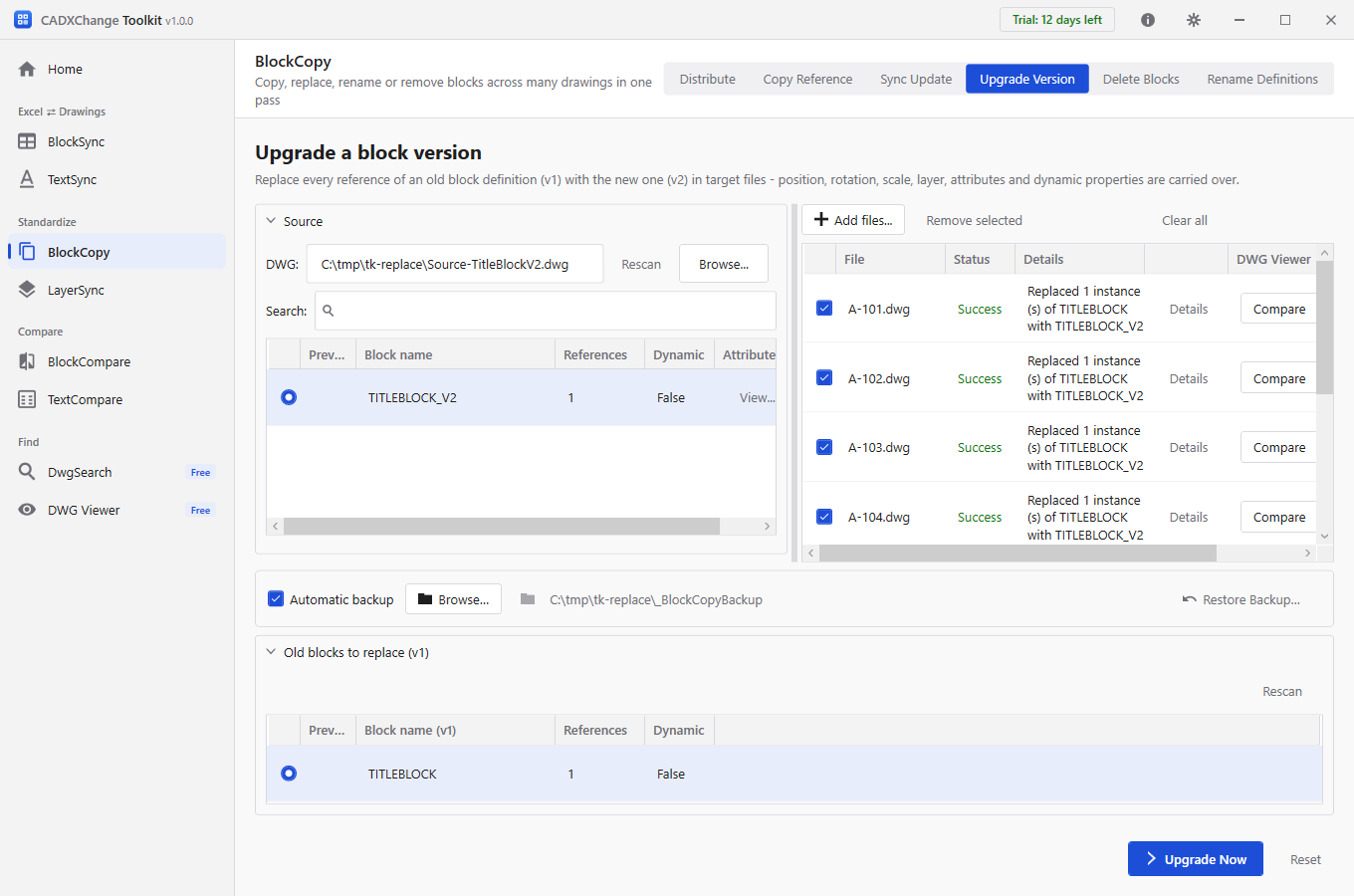
Replace an Old Block with a New One in Multiple Drawings — Swap a Title Block, Logo or Symbol in Every DWG
Swap one block for another in a whole set of AutoCAD drawings in a single run. Every reference keeps its position, rotation, scale, layer and attribute values, a backup is made first, and there is no LISP and no drawing-by-drawing BLOCK or REPLACE.
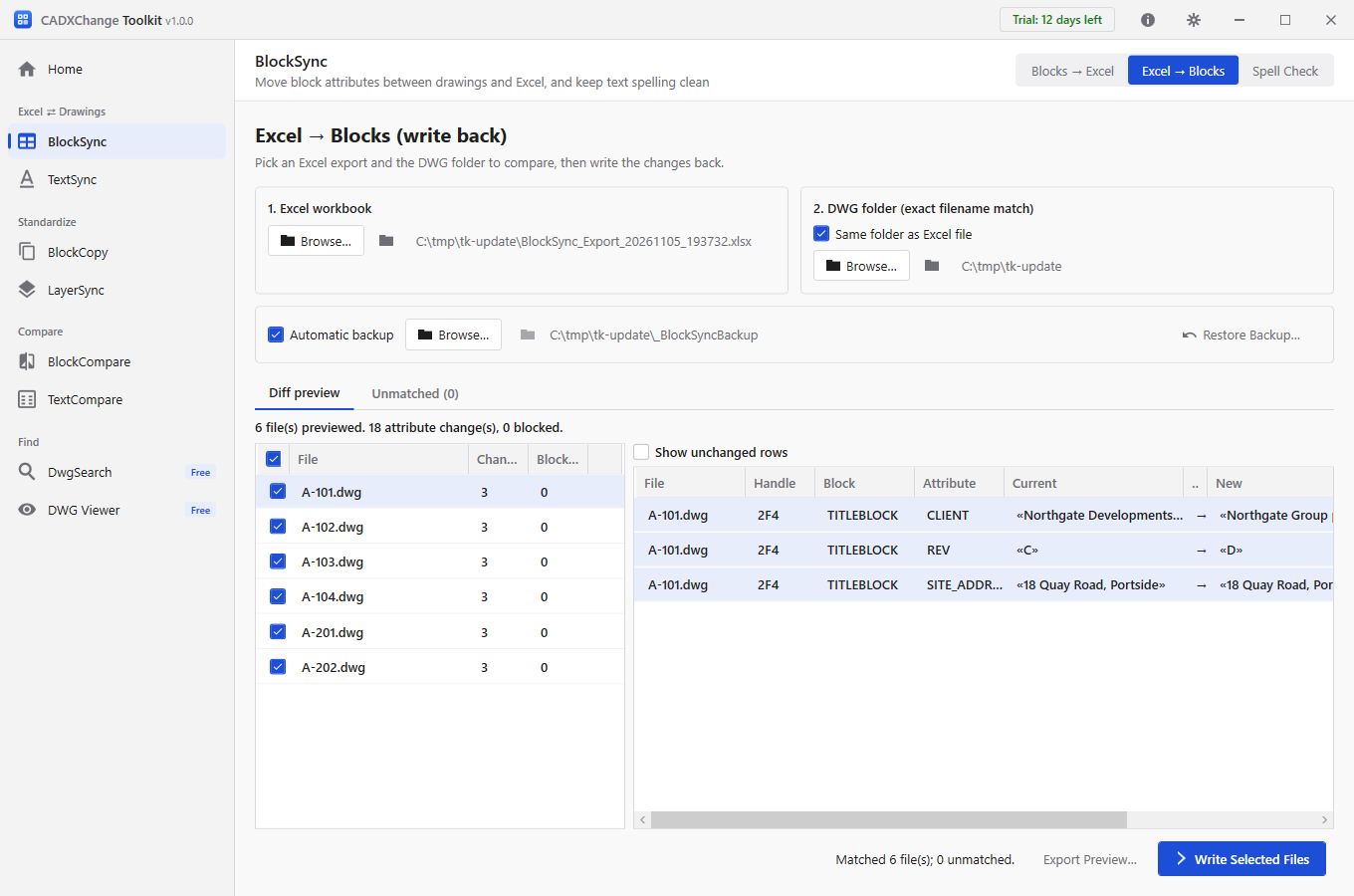
Batch Update Title Blocks in Multiple AutoCAD DWG Files — Client Name, Revision and Sheet Numbers
Update the title block attributes of a whole set of AutoCAD drawings at once: change a client name or address, roll the revision on every sheet, renumber a set. Edit in Excel, check a preview of every change, write back with an automatic backup.
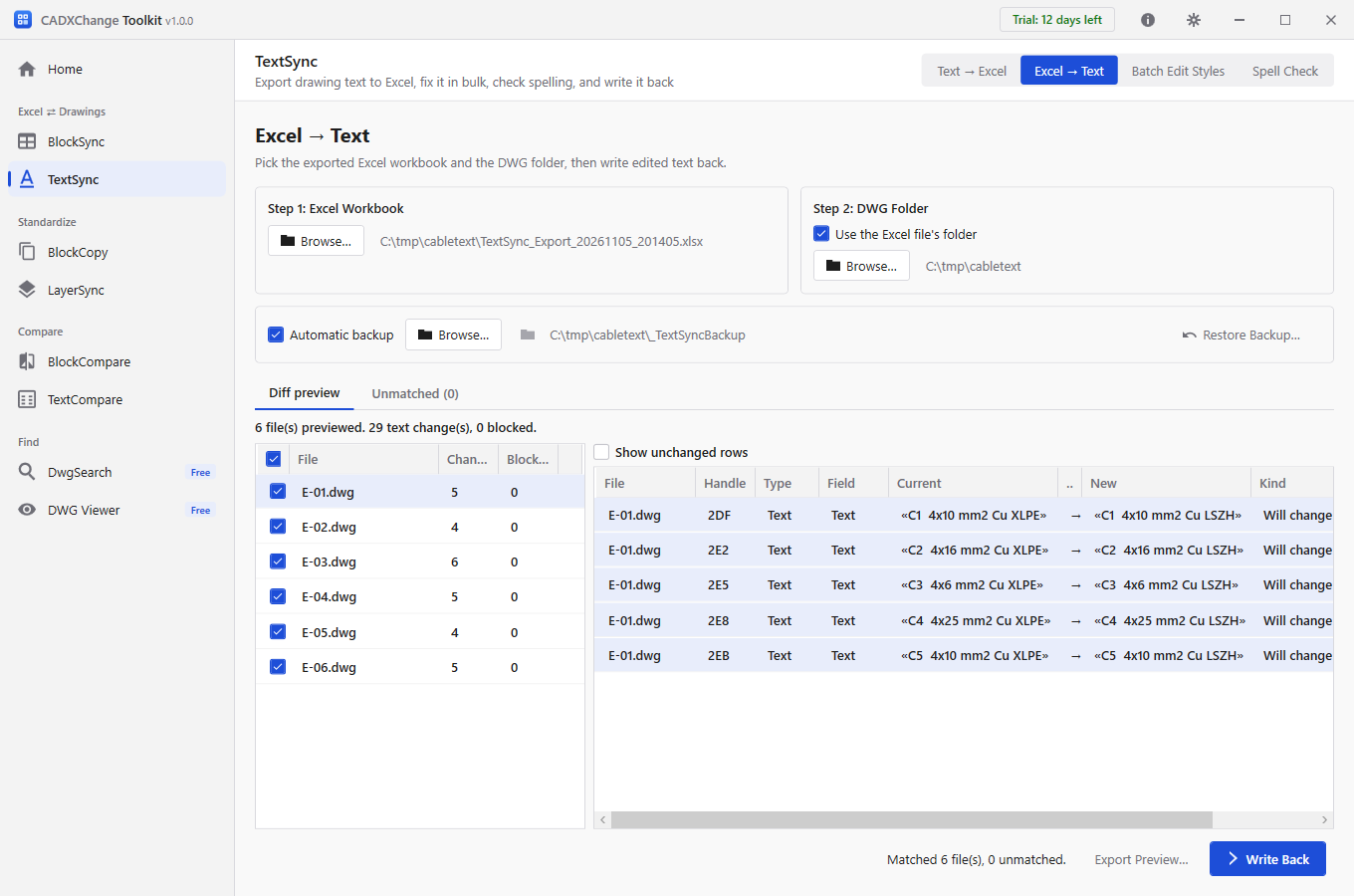
Find and Replace Text Across Multiple AutoCAD Drawings — Without LISP, With a Preview
Find and replace text across a whole set of AutoCAD drawings at once. Export every note and label to Excel, replace with Excel's own Find & Replace (filter by drawing, layer or text type), check a preview of every change and write back only what changed, with a backup.
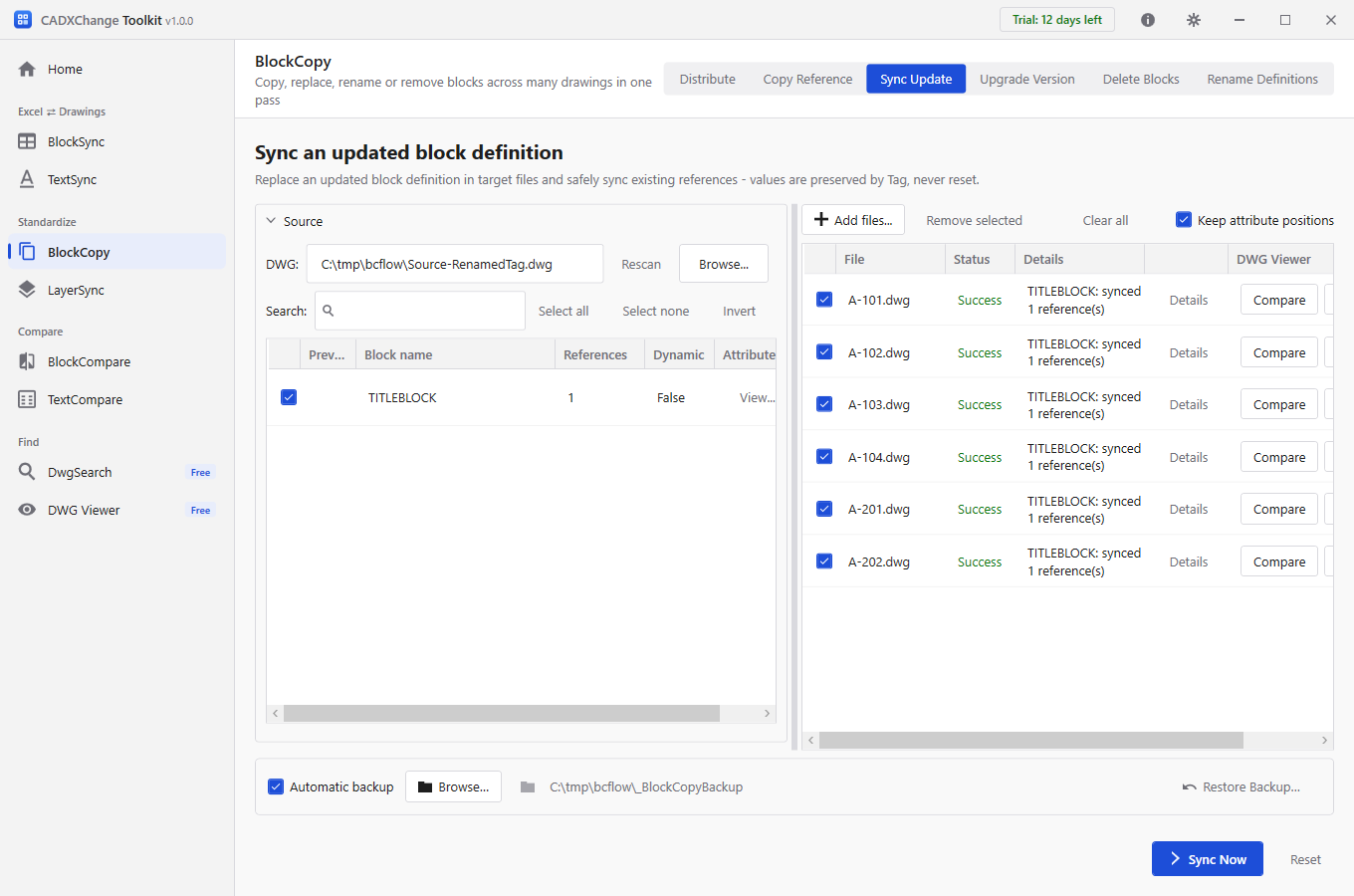
ATTSYNC Cleared My Attribute Values in AutoCAD — Update a Block in Many Drawings Safely
Why AutoCAD's ATTSYNC resets attribute values after a block is redefined, and how to push a revised block into a whole set of drawings while keeping every value, with renamed tags mapped instead of lost and every value read back afterwards.
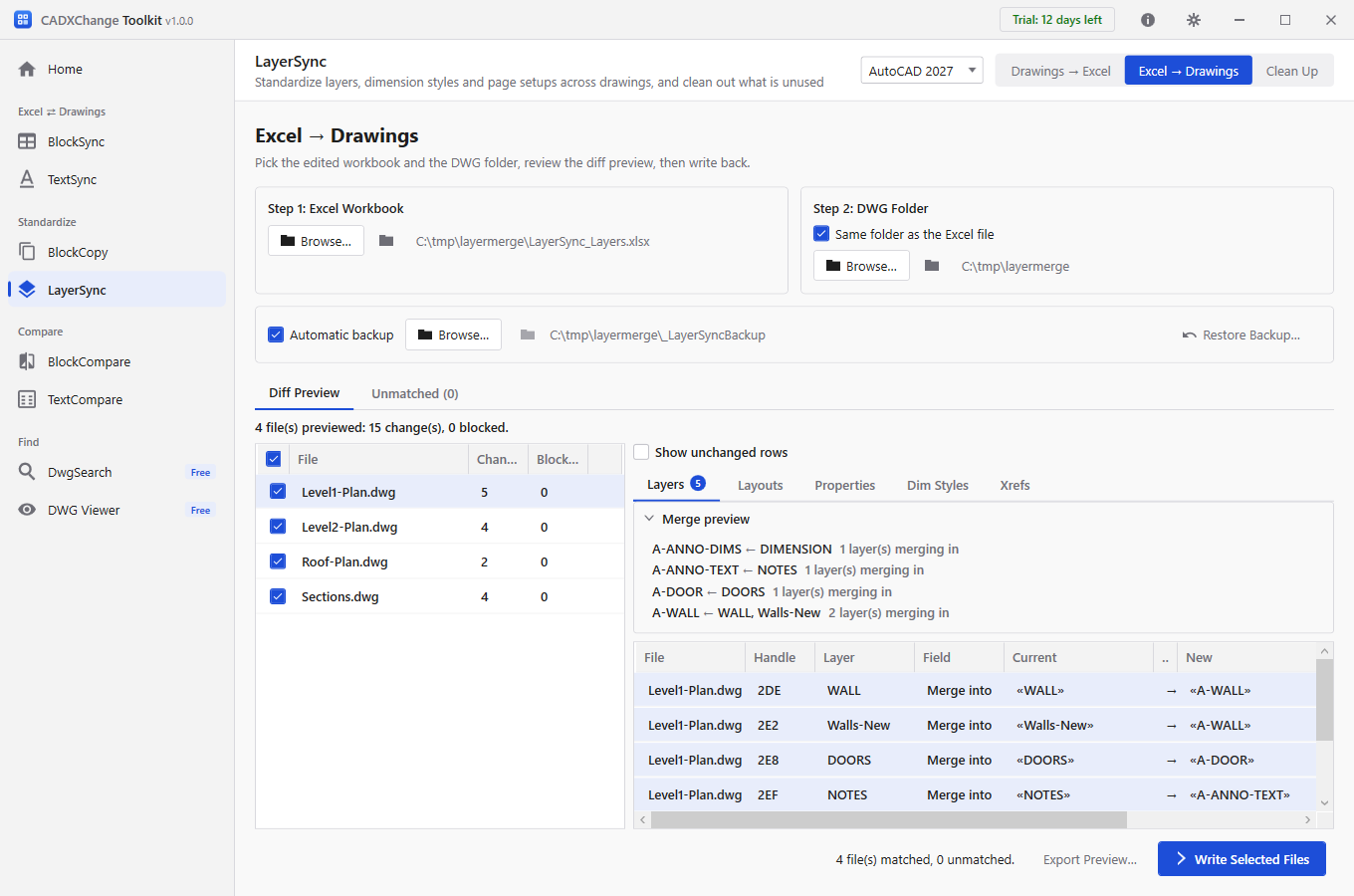
Rename and Merge Layers Across Many Drawings to Your Company Layer Standard
Bring AutoCAD drawings from different consultants into line with your layer standard: merge WALL, Walls-New and wall into A-WALL in every drawing at once, from one Excel sheet, with a preview before anything is written.
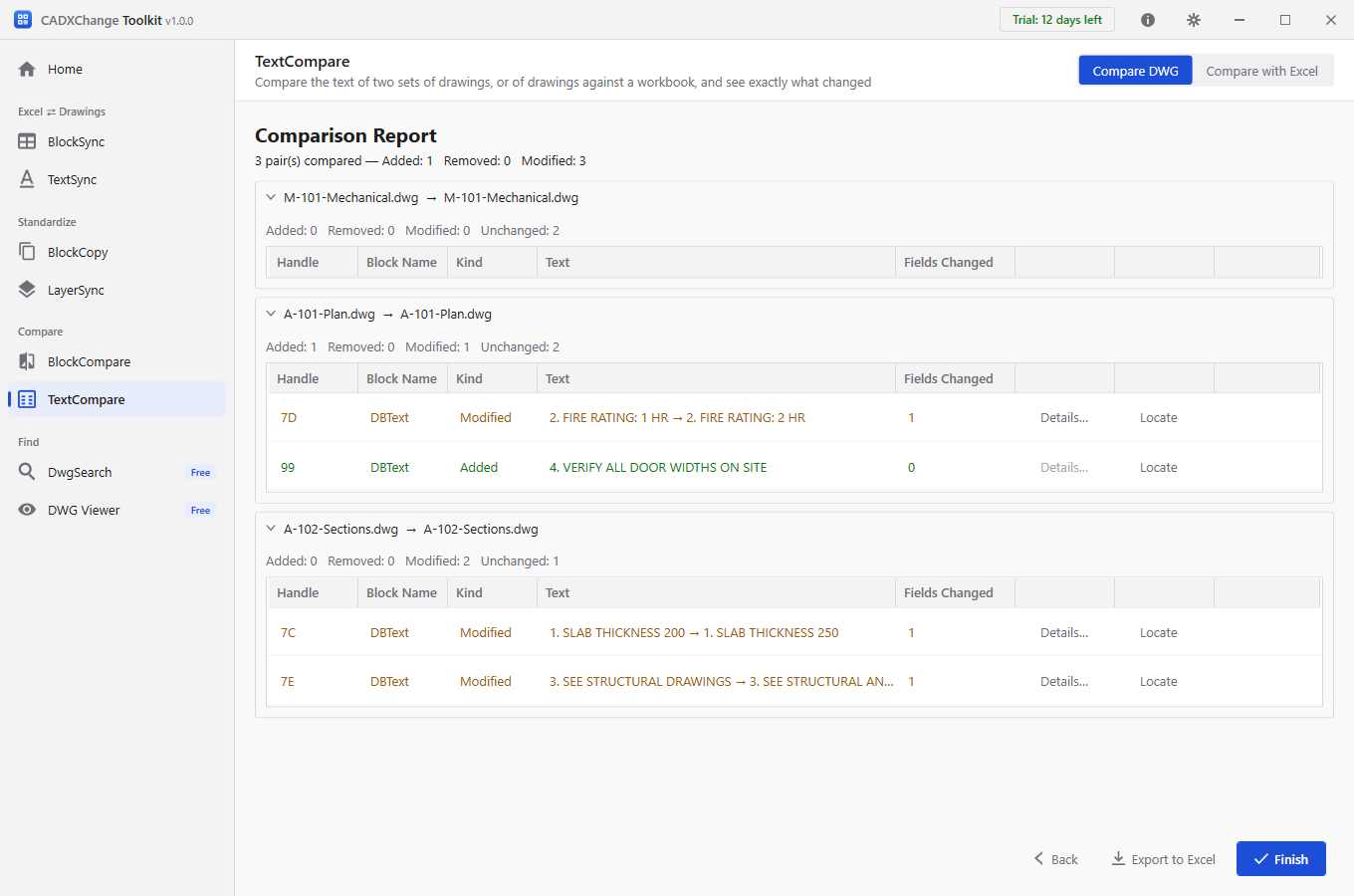
Compare Two AutoCAD Drawings and Find What Changed — Then Do It for a Whole Revision Set
Use COMPARE to see geometry changes between two AutoCAD drawings, and when you need the exact old and new wording of every note or the changed attributes of every title block across a whole set of drawings, compare two folders at once.
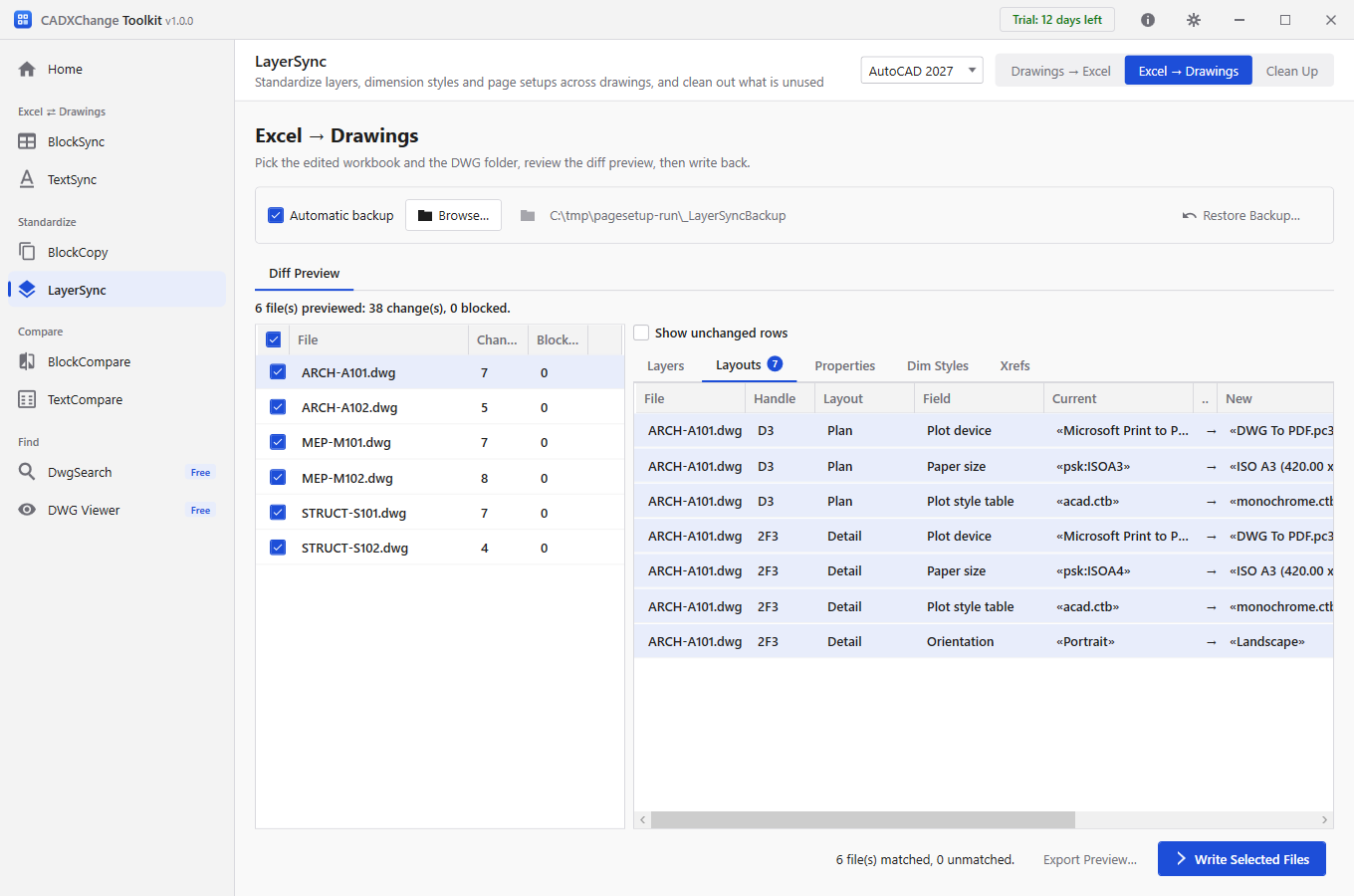
Change Page Setup in Multiple AutoCAD Drawings at Once — Plot Device, Paper Size, CTB and Scale
Give every layout in a whole set of AutoCAD drawings the same plot device, paper size, plot style table, orientation and scale in one run: pick the layouts by name, preview each change and keep a backup, instead of opening the Page Setup Manager drawing by drawing.