
ResourcesISO 14617: Graphical symbols for diagrams
Manual actuator symbol (DWG block)
Manual actuator is a ready-to-use AutoCAD block named ISX_681_MANUAL_ACTUATOR in the ISO 14617: Graphical symbols for diagrams, group “Manually operated actuators: basic symbols”. It carries 5 attributes, 1 of them visible, so it works in equipment lists and BlockSync exports.

Block details
| Block name | ISX_681_MANUAL_ACTUATOR |
|---|---|
| Library | ISO 14617: Graphical symbols for diagrams |
| Group | Manually operated actuators: basic symbols |
| Standard | ISO 14617 |
| Attributes | 5 attributes, 1 visible |
Attributes
Visible on the drawing: TAG.
Hidden, they carry the data for schedules: REMARKS, STD_CLAUSE, STD_REF, DESC.
Export the attributes of every copy in a drawing to Excel with BlockSync, check them and write the corrections back in one run.
How to use it
- Download the ZIP and unzip it. It holds one DWG with the block ISX_681_MANUAL_ACTUATOR.
- Open the DWG and copy the block into your drawing, or insert it from the DWG with INSERT.
- Double-click a copy to fill in the tag and the other attributes.
The symbol is our own drawing after the common form of ISO 14617, not a certified copy. The library page explains how the symbols relate to the standard.
Names in other languages
The same symbol under its name in the other site languages.
- English
- Manual actuator
- Simplified Chinese
- 手动执行器
- Traditional Chinese
- 手動執行器
- Japanese
- 手動アクチュエーター
- Korean
- 수동 액추에이터
- German
- Handbetätigung
- French
- Actionneur manuel
- Italian
- Attuatore manuale
- Spanish
- Actuador manual
More symbols in the group “Manually operated actuators: basic symbols”
 Manual actuator by pushing
 Manual actuator by pulling
 Manual actuator, push and pull
 Manual actuator by turning
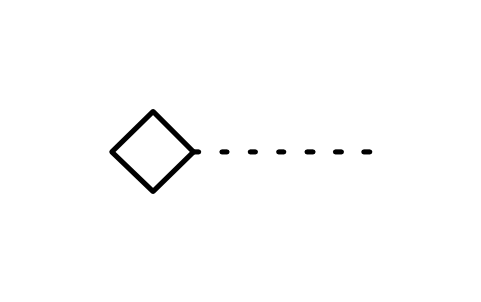 Manual actuator, removable handle
 Manual actuator in form of key
 Manual actuator in form of lever
 Manual actuator in form of pedal
 Manual actuator in form of treadle
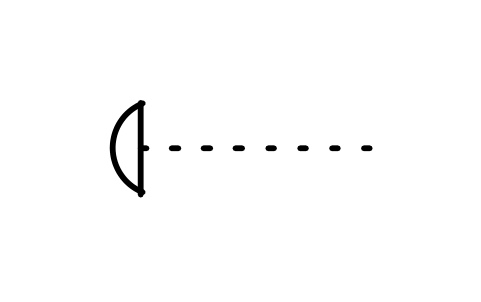 Manual actuator, safety shape
 Restricted access device