
KaynaklarElektrik şeması sembolleri
Household appliance circuit diagrams: sample DWG files of an electric kettle, a hair dryer and a lamp dimmer
Three small circuits that everyone knows, drawn the way an engineer would draw them. The kettle has a switch, a steam thermostat, a dry-boil cut-out, a heating element and an indicator lamp, with the protective earth bonded to the metal parts. The hair dryer feeds its DC fan motor from a tap on the heating element through a bridge rectifier, protected by a thermostat and a one-shot cut-out, and is double insulated. The lamp dimmer fires a triac with a diac and an RC network and has a choke and a snubber. Each sheet has a device list, data tables, safety notes and a filled-in title block, all on the same electrical template.
Free to use and modify in your own projects, including commercial ones. The ZIP holds the sample drawing, a template, a plot style table and a README; no add-in needed. The data in the drawing is made up, so it is not for design or construction. Provided as is, without warranty.
Electric kettle
Mains plug, on/off switch, steam thermostat, dry-boil cut-out, 2200 W heating element, neon indicator lamp with series resistor and protective earth to the metal parts.
Hair dryer
1800 W heater with a tap for the DC fan motor, bridge rectifier and smoothing capacitor, thermostat and one-shot thermal cut-out, double insulated.
Lamp dimmer
Phase-control dimmer for a 60 W lamp: fuse, choke, triac fired by a diac, RC trigger network with a variable resistor and a snubber across the triac.
This sample uses these resources
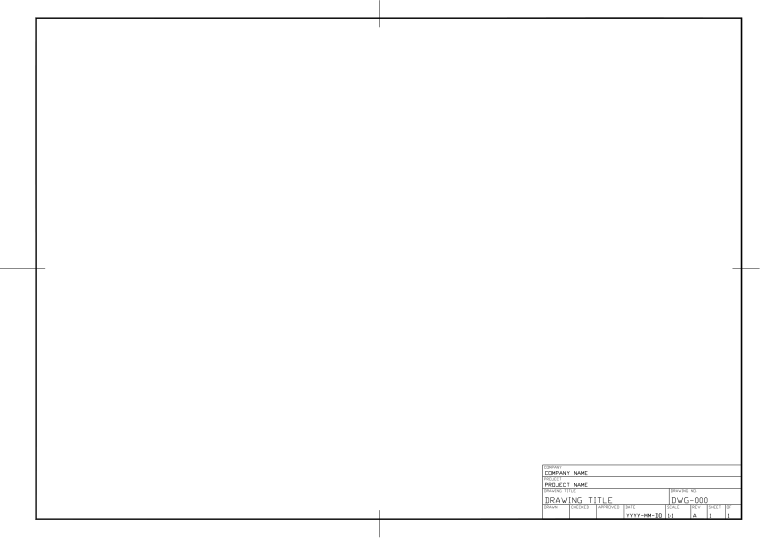
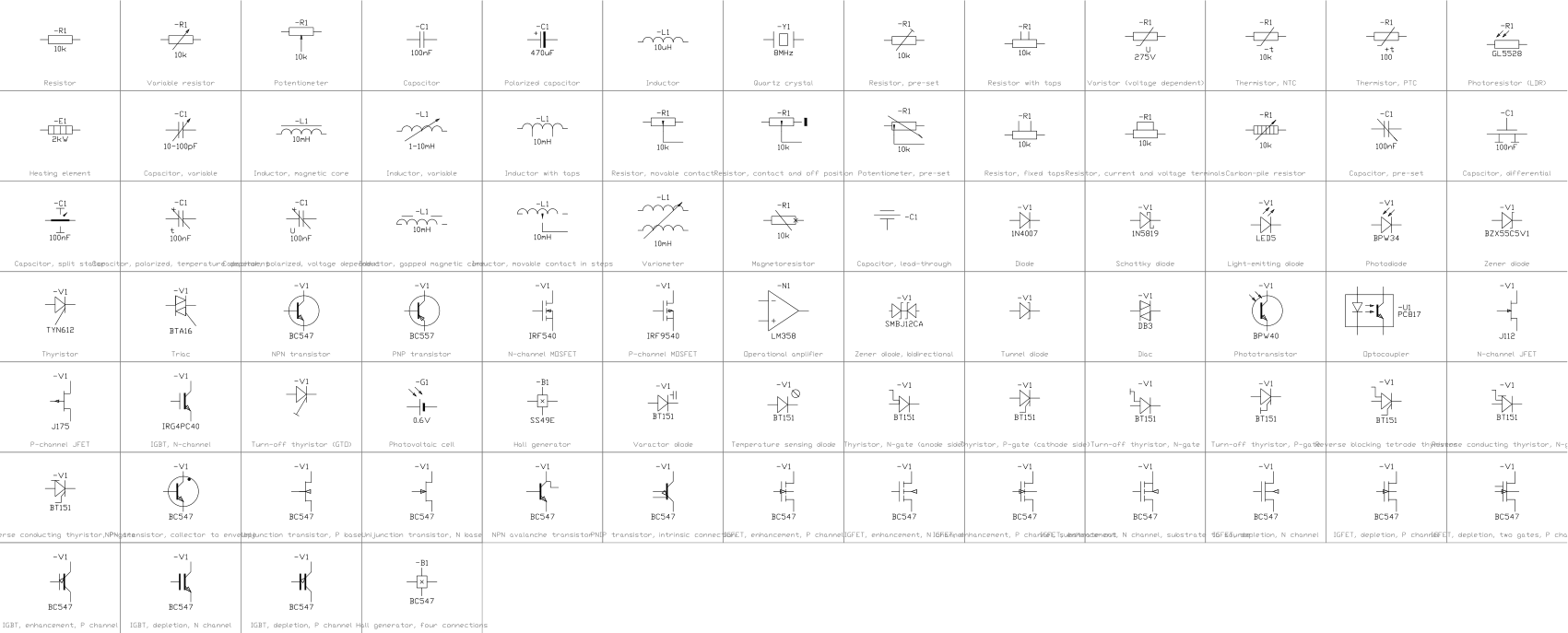
The symbols are blocks from our own libraries, with their attributes filled in. The sheet and its title block come from our ISO A3 title block template. Download them to draw your own diagrams.
What is in the ZIP
- Electric-Kettle-Circuit-Sample.dwg
Sample drawing (DWG, AutoCAD 2018 format) - Hair-Dryer-Circuit-Sample.dwg
Sample drawing (DWG, AutoCAD 2018 format) - Lamp-Dimmer-Circuit-Sample.dwg
Sample drawing (DWG, AutoCAD 2018 format) - Electrical-Template-ISO-A3.dwt
Template (DWT) that the drawing was made on - CADXChange-Monochrome.ctb
Plot style table (CTB) that prints every colour black - README.txt
README with the layer list and how to use the files
Every ZIP holds its own drawing together with the template, the plot style table and the README.
The template
The electrical template has 16 layers with colours, line weights and linetypes (power circuits, busbars, control, signal, protective earth, enclosure boundaries, text and more), the text styles ISO-2.5 to ISO-5, the dimension style ISO-25 and an ISO A3 layout with a title block and revision table. The layer names are a common convention, not a standard; rename them to match your company's rules.
Layers defined
Every layer in the template with its colour, line weight and linetype, and how many objects of this sample are on it. Layers the sample does not use are still defined, ready for your own drawing.
| Layer | Colour | Line weight | Linetype | Used for | Electric kettle | Hair dryer | Lamp dimmer |
|---|---|---|---|---|---|---|---|
| Electrical layers | |||||||
| ELEC-POWER | 1 | 0.50 mm | Continuous | Main power circuits | 12 | 19 | 25 |
| ELEC-BUS | 1 | 0.70 mm | Continuous | Busbars and heavy lines | not used here | not used here | not used here |
| ELEC-CONTROL | 4 | 0.25 mm | Continuous | Control circuits | not used here | not used here | not used here |
| ELEC-SIGNAL | 3 | 0.18 mm | Continuous | Signal, instrumentation and communication circuits | not used here | not used here | not used here |
| ELEC-PE | 2 | 0.35 mm | Continuous | Protective earth and bonding | 4 | not used here | not used here |
| ELEC-CABLE | 30 | 0.25 mm | DASHED | Cable, conduit and tray routes | not used here | not used here | not used here |
| SYMBOL | 7 | 0.25 mm | Continuous | Symbols (the layer the symbol libraries use) | 14 | 15 | 17 |
| ELEC-TERMINAL | 7 | 0.25 mm | Continuous | Terminals and connection points | not used here | not used here | not used here |
| ELEC-BOUNDARY | 5 | 0.18 mm | DASHDOT | Enclosure, panel and device boundaries | 2 | 2 | 2 |
| ELEC-MECH-LINK | 8 | 0.18 mm | DASHED | Mechanical links, interlocks and measuring links | 2 | 2 | not used here |
| ELEC-REF | 7 | 0.18 mm | Continuous | Reference designations (-QF1, -K2) | not used here | not used here | not used here |
| ELEC-WIRE-NO | 7 | 0.18 mm | Continuous | Wire numbers and cable labels | 3 | 2 | 2 |
| ELEC-XREF | 9 | 0.13 mm | Continuous | Contact and cross reference texts | not used here | not used here | not used here |
| ELEC-TEXT | 7 | 0.18 mm | Continuous | General text | 95 | 98 | 103 |
| ELEC-NOTES | 7 | 0.18 mm | Continuous | Notes and legends | 4 | 4 | 5 |
| ELEC-DIM | 3 | 0.18 mm | Continuous | Dimensions | not used here | not used here | not used here |
| Sheet and symbol layers | |||||||
| 0 | 7 | default | Continuous | Default layer, keep it empty | not used here | not used here | not used here |
| FRAME | 7 | default | Continuous | Sheet border | 5 | 5 | 5 |
| TITLEBLOCK | 7 | default | Continuous | Title block and revision table | 1 | 1 | 1 |
| VIEWPORT | 8 | default | Continuous | Layout viewport frame (does not plot) | 2 | 2 | 2 |
| DRAWING-AREA | 8 | default | Continuous | Boundary of the model drawing area (does not plot) | 2 | 2 | 2 |
Styles defined
The text styles, the dimension style and the linetypes that the template defines, so you do not have to set them up in each new drawing.
| Kind | Name | Settings |
|---|---|---|
| Text style | ISO | isocp.shx, 15°, variable height |
| Text style | ISO-2.5 | isocp.shx, 15°, 2.5 mm high |
| Text style | ISO-3.5 | isocp.shx, 15°, 3.5 mm high |
| Text style | ISO-5 | isocp.shx, 15°, 5 mm high |
| Text style | TB-en | Arial, used by the title block |
| Dimension style | ISO-25 | Text 2.5 mm, arrows 2.5 mm, extension lines 1.25 mm beyond the dimension line and 0.625 mm from the object, dimension lines 3.75 mm apart, 0 decimals |
| Linetype | Continuous | Solid line |
| Linetype | DASHED | Dashed |
| Linetype | DASHDOT | Dash-dot |
| Linetype | CENTER | Centre line |
| Linetype | PHANTOM | Phantom line |
| Linetype | HIDDEN | Hidden line |
Sheet and drawing setup
How the sheet is set up, so your own drawings print the same way.
- Sheet
- ISO A3 landscape, 420 × 297 mm.
- Layout
- One layout named ISO-A3, plotted at 1:1 on full-bleed A3 media, so the sheet has no printer margin.
- Border
- 20 mm from the left edge (binding side) and 10 mm from the other edges; the drawing area inside is 390 × 277 mm.
- Model space
- Units are millimetres. The drawing area is shown at 1:1, so 1 mm in the drawing is 1 mm on paper.
- Title block
- 160 × 79 mm at the lower right, with a four-line revision table above the company, project, title and approval fields.
- Text size
- 2.5 mm for labels and notes, 3.5 mm and 5 mm for headings.
- Linetype scale
- 1, so dashes are sized for plotting at 1:1.
- Plot style
- None set. Pick the CTB from the ZIP in the page setup for black-and-white plots.
Electric kettle
Title block fields
The attributes of the title block. Double-click it to fill them in, or write them for a whole set of drawings with BlockSync.
| Attribute | Field on the sheet | Value in this sample |
|---|---|---|
| COMPANY | COMPANY | CADXChange |
| PROJECT | PROJECT | Household Appliances |
| AREA | AREA | Kitchen |
| SYSTEM | SYSTEM | 230 V AC |
| CLIENT | CLIENT | Sample |
| TITLE | DRAWING TITLE | Electric kettle |
| DRAWING_NO | DRAWING NO. | E-301 |
| CONTRACT_NO | CONTRACT NO. | — |
| REV | REV | A |
| DRAWN | DRAWN | — |
| CHECKED | CHECKED | — |
| APPROVED | APPROVED | — |
| DATE | DATE | 2026-10-21 |
| SCALE | SCALE | NTS |
| SHEET | SHEET | 1 |
| SHEET_OF | OF | 1 |
Revision table: R1 to R4, each with REV, DATE, DESCRIPTION and BY (16 attributes, empty in this sample).
Blocks in the drawing
The equipment list of the drawing: block name, symbol and how many times it is placed. BlockSync exports the same list from your own drawings.
| Symbol | Block | Placed |
|---|---|---|
 Junction Junction | IEC_JUNCTION | 4 |
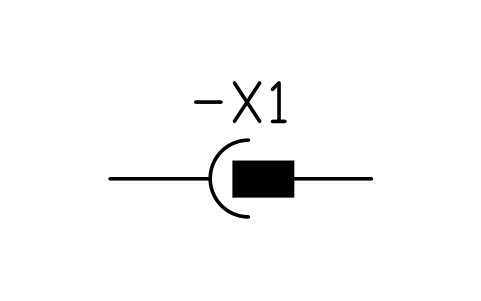 Plug and socket Plug and socket | IEC_PLUG_SOCKET | 3 |
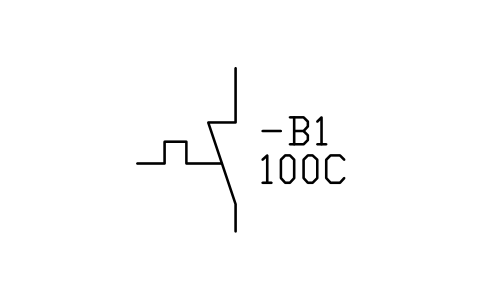 Thermal switch, self-operating (NC) Thermal switch, self-operating (NC) | IEC_THERMAL_SWITCH_NC | 2 |
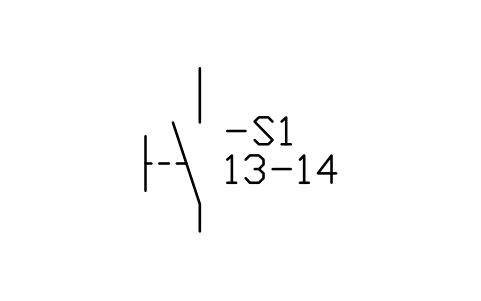 Switch, manually operated, general (NO) Switch, manually operated, general (NO) | IEC_SWITCH_MANUAL_NO | 1 |
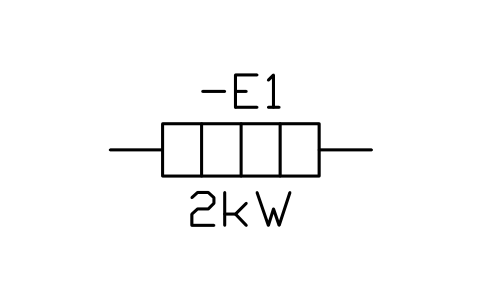 Heating element Heating element | IEC_HEATING_ELEMENT | 1 |
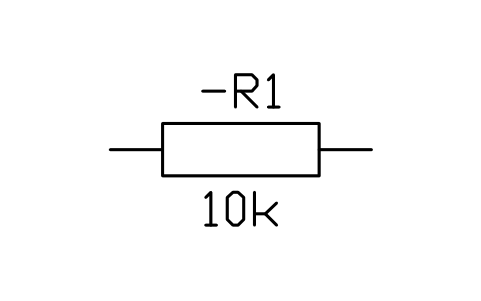 Resistor Resistor | IEC_RESISTOR | 1 |
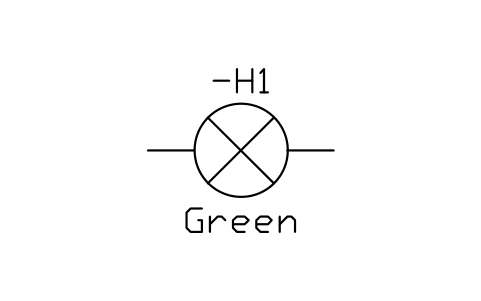 Signal lamp Signal lamp | IEC_LAMP | 1 |
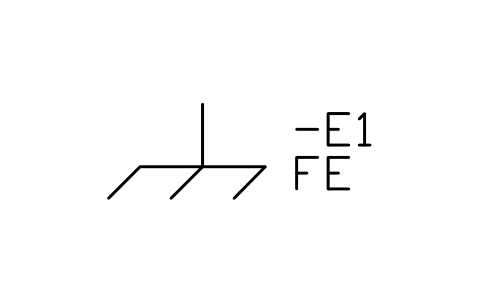 Frame / chassis Frame / chassis | IEC_FRAME | 1 |
Equipment schedule
One row per placed symbol, read from the attributes of the blocks in the drawing: what is shown on the sheet, and the schedule attributes that were filled in but are not shown. BlockSync exports these same attributes from your own drawings.
| Tag | Description | Shown on the sheet | Filled in, not shown |
|---|---|---|---|
| X1 | Plug and socketIEC_PLUG_SOCKET | CONNECTOR = Mains plug | RATING_A = 16 APOLES = 1 |
| S1 | Switch, manually operated, general (NO)IEC_SWITCH_MANUAL_NO | CONTACT_NO = 1 NO | FUNCTION = On/offRATING_A = 16 AVOLTAGE = 250 V AC |
| ST1 | Thermal switch, self-operating (NC)IEC_THERMAL_SWITCH_NC | SETPOINT_C = 100 C | CONTACT_NO = 1 NCRESET = AutomaticHYSTERESIS_C = 15RATING_A = 16 AVOLTAGE = 250 V AC |
| ST2 | Thermal switch, self-operating (NC)IEC_THERMAL_SWITCH_NC | SETPOINT_C = 135 C | CONTACT_NO = 1 NCRESET = ManualRATING_A = 16 AVOLTAGE = 250 V AC |
| R1 | Heating elementIEC_HEATING_ELEMENT | POWER = 2200 W | VOLTAGE = 230 VRESISTANCE = 24 ohm |
| R2 | ResistorIEC_RESISTOR | VALUE = 220 kohm | POWER = 0.5 WTOLERANCE = 5% |
| H1 | Signal lampIEC_LAMP | COLOR = Red | VOLTAGE = 230 V ACPOWER = 0.3 W |
Manufacturer, model and remarks are left empty on every block, ready for your data. The values are examples.
Hair dryer
Title block fields
The attributes of the title block. Double-click it to fill them in, or write them for a whole set of drawings with BlockSync.
| Attribute | Field on the sheet | Value in this sample |
|---|---|---|
| COMPANY | COMPANY | CADXChange |
| PROJECT | PROJECT | Household Appliances |
| AREA | AREA | Bathroom |
| SYSTEM | SYSTEM | 230 V AC |
| CLIENT | CLIENT | Sample |
| TITLE | DRAWING TITLE | Hair dryer |
| DRAWING_NO | DRAWING NO. | E-302 |
| CONTRACT_NO | CONTRACT NO. | — |
| REV | REV | A |
| DRAWN | DRAWN | — |
| CHECKED | CHECKED | — |
| APPROVED | APPROVED | — |
| DATE | DATE | 2026-10-21 |
| SCALE | SCALE | NTS |
| SHEET | SHEET | 1 |
| SHEET_OF | OF | 1 |
Revision table: R1 to R4, each with REV, DATE, DESCRIPTION and BY (16 attributes, empty in this sample).
Blocks in the drawing
The equipment list of the drawing: block name, symbol and how many times it is placed. BlockSync exports the same list from your own drawings.
| Symbol | Block | Placed |
|---|---|---|
| Junction | IEC_JUNCTION | 5 |
| Plug and socket | IEC_PLUG_SOCKET | 2 |
| Thermal switch, self-operating (NC) | IEC_THERMAL_SWITCH_NC | 2 |
| Heating element | IEC_HEATING_ELEMENT | 2 |
| Switch, manually operated, general (NO) | IEC_SWITCH_MANUAL_NO | 1 |
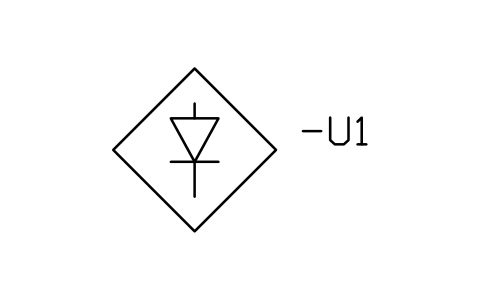 Rectifier, bridge connection Rectifier, bridge connection | IEC_RECTIFIER_BRIDGE | 1 |
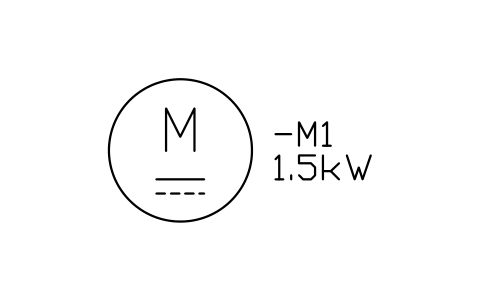 Motor, DC Motor, DC | IEC_MOTOR_DC | 1 |
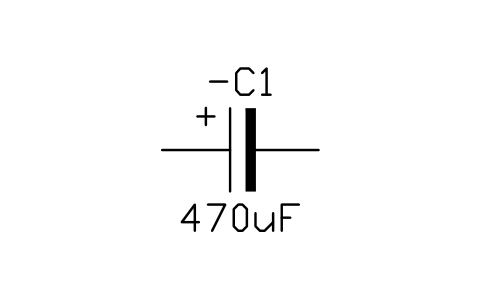 Polarized capacitor Polarized capacitor | IEC_CAPACITOR_POLARIZED | 1 |
Equipment schedule
One row per placed symbol, read from the attributes of the blocks in the drawing: what is shown on the sheet, and the schedule attributes that were filled in but are not shown. BlockSync exports these same attributes from your own drawings.
| Tag | Description | Shown on the sheet | Filled in, not shown |
|---|---|---|---|
| X1 | Plug and socketIEC_PLUG_SOCKET | CONNECTOR = Mains plug | RATING_A = 10 APOLES = 1 |
| S1 | Switch, manually operated, general (NO)IEC_SWITCH_MANUAL_NO | CONTACT_NO = 1 NO | FUNCTION = On/offRATING_A = 10 AVOLTAGE = 250 V AC |
| ST1 | Thermal switch, self-operating (NC)IEC_THERMAL_SWITCH_NC | SETPOINT_C = 110 C | CONTACT_NO = 1 NCRESET = AutomaticHYSTERESIS_C = 20RATING_A = 10 AVOLTAGE = 250 V AC |
| ST2 | Thermal switch, self-operating (NC)IEC_THERMAL_SWITCH_NC | SETPOINT_C = 150 C | CONTACT_NO = 1 NCRESET = None (one-shot)RATING_A = 10 AVOLTAGE = 250 V AC |
| R1 | Heating elementIEC_HEATING_ELEMENT | POWER = 1620 W | VOLTAGE = 230 VRESISTANCE = 26.4 ohm |
| R2 | Heating elementIEC_HEATING_ELEMENT | POWER = 180 W | VOLTAGE = 230 VRESISTANCE = 3 ohm |
| U1 | Rectifier, bridge connectionIEC_RECTIFIER_BRIDGE | TYPE = KBP206 | VOLTAGE = 600 VCURRENT = 2 APACKAGE = Single in-line |
| M1 | Motor, DCIEC_MOTOR_DC | POWER_KW = 25 W | VOLTAGE = 24 V DCCURRENT = 1 ASPEED_RPM = 12000 |
| C1 | Polarized capacitorIEC_CAPACITOR_POLARIZED | VALUE = 470 uF | VOLTAGE = 63 V |
Manufacturer, model and remarks are left empty on every block, ready for your data. The values are examples.
Lamp dimmer
Title block fields
The attributes of the title block. Double-click it to fill them in, or write them for a whole set of drawings with BlockSync.
| Attribute | Field on the sheet | Value in this sample |
|---|---|---|
| COMPANY | COMPANY | CADXChange |
| PROJECT | PROJECT | Household Appliances |
| AREA | AREA | Living room |
| SYSTEM | SYSTEM | 230 V AC |
| CLIENT | CLIENT | Sample |
| TITLE | DRAWING TITLE | Lamp dimmer |
| DRAWING_NO | DRAWING NO. | E-303 |
| CONTRACT_NO | CONTRACT NO. | — |
| REV | REV | A |
| DRAWN | DRAWN | — |
| CHECKED | CHECKED | — |
| APPROVED | APPROVED | — |
| DATE | DATE | 2026-10-21 |
| SCALE | SCALE | NTS |
| SHEET | SHEET | 1 |
| SHEET_OF | OF | 1 |
Revision table: R1 to R4, each with REV, DATE, DESCRIPTION and BY (16 attributes, empty in this sample).
Blocks in the drawing
The equipment list of the drawing: block name, symbol and how many times it is placed. BlockSync exports the same list from your own drawings.
| Symbol | Block | Placed |
|---|---|---|
| Junction | IEC_JUNCTION | 5 |
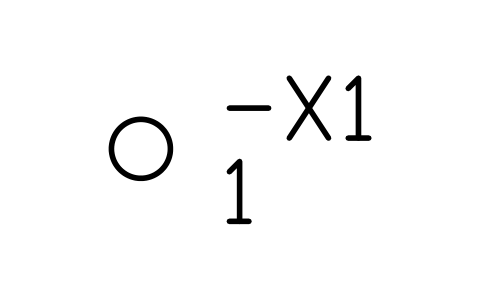 Terminal Terminal | IEC_TERMINAL | 2 |
| Resistor | IEC_RESISTOR | 2 |
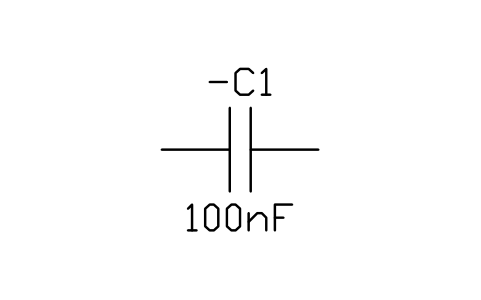 Capacitor Capacitor | IEC_CAPACITOR | 2 |
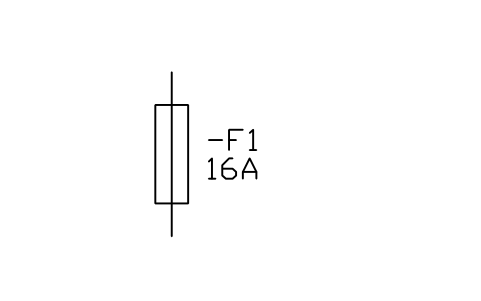 Fuse Fuse | IEC_FUSE | 1 |
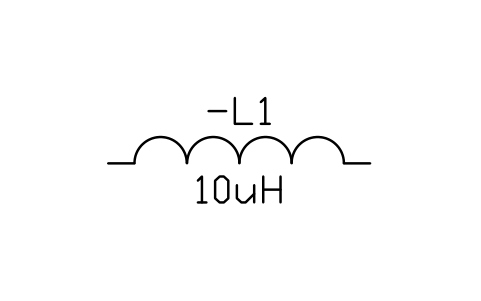 Inductor Inductor | IEC_INDUCTOR | 1 |
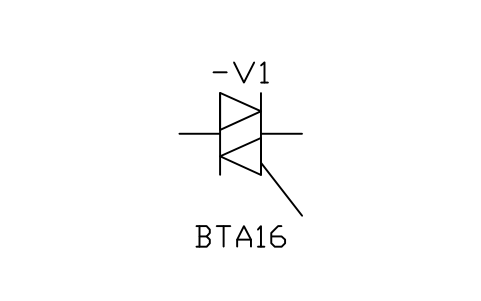 Triac Triac | IEC_TRIAC | 1 |
| Signal lamp | IEC_LAMP | 1 |
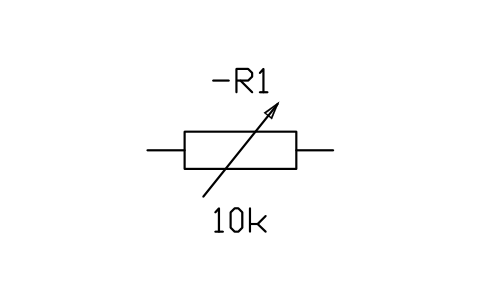 Variable resistor Variable resistor | IEC_RESISTOR_VARIABLE | 1 |
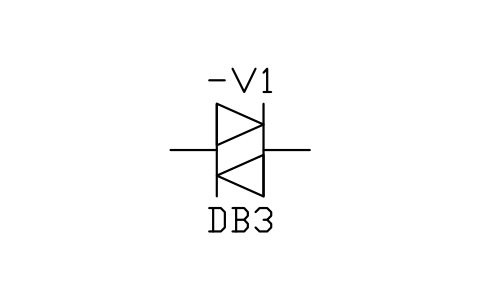 Diac Diac | IEC_DIAC | 1 |
Equipment schedule
One row per placed symbol, read from the attributes of the blocks in the drawing: what is shown on the sheet, and the schedule attributes that were filled in but are not shown. BlockSync exports these same attributes from your own drawings.
| Tag | Description | Shown on the sheet | Filled in, not shown |
|---|---|---|---|
| F1 | FuseIEC_FUSE | RATING_A = 2 A | VOLTAGE = 250 VCLASS = Time-lagBREAKING_KA = 1.5 |
| X1 | TerminalIEC_TERMINAL | TERMINAL_NO = 1 | |
| L1 | InductorIEC_INDUCTOR | VALUE = 1 mH | CURRENT = 2 A |
| V2 | TriacIEC_TRIAC | TYPE = BT136-600 | VOLTAGE = 600 VCURRENT = 4 A |
| X1 | TerminalIEC_TERMINAL | TERMINAL_NO = 2 | |
| EL1 | Signal lampIEC_LAMP | VOLTAGE = 230 V ACPOWER = 60 W | |
| RV1 | Variable resistorIEC_RESISTOR_VARIABLE | VALUE = 500 kohm | POWER = 0.25 W |
| R1 | ResistorIEC_RESISTOR | VALUE = 3.3 kohm | POWER = 0.25 WTOLERANCE = 5% |
| C1 | CapacitorIEC_CAPACITOR | VALUE = 100 nF | VOLTAGE = 275 V ACTOLERANCE = 10% |
| V1 | DiacIEC_DIAC | TYPE = DB3 | VOLTAGE = 32 V |
| R2 | ResistorIEC_RESISTOR | VALUE = 100 ohm | POWER = 1 WTOLERANCE = 5% |
| C2 | CapacitorIEC_CAPACITOR | VALUE = 100 nF | VOLTAGE = 275 V ACTOLERANCE = 10% |
Manufacturer, model and remarks are left empty on every block, ready for your data. The values are examples.
How to use it
- Open the sample drawing to see how layers, text and the title block are used, or open it in the browser first, nothing to install.
- Start your own drawing from the template (NEW, then pick the DWT file). Copy the CTB file to your plot styles folder if you want black-and-white plots.
- Insert blocks from the symbol library into your drawing. The blocks in the sample are copies; they do not change when a library changes.
- Double-click the title block to fill it in, then export the equipment list with BlockSync.
Frequently asked questions
- Can I use the drawing for a real project?
- As a starting point for layout and layers, yes. The ratings, settings and cable sizes are made up, so the diagram has to be checked and changed for your project before it is used for design or construction.
- Why are the layers coloured?
- Colours and line weights follow the layers: power circuits are red and heavy, control is cyan, signal is green. The plot style table in the ZIP prints everything black and keeps the line weights, so you can plot in black and white as well.
- Which CAD programs open it?
- The drawing and the template are in AutoCAD 2018 format, which AutoCAD 2018 and later open, and so do other CAD programs that read this format. The browser viewer needs nothing installed.